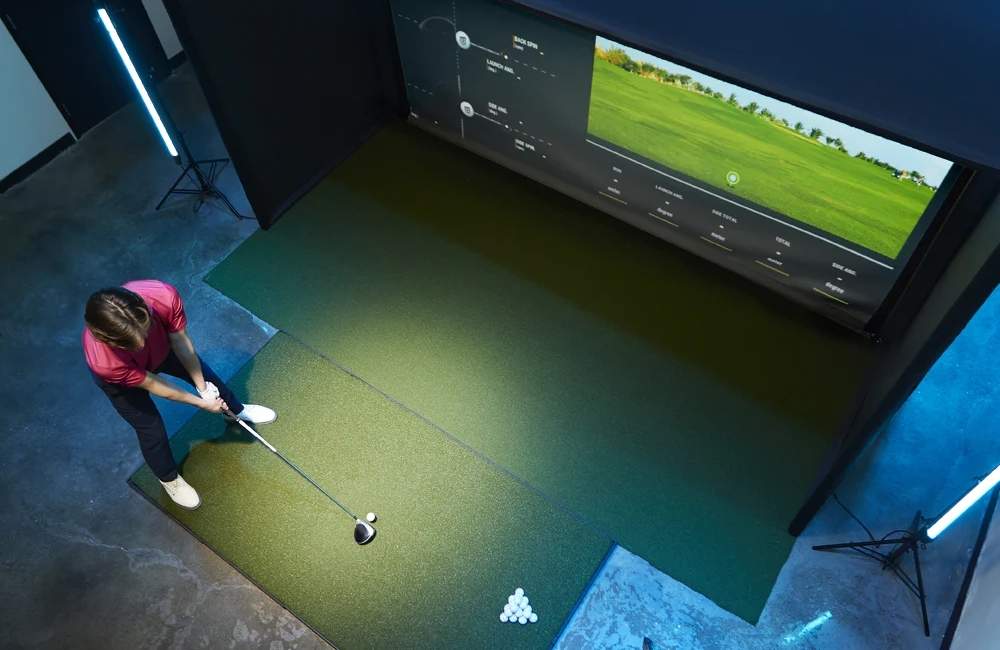
Most golfers looking at the Uneekor QED want one honest answer. Does this ceiling mounted launch monitor still deliver a high-quality indoor golf simulator experience in 2026, or has it been passed by newer models like the EYE XO, EYE XO2, and ProTee VX?
After spending time with the QED in a home simulator setup and testing it side by side with newer units, here’s the truth. The QED may not be the newest model in Uneekor’s lineup anymore, but the accuracy, software flexibility, and impact video keep it relevant for golfers building a reliable indoor golf simulator.
This Uneekor QED review breaks down what the QED does well, where it shows its age, how it compares to popular alternatives, and who should still buy it in 2026.
Quick Verdict: Is the Uneekor QED Worth It? Yes, the Uneekor QED is still worth it if you want reliable indoor accuracy, dual-camera impact video, and a ceiling-mounted home simulator setup at a lower cost than newer models like the EYE XO. It delivers strong performance, but keep in mind it requires marked balls and lacks a few newer club data metrics.
What Is the Uneekor QED?
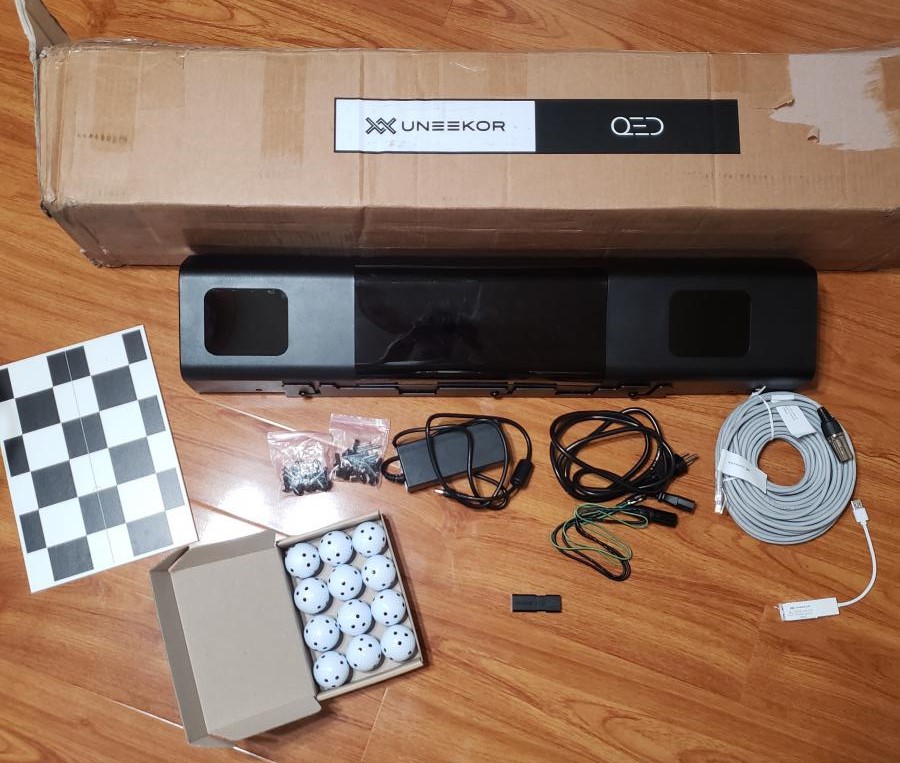
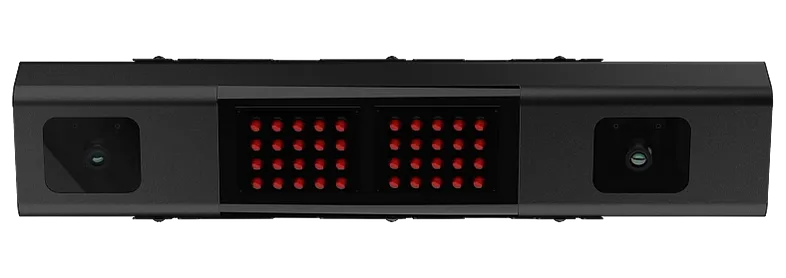
The Uneekor QED is a fixed, overhead launch monitor designed for serious indoor practice. It uses dual high-speed cameras that capture over 3,000 frames per second along with infrared tracking to deliver precise ball and club data.
Unlike portable launch monitors, the QED mounts to your ceiling. That means a cleaner play area, no device near the hitting zone, and no need to adjust positioning for right- or left-handed players.
This review of the Uneekor QED wouldn’t be complete without noting one key thing. It does require marked golf balls to read spin, and if you want full club data you’ll need stickers on the club face. But the trade-off is strong indoor accuracy.
The QED works as both a launch monitor and a full home golf simulator because it requires software to display your data, ball flight, and virtual courses.
UnUneekor QED Specs
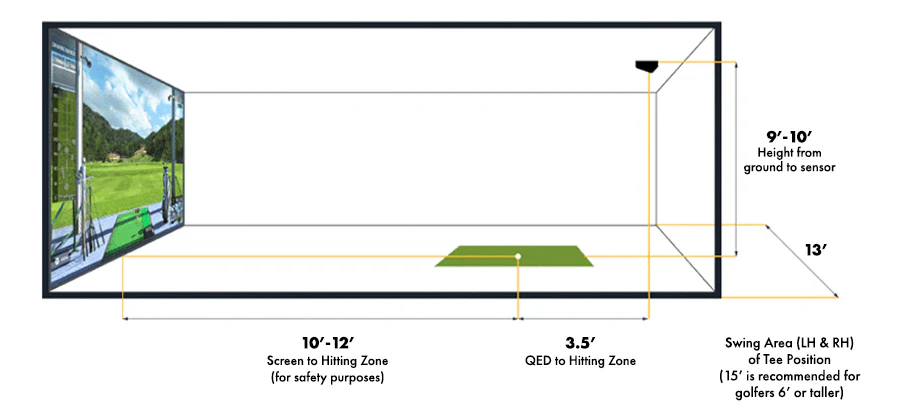
Golfers search heavily for this, so here’s a simple specs callout:
• Mounting Height: 9-10.5 feet
• Positioning: 3.5 feet behind the hitting zone
• Tracking Tech: Dual high-speed cameras + infrared
• Club Data: Stickers required for club metrics
• Hitting Zone Coverage: Fixed hitting area under the unit
• Best Use: Indoor and home golf simulator setups only
Setup and Home Simulator Installation
Setting up the QED is a one-time project because of the overhead mounting design. Once it’s installed, it stays out of the way and delivers consistent readings.
Mount the bracket to a stable ceiling, slide the sensor bar into place, then connect the power and Ethernet cable to your PC. Calibration is done through Uneekor’s software tools and only takes a few minutes. Keeping your mat level is important, and using the provided marked balls ensures accurate spin readings.
If you’re not handy or don’t want to deal with ladders, Uneekor recommends professional installation. But once it’s mounted, it becomes a hands-off part of your simulator.
Software and Real-World Use
One reason the QED remains popular for home golf simulators is how flexible the software options are. You can build your setup around your goals, budget, and how you prefer to practice or play.
Uneekor View, Refine, and Refine+
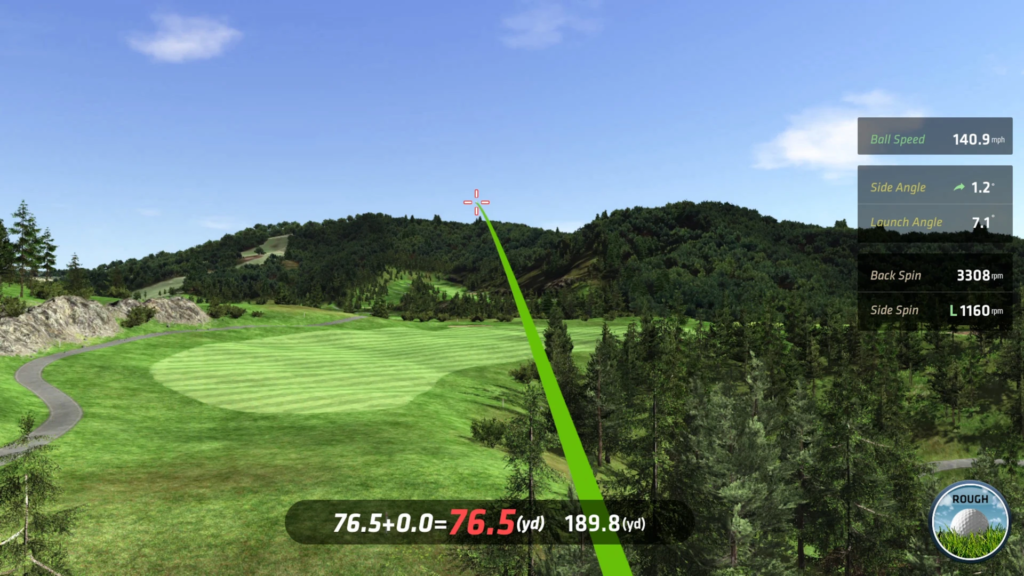
View is included and gives you your core ball and club data with video playback of impact. It’s great for training, seeing your numbers, and reviewing contact quality.
Refine adds on-course practice, five playable courses, multiplayer, and short-game modes. It blends practice with simulator play.
Refine+ expands that to 20 courses and deeper analytics. It feels more complete for golfers who treat their simulator as a long-term improvement tool.
Third-Party Software Options
This is where the QED shines for users who want variety.
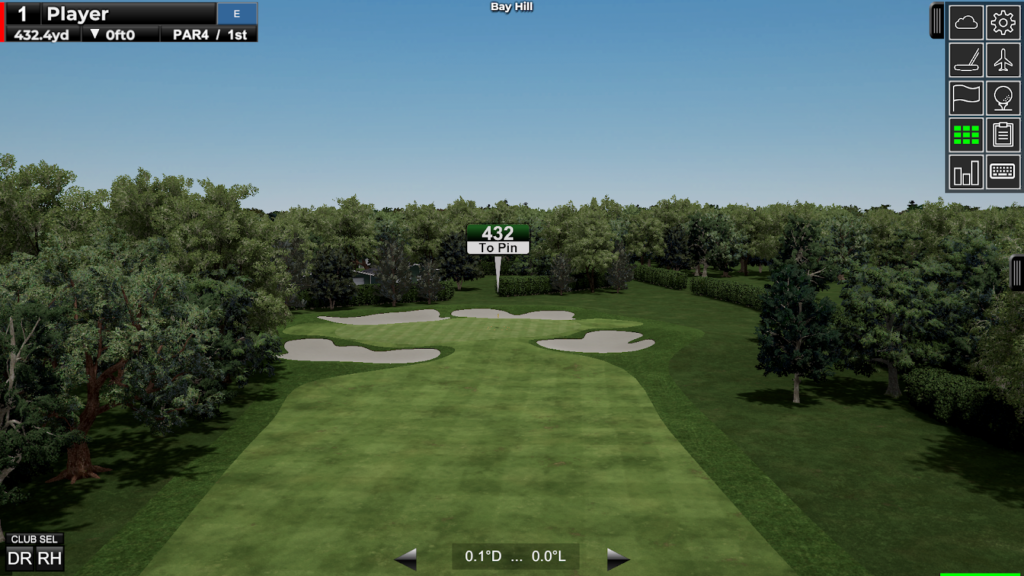
- GSPro is the top pick for most QED owners because of the realism, 4K visuals, and weekly SGT tournaments. Courses look and play true to life, and the community constantly adds new layouts.
- TGC 2019 has a massive library of over 170,000 courses and a fun multiplayer experience. Families love this one because there’s always a new course to try.
- E6 CONNECT offers premium visuals, polished interfaces, fun mini-games, and online events. It’s great if you want a balance of practice, entertainment, and competition.
- Creative Golf is the most family-friendly choice thanks to mini-games, kids-mode experiences, and less technical gameplay.
Whether your home simulator is for improvement, entertainment, or competition, the QED is built to plug into whatever style fits.
Accuracy and Data Performance
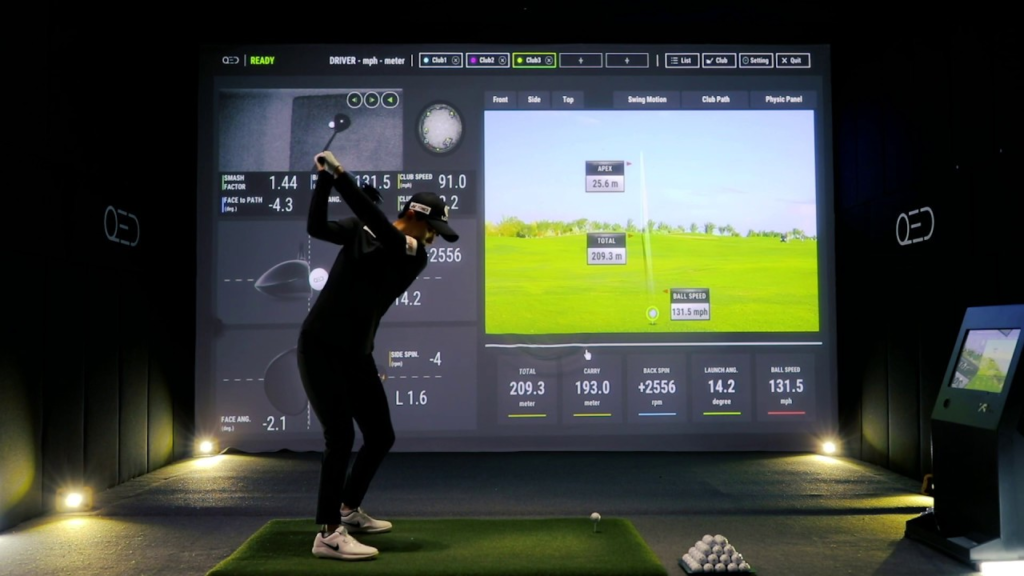
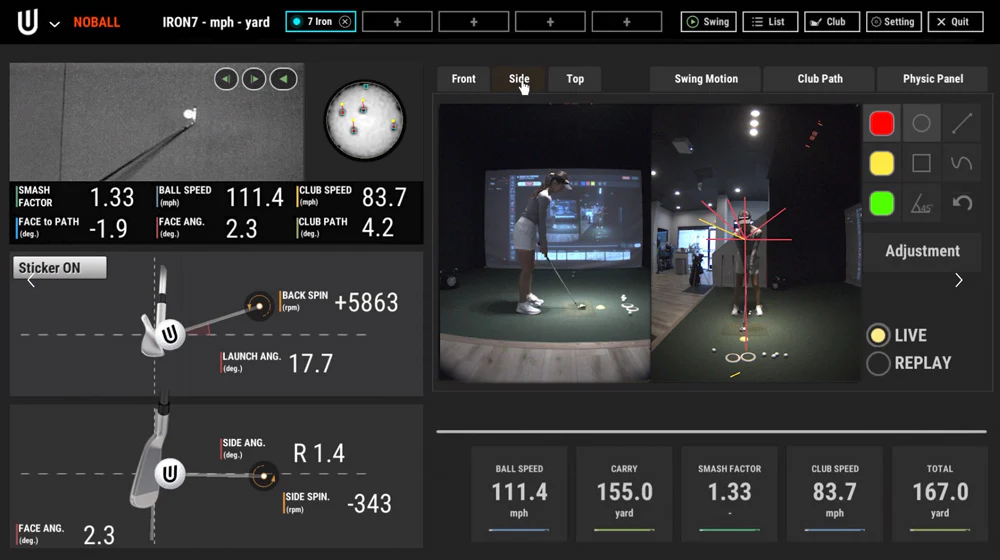
The QED still holds strong in ball and club data accuracy. It captures the core data golfers need to improve, including:
• Ball speed
• Launch angle
• Spin rates
• Carry distance
• Club speed
• Club path
• Face angle
The real standout is Club Optix, which gives you slow-motion video of impact so you can see your strike, face angle, and how the ball leaves the club. This visual feedback is part of why many golfers stick with the QED instead of upgrading.
Shot delay is minimal. Indoors, it feels fast and responsive for practice or simulator rounds.
The two limitations worth noting:
• Marked balls are required
• It doesn’t measure a few newer-era metrics like angle of attack and dynamic loft
If you want absolutely every club metric available, the EYE XO or EYE XO2 is the step up. But for most golfers, the QED covers the data that actually changes results.

Uneekor QED vs GC3
Since many shoppers compare the QED and GC3, here’s a quick breakdown.
The GC3 is portable, doesn’t require marked balls, and gives you more club data. It works indoors and outdoors, and it’s easier if you want to move your setup or practice away from your simulator space.
But it costs more and takes up floor space, and right- and left-handed players have to reposition it.
The QED is more ideal if your priority is an indoor golf simulator that stays set up, stays accurate, and doesn’t clutter the hitting area. If portability doesn’t matter, the QED gives you more simulator value for less money.
Pricing and Value
The base Uneekor QED package is around $6,000 and includes the sensor bar, mounting bracket, calibration tools, 24 marked balls, and View software.
Additional software costs:
• Refine: $199 per year
• Refine+: $399 per year
• GSPro: $250 per year
• TGC 2019: $950 one-time
• E6 CONNECT: $300-$600 per year
For a full home golf simulator build, the QED is often bundled with screens, projectors, and enclosures through retailers. Bundles can save money over buying everything separately.
For the price, it’s a strong value for golfers who want a permanent, accurate indoor simulator that stays mounted and delivers consistent performance.
Best for Swing AnalysisUneekor QED
$6,000
The Uneekor QED offers precise, reliable data for golfers looking to improve their game indoors. It’s a great option for dedicated players who value accuracy.
Pros:- Accurate data for indoor practice
- Ceiling mount keeps space clean and hands-free
- Impact video (Club Optix) is a real training advantage
- Strong simulator software choices
Cons:
- Requires marked balls
- Limited advanced club metrics compared to newer models
- Best only for indoor home simulator setups
Who Should Buy the Uneekor QED?
The QED is a fit for golfers who want a permanent indoor simulator with strong data accuracy and impact visuals. It’s ideal for basements, garages, and dedicated home simulator rooms.
It works well for players who want to train with visual feedback, families who share the simulator, and golfers who want multiplayer or course play without having equipment on the floor.
If you want the most detailed club data possible, or if marking balls feels like a hassle, the EYE XO or newer models may make more sense. But if you want a reliable ceiling-mounted system that delivers consistent indoor performance, the QED still makes sense today.
Uneekor QED FAQs
Is the Uneekor QED worth it?
Yes, the QED is still worth it for golfers building an indoor home simulator who value accurate data and impact video at a lower cost than newer models.
Can you use real golf balls with the QED?
You need to use marked balls for accurate spin readings. Standard balls won’t provide the same data quality.
How accurate is the Uneekor QED?
The QED is very accurate indoors and delivers consistent numbers when the setup is level and calibrated. It performs within the accuracy range most golfers need for training and simulator play.
Does the Uneekor QED work with GSPro?
Yes, the QED is compatible with GSPro, and many QED owners consider it the best software pairing for realistic course play.
Uneekor QED vs EYE XO - which should I buy?
The EYE XO offers more advanced club data and doesn’t require marked balls. The QED is more affordable and still strong for dedicated indoor use.
Final Thoughts: Is the Uneekor QED Still a Smart Buy in 2026?
The Uneekor QED isn’t the newest launch monitor anymore, but it remains a solid choice for golfers building a home golf simulator who care about accuracy, software flexibility, and impact video feedback. The ceiling-mounted design keeps the hitting area clean, and the performance still holds up well against newer models.
If you want reliable indoor data, strong simulator software options, and a setup that feels professional, the QED continues to deliver.
Frequently Asked Questions
Is the Uneekor QED still worth buying?
The QED is Uneekor's original overhead launch monitor and still delivers reliable accuracy. The newer EYE MINI offers improved technology, but the QED may be available at a discount.
How accurate is the Uneekor QED?
The QED uses dual high-speed cameras for accurate ball tracking including speed, spin, launch angle, and carry distance.
Does the QED work with GSPro?
Yes. The QED is fully compatible with GSPro, one of the most popular and affordable simulator software options.
Related Articles
Check out these related guides and reviews from Par Percision: