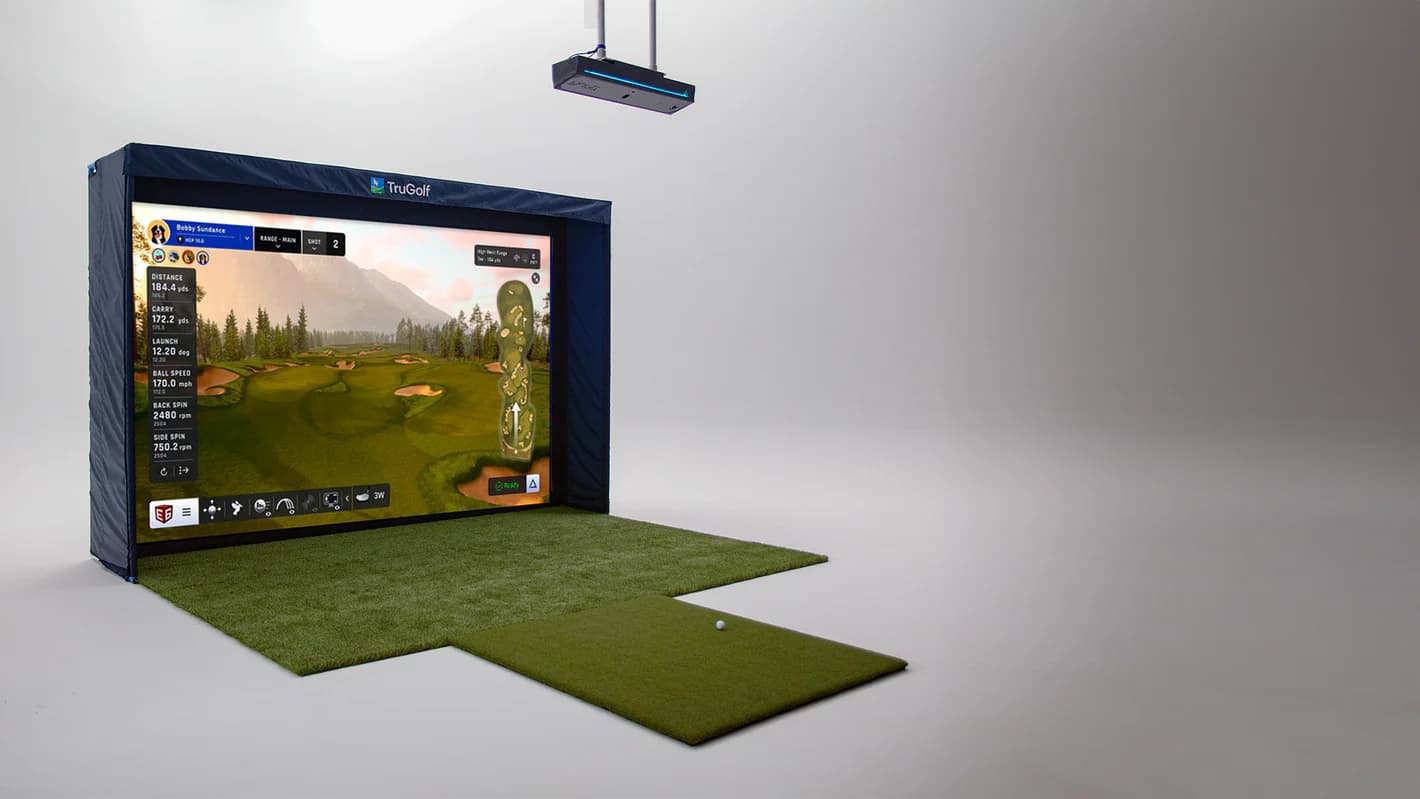
I remember the exact moment the TruGolf Apogee stopped feeling optional. I was standing in my room looking at a floor unit that worked fine on paper but never felt settled in real life. Ball placement mattered too much. Lefty and righty swaps broke the flow. One small bump and the whole session felt off. That’s when I knew I didn’t want another portable solution. I wanted a ceiling mounted launch monitor that stayed put and let the room do the work.
| Technology | Overhead Camera |
|---|---|
| Price | $7,995 |
| Use | Indoor Only |
| Ball Data | Ball speed, spin, launch angle, carry |
| Software | TruGolf proprietary |
| Mounting | Ceiling-mounted |
What We Like
- Reliable overhead tracking
- TruGolf software included
- Ceiling-mounted convenience
- Mid-range pricing
- Good for dedicated rooms
What Could Be Better
- $7,995 price point
- Less accurate than Foresight/TrackMan
- Smaller software ecosystem
- Indoor only
- Limited third-party compatibility
Best For
Golfers who want a ceiling-mounted system with solid accuracy and TruGolf's proprietary software at a mid-range price point.
In one clear sentence, the TruGolf Apogee is a ceiling mounted launch monitor built for indoor only golf simulators that delivers instant shot feedback with no lag and a clean, permanent setup. This TruGolf Apogee review is written for home golfers deciding between the TruGolf Apogee golf simulator and popular floor based competitors, and for instructors who want consistency without setup friction. If you plan to move your unit often, take it to the range, or rely on maximum third party software flexibility, this is not the system for you.
The bottom line is direct. At $7,995, the TruGolf Apogee is worth it if permanence, speed, and realism matter more than portability. Serious home golfers and teaching studios benefit most, especially anyone who wants their simulator room to feel finished the moment they walk in.
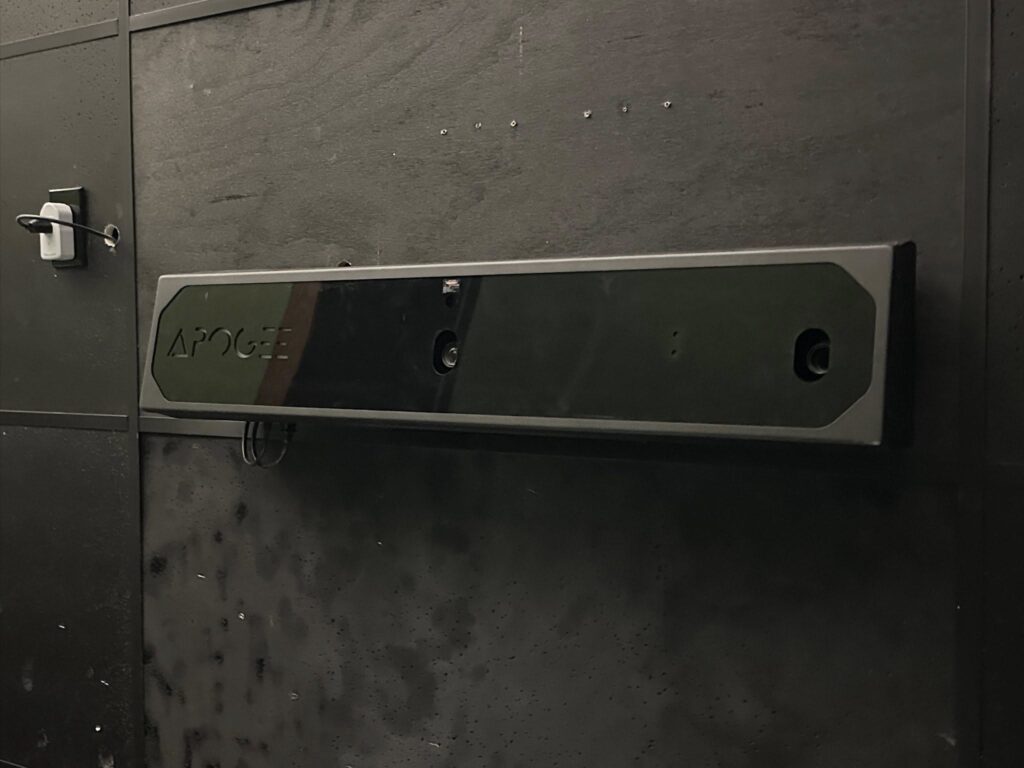
What Is the TruGolf Apogee
The TruGolf Apogee launch monitor is an overhead, camera based system built from the ground up for permanent indoor use. Instead of sitting beside the ball, the unit mounts to the ceiling and tracks every shot from above using high speed stereoscopic cameras. That overhead position is not a design flourish. It’s the core reason the system feels different the moment you start hitting balls.
Apogee is an indoor golf simulator by intention, not limitation. TruGolf did not try to make it portable or adaptable for outdoor ranges. They built it for controlled environments where lighting, distance, and alignment can be locked in once and trusted every session after. Once installed and calibrated, the system stays ready without needing constant checks or repositioning.
The difference compared to floor based units becomes obvious fast. Floor launch monitors live in the hitting zone, which means careful ball placement, frequent adjustments, and extra steps when switching between left handed and right handed players. An overhead golf simulator removes those interruptions. The hitting area stays clean, player switching is instant, and nothing sits in harm’s way during the swing.
TruGolf built the Apogee launch monitor this way to prioritize flow and consistency over flexibility. It’s meant to disappear into the room so attention stays on the shot, not the hardware. The ideal use case is a dedicated home simulator, a teaching studio that needs fast transitions between students, or a golf room designed to feel permanent. If your goal is a true indoor golf simulator experience that feels stable, repeatable, and built to last, this is exactly what Apogee was designed to deliver.
TruGolf Apogee $7,995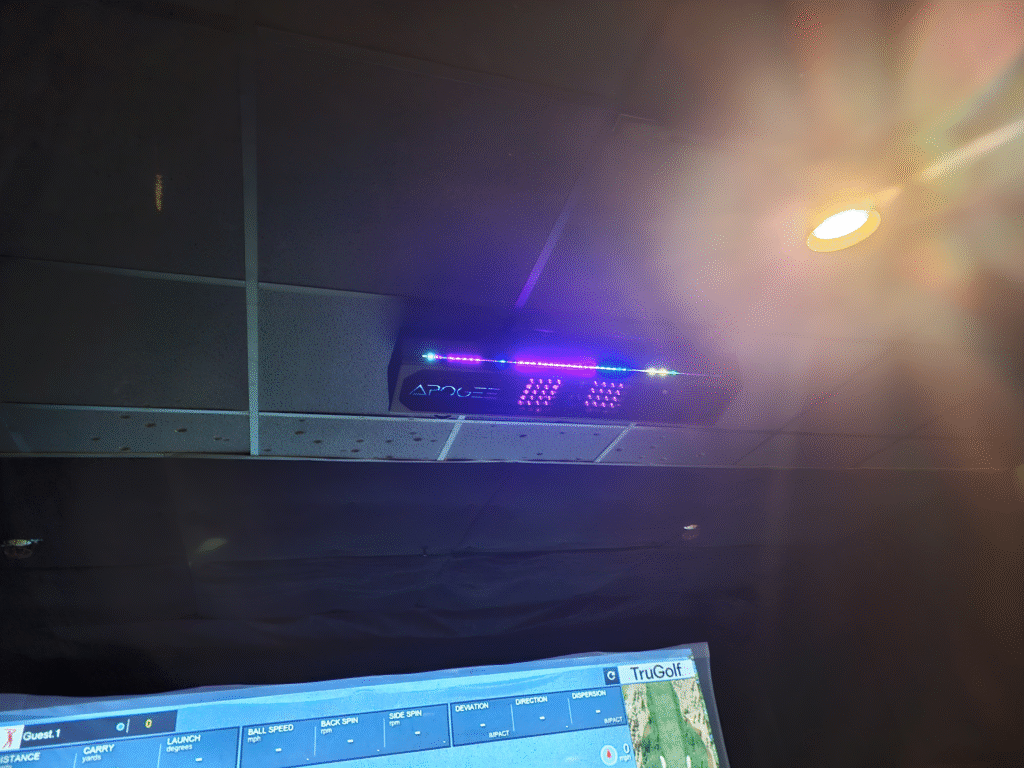
TruGolf Apogee Key Features Breakdown
What becomes obvious almost immediately with the TruGolf Apogee features is how fast the system fades into the background. Once you start swinging, there’s nothing to manage, line up, or second guess. The dual camera tracking system lives overhead, using ultra high speed stereoscopic cameras to capture impact from above. Those cameras work in tandem with an on-board processor that handles image recognition locally, which means the system is reacting to the strike itself rather than estimating flight after the fact. Shots register cleanly because the system is watching the physical collision, not a marked ball or a carefully staged setup.
One of the biggest quality of life wins is the lack of required marked balls. You grab the same ball you normally practice with and swing. The cameras are capable of tracking ball speeds up to roughly 200 mph while capturing high-fidelity spin data, all without reflective dots or special markings. Club data comes through naturally for most players, tracking head speed, face angle, and club path straight from the cameras. Ball data covers speed, launch direction, launch angle, and spin behavior, and it stays consistent shot after shot. Optional club stickers unlock deeper metrics like dynamic loft and lie angle, but they never feel mandatory to get useful feedback.
Instant Impact is the moment that sells the experience. By processing the strike locally, the system displays ball flight in under 10 milliseconds, so the shot appears on screen almost the instant the club makes contact. There’s no waiting, no stutter, and no break in rhythm. That instant response keeps practice honest and makes the simulator feel directly connected to the swing in a way slower systems struggle to match.
Voice control quietly changes how you interact with the room. A quick spoken command handles mulligans, weather changes, or read requests without stepping off the mat. The “Hey APOGEE” voice assistant acts as a hands-free interface for the E6 APEX software, which helps maintain the natural flow of a round, especially during social play. It’s what turns Apogee into a true voice controlled golf simulator instead of a system that pulls you back into menus between shots.
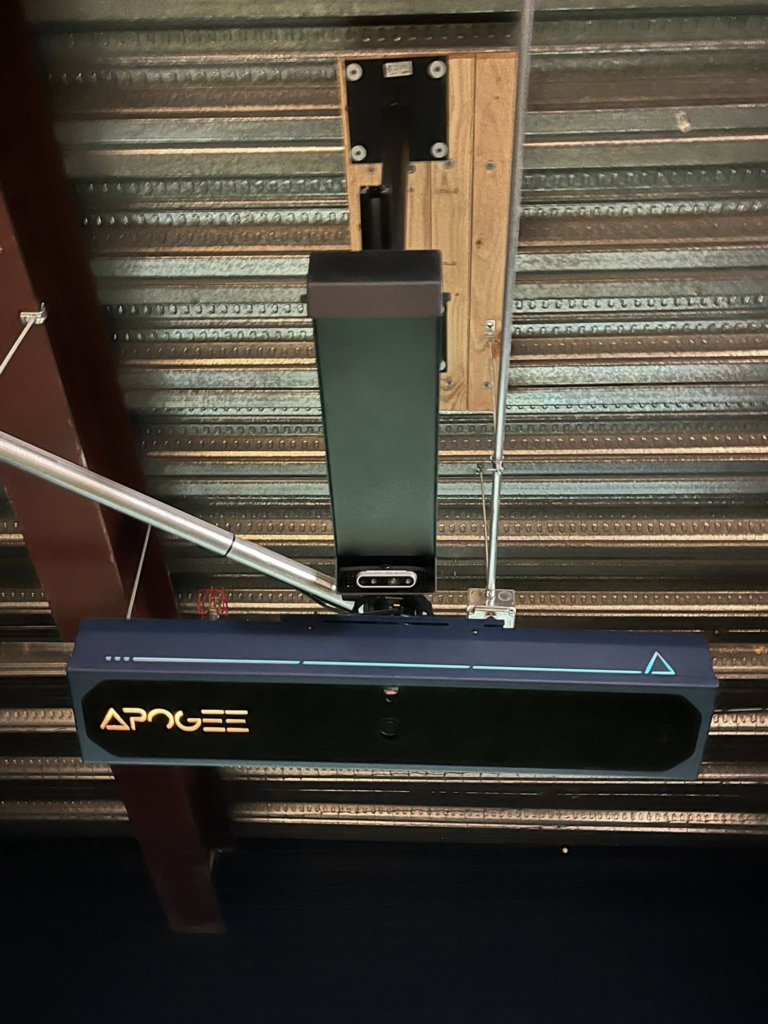
Visually, everything comes together when paired with E6 APEX and a strong PC. The 4K graphics look sharp, lighting feels natural, and ball flight carries real weight and depth. Features like the Laser Launchpad project a clear visual hitting zone onto the mat, confirming placement before each swing, while the Point of Impact replay provides a high-frame-rate, slow-motion look at club-to-ball contact after every shot. With the unit permanently mounted overhead at nine to ten feet, the system is always ready. You walk in, start swinging, and trust that the TruGolf Apogee launch monitor is seeing exactly what happened at impact.
Setup, Installation, and Space Requirements
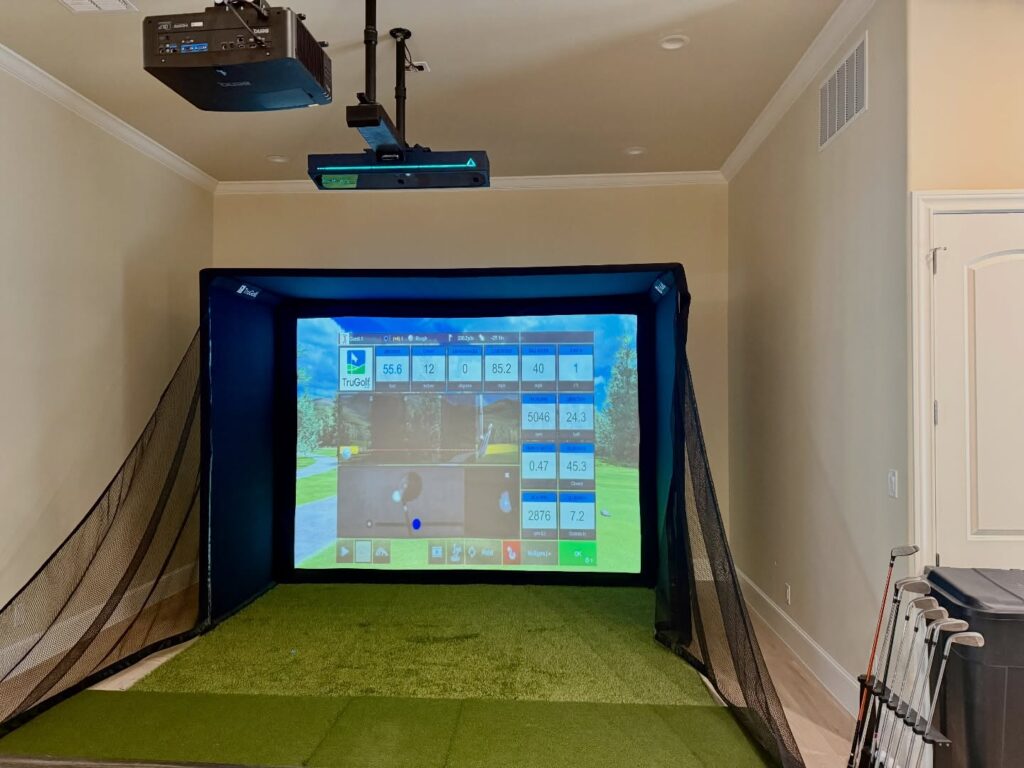
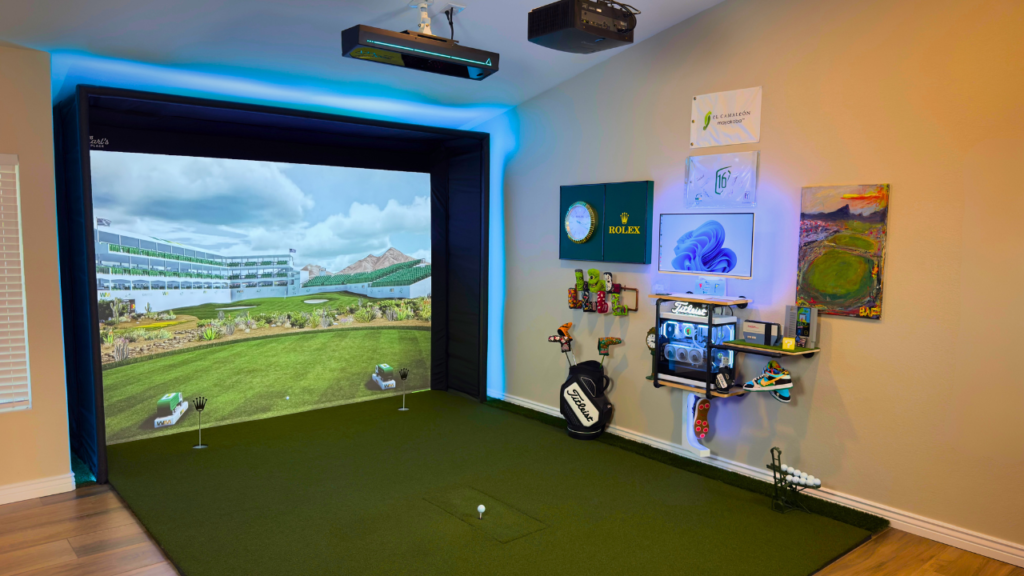
The TruGolf Apogee setup starts with accepting that this is a permanent ceiling mounted launch monitor setup, not something you casually move or tweak week to week. Installing APOGEE feels less like setting up a gadget and more like converting your room into a dedicated studio. The unit mounts directly to the ceiling between nine and ten feet high and sits roughly twenty one to twenty five inches in front of the hitting position. Because it’s ceiling mounted, all the heavy lifting happens up front. Once it’s bolted in and wired via Ethernet to your PC, the system itself stays out of the way.
Golf simulator space requirements matter more here than with floor based units. A comfortable room looks like around ten feet of ceiling height, fourteen feet of width, and eighteen feet of depth. Those dimensions give the cameras clean sightlines while still allowing full swings, realistic ball flight, and safe screen distance. Slightly smaller rooms can work, but dedicated golf rooms benefit most from staying close to those numbers.
Hitting zone placement is one of Apogee’s smartest touches. The system projects a green laser launchpad directly onto your mat, showing exactly where the ball should sit. Once the ball is placed and the system locks on, the laser disappears. Calibration uses a physical alignment grid placed on the floor while the automated wizard handles the math. After that, the unit rarely needs attention again.
Lighting requirements are reasonable but important. Even, controlled lighting works best for overhead systems, and harsh shadows directly over the hitting area should be avoided. Once dialed in, lighting rarely needs adjustment. Over time, overhead mounting is what pays off most. Nothing sits on the floor, nothing gets bumped, and switching between left handed and right handed players happens instantly. The TruGolf Apogee setup rewards planning once with years of stable, repeatable use.
Software Experience with E6 CONNECT
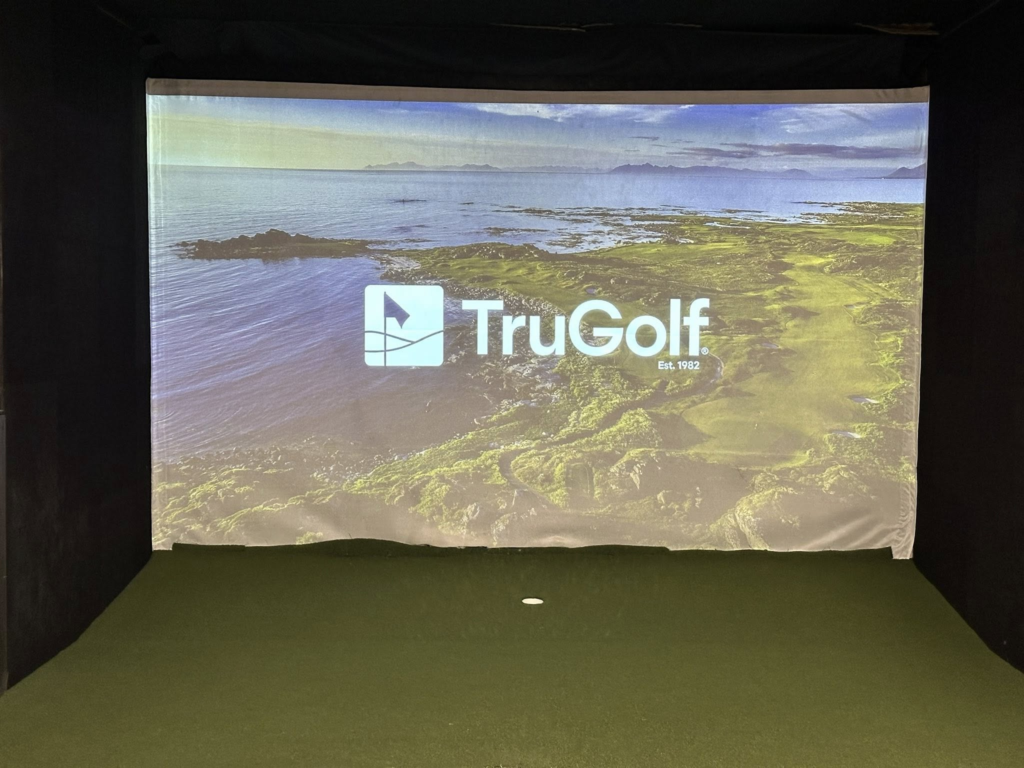
The TruGolf software experience centers around E6 CONNECT, and it immediately feels like a high end environment built specifically for golfers. Rather than feeling like simulator software bolted onto hardware, E6 CONNECT feels like the natural extension of the room itself. It’s widely regarded for its physics, reliability, and smooth performance during longer sessions.
Practice modes cover everything from open range work and wedge practice to structured shot shaping and distance control. The course library is deep, with access to thousands of virtual courses that load smoothly and look convincing, especially when paired with E6 APEX and proper hardware. Game modes and skill challenges add variety without turning the experience into something arcade like, which helps keep practice engaging over time.
What stands out most is how fast everything feels. Thanks to TruGolf’s Instant Impact technology, the ball appears on screen the moment it leaves the club face. There’s no delay and no awkward pause, which removes the disconnect common in slower simulators. The interface stays clean and intuitive, but voice control is where things change completely.
Instead of stepping away to use a mouse or keyboard, you can simply talk to the room. Saying “Hey APOGEE, give me a mulligan” resets the shot instantly. You can change conditions, request reads, or move on without breaking rhythm. It feels less like operating software and more like having a digital caddy standing next to you.
Beyond playing courses, the software delivers meaningful feedback. After every swing, you see a slow motion Point of Impact replay showing exactly how the club face met the ball. That visual confirmation often explains misses faster than numbers alone. E6 CONNECT benefits serious home golfers and teaching studios the most, especially those who value realism, stability, and a polished experience that keeps the technology invisible while they focus on the swing.
Performance and Accuracy - What It Feels Like to Use
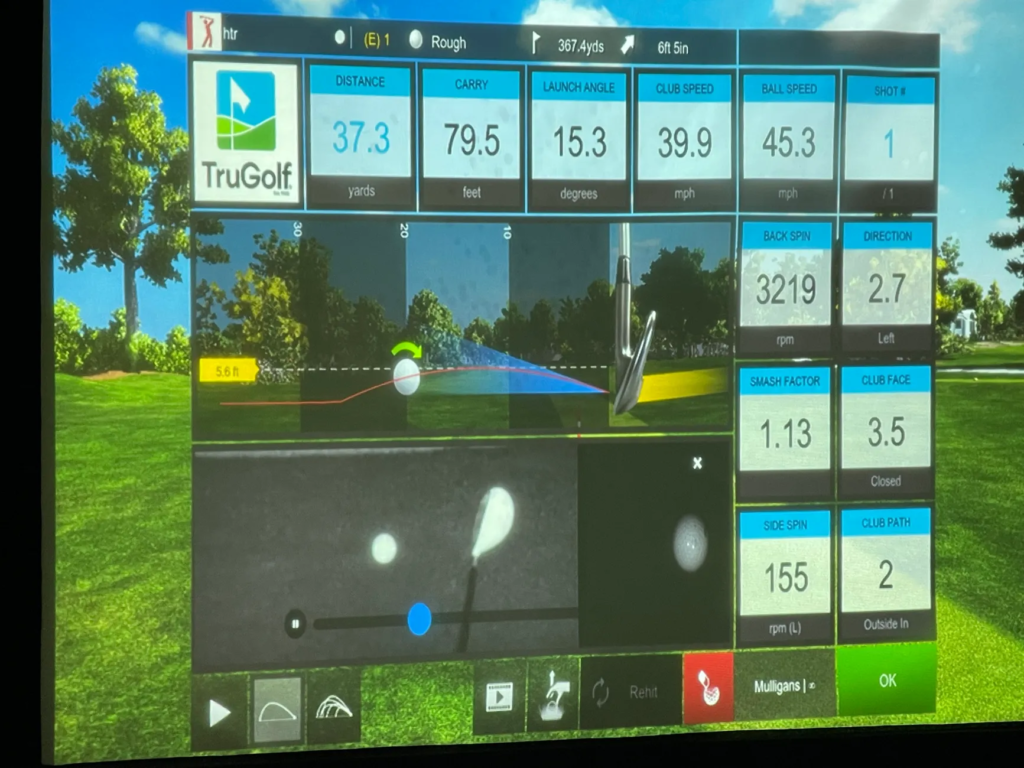
Accuracy with the TruGolf Apogee shows up immediately in how dependable each session feels. Rather than estimating ball flight, the system follows a measured-not-guessed approach, using ultra-high-speed stereoscopic cameras to capture the strike itself at thousands of frames per second. That camera speed matters, because ball speed, launch angle, and spin are recorded as physical events, not calculated after the fact. Well-struck irons carry exactly the distance I expect from grass, and misses show up honestly instead of being softened by software.
Shot response time is where everything locks in. Instant Impact delivers ball flight virtually the moment the club makes contact, with sub-10 millisecond processing that removes the mental pause common with simulator lag. You swing, you hear impact, and the shot is already climbing on screen. That immediacy keeps rhythm intact and makes practice feel continuous instead of segmented.
Ball flight realism holds across the bag. High-spin wedges behave like wedges, aggressive drives stay stable at ball speeds approaching 200 mph, and curvature reacts properly to face and path changes measured to within tenths of a degree in launch direction. Carry distances remain consistent session to session once calibrated, often landing within 1 to 3 yards of high-end systems like a Foresight GC3. Club data stays reliable without requiring stickers for everyday use, tracking head speed, face angle, and club path naturally.
Putting performance is where many simulators fall apart, but APOGEE handles it surprisingly well. Low-speed putts down to roughly 1-2 mph register cleanly, which makes touch practice possible instead of forced auto-putting. Practice sessions feel analytical and focused, while full rounds feel smooth and immersive. That balance between golf simulator realism and playability is what keeps the experience grounded rather than game-like.
Pros and Cons of the TruGolf Apogee
One of the biggest strengths of the TruGolf Apogee is how permanent and dependable it feels once installed. Nothing sits on the floor. Nothing shifts during a session. Left-handed and right-handed players switch instantly. The laser launchpad removes ball placement errors by creating a clearly defined hitting window, and the Point of Impact replay explains misses faster than raw numbers alone. Seeing the club face strike the ball in slow motion often answers the “why” behind a shot more clearly than data ever could. Voice control also matters more than expected, saving dozens of trips to a keyboard during a round and keeping swing rhythm intact.
The tradeoffs revolve around commitment. A fixed ceiling mount means planning your room carefully and accepting that portability is gone. Running Ethernet through the ceiling and hitting the correct 9-10 foot mounting height are non-negotiable. Software flexibility is another factor. TruGolf’s ecosystem looks polished and runs smoothly, but APOGEE does not natively support GSPro, which is a hurdle for players who prioritize third-party course libraries. Cost also extends beyond the unit itself, since achieving the zero-lag, high-frame-rate experience requires a capable PC, often adding $1,500 to $2,500 to the build.
The TruGolf Apogee pros and cons come down to permanence versus flexibility. If your goal is a finished room that always works, the advantages outweigh the limitations. If mobility or software openness matters most, those tradeoffs become harder to ignore.
TruGolf Apogee vs Other Golf Simulators
Not all golf simulators compete on the same terms. Some prioritize portability, others lean into data depth, and a few focus on turning a room into a permanent, seamless experience.
Comparing the TruGolf Apogee against other popular simulators comes down to how each system fits into real ownership, not just how it performs on paper. The differences become clear once you look at workflow, setup, and how the technology behaves once the room is built.
TruGolf Apogee vs SkyTrak ST MAX
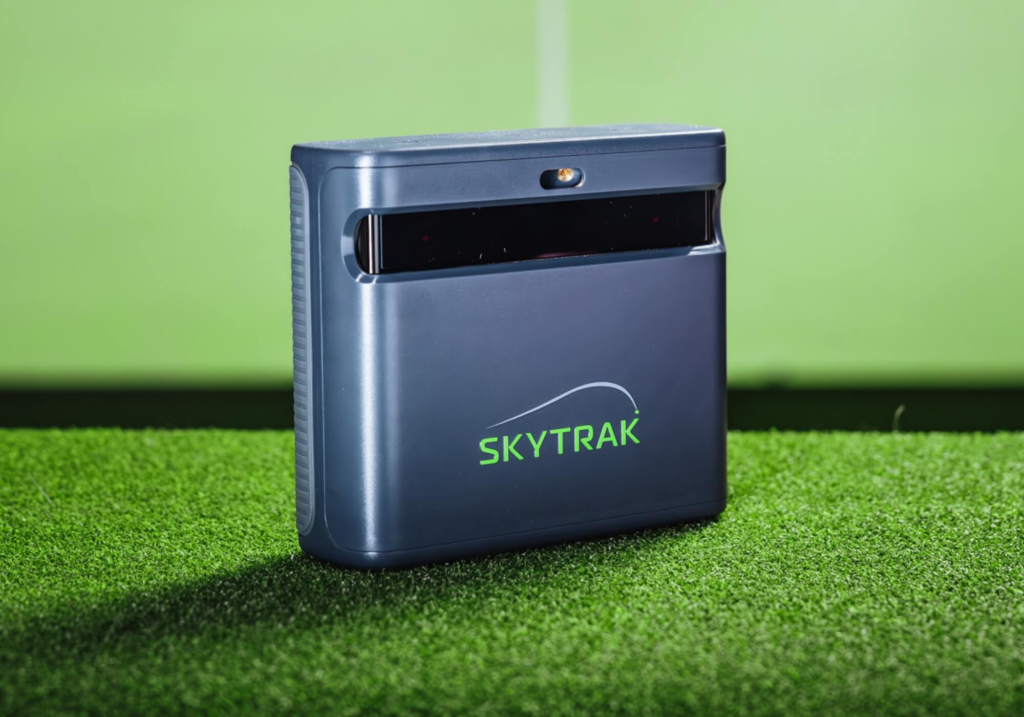
Putting TruGolf Apogee vs SkyTrak ST MAX (formerly SkyTrak+) side by side exposes two very different ideas of what a home simulator should be. SkyTrak ST MAX is built to move. It’s compact, budget-friendly, and easy to shift from room to room. Apogee goes the opposite direction. It’s permanent, ceiling mounted, and meant to fade into the room once it’s installed.
The gap shows itself the moment you hit a shot. Apogee’s Instant Impact pushes ball flight to the screen in under 10 milliseconds. There’s no pause. No waiting. SkyTrak ST MAX, while accurate for the money, introduces a noticeable one to two second delay before the shot appears. For casual sessions, that’s fine. For golfers focused on tempo and rhythm, that delay can pull you out of the swing.
Placement changes the experience even more. SkyTrak ST MAX lives on the floor beside the ball. That makes it flexible, but it also means recalibration, careful alignment, and physical movement when switching between left-handed and right-handed players. Apogee stays overhead and out of the way. No clutter. No shifting hardware. Players step in and swing without touching a thing.
SkyTrak wins on accessibility and price. Apogee wins on immersion, flow, and consistency. One feels like a tool you set up. The other feels like a room that’s always ready.
SkyTrak ST MAX $2,995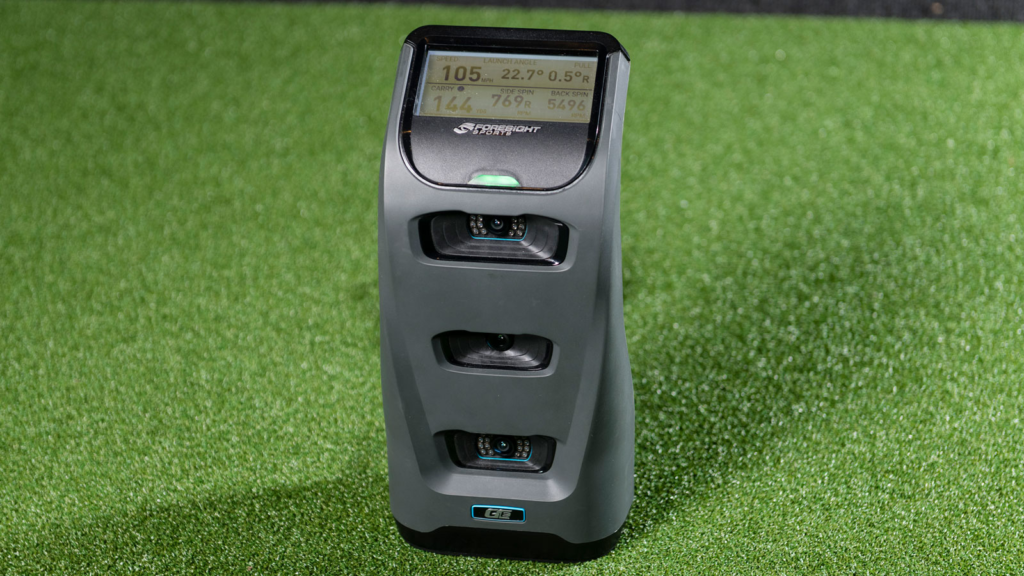
TruGolf Apogee vs Foresight GC3
Looking at the TruGolf APOGEE and the Foresight Sports GC3 side by side, the difference jumps out immediately. Both live in the mid-to-high-end launch monitor tier, but they target two completely different golfers. This decision isn’t about chasing decimals or debating accuracy. It comes down to lifestyle and how the system fits into your routine. The GC3 earns its reputation by delivering precision where it counts. Three high-speed cameras capture ball speed, launch, and spin with repeatable reliability. Freedom defines its appeal. As a floor-mounted unit with a built-in display, it moves from garage sessions to grass ranges without losing its edge, delivering tour-level feedback anywhere you swing.
Pricing keeps them in the same conversation. With the GC3 typically landing between $6,999 and $7,999, it sits right next to the $7,995 APOGEE. Portability drives that value. You can pick it up, take it outside, and confirm numbers on real turf, something a ceiling-mounted system simply can’t offer. For golfers who want one device that travels with them, the GC3 makes the case.
APOGEE takes control of the room instead. Designed to stay put, it clears the floor and removes the risk that comes with side-mounted hardware. Switching between left-handed and right-handed players happens without moving a sensor or breaking rhythm. Voice commands handle navigation. The Laser Launchpad handles ball placement. Where the GC3 feels like a precision instrument built for grinding, the APOGEE feels like a finished appliance, turning a simulator room into a space that’s always ready the moment you step in.
Foresight GC3 $6,999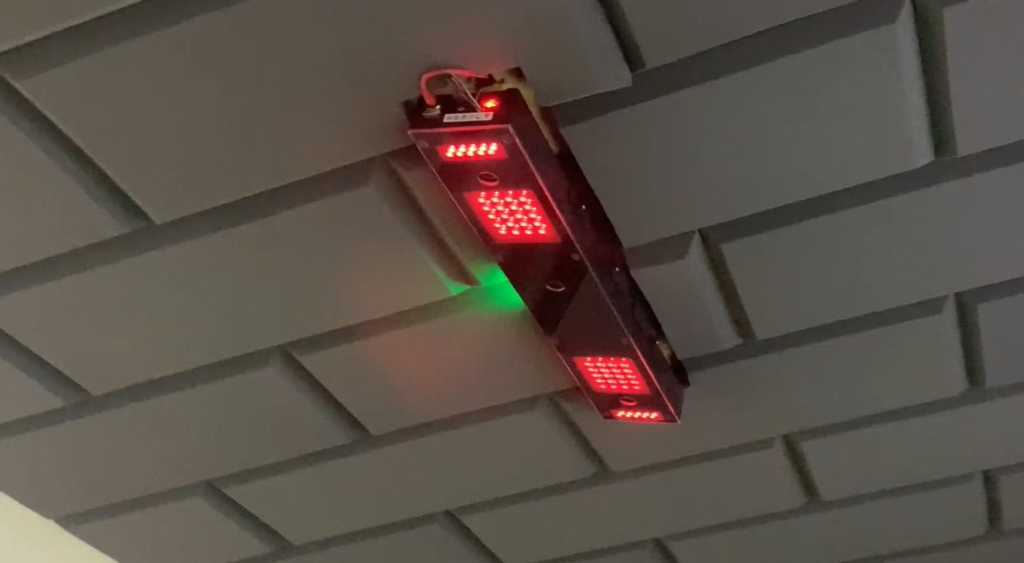
TruGolf Apogee vs Uneekor EYE XO / XO2
Choosing between TruGolf Apogee vs Uneekor usually comes down to ecosystem preference rather than raw capability. Both systems mount overhead, use camera-based tracking, and deliver fast, lag-free shot response. Accuracy isn’t the separator here. Philosophy is. Uneekor leans hard into flexibility. A larger hitting zone, Optix impact video, and broad third-party software support, including GSPro, make it especially attractive to golfers who want control over every layer of their setup.
Apogee takes a more curated path. Instead of opening the door to endless customization, it tightens the experience. Voice control replaces menu navigation. Laser alignment removes ball placement guesswork. TruGolf’s software ecosystem handles the rest without asking you to configure or manage it. Everything is designed to keep you swinging, not adjusting settings.
Uneekor appeals to data-driven players who enjoy tweaking software, comparing platforms, and dialing in every metric. Apogee fits golfers who want the technology to disappear once it’s installed. One system gives you more levers to pull. The other removes them entirely. The choice comes down to whether you want to operate the simulator or simply walk into the room and play.
Uneekor EYE XO2 $11,000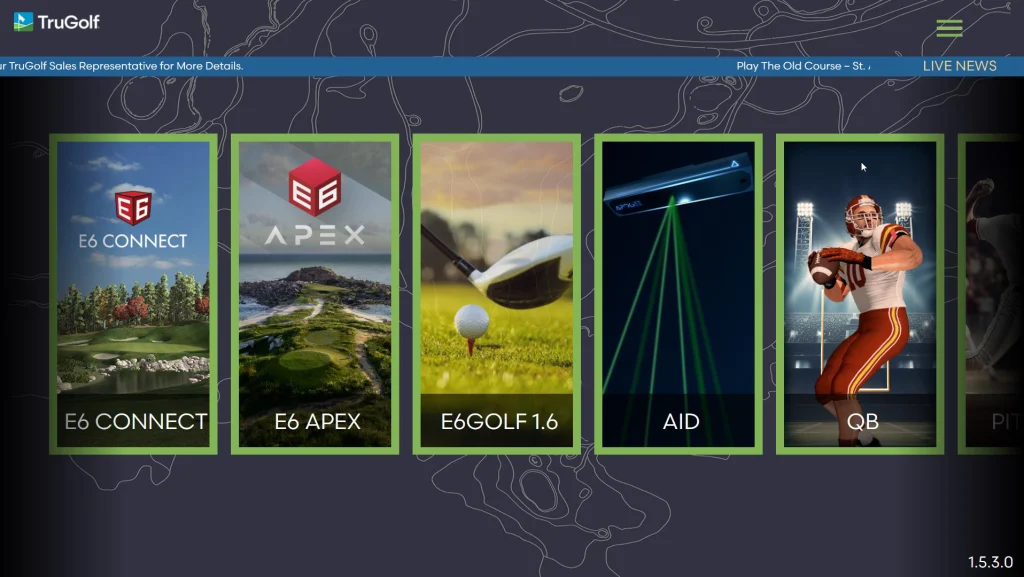
Pricing, Packages, and Long-Term Cost
The TruGolf Apogee price starts at $7,995 for the standalone hardware, which includes the ceiling mounted sensor, mounting hardware, and the APOGEE Control Center software. That base unit is the entry point for golfers building a permanent setup. From there, most buyers move into a complete simulator build that includes an enclosure, impact screen, projector, turf, and a dedicated PC, which is where total golf simulator pricing typically lands between $11,500 and $17,000 for SimStudio packages, with higher-end builds pushing beyond that depending on projector brightness and enclosure quality.
Software plays a major role in long-term cost. The TruGolf Apogee cost includes access to the E6 ecosystem, which is structured in tiered subscriptions rather than fragmented add-ons. The Improve Suite runs about $150 annually for focused practice, the Play Suite around $300 for course play, and the Enjoy Suite roughly $450 for the full combined experience. Unlike systems that separate data access and course licensing, TruGolf keeps software tightly integrated, which simplifies ownership even if it limits flexibility.
Optional upgrades mostly come down to experience polish. A stronger PC unlocks smoother frame rates and full 4K visuals through E6 APEX. Over a three-to-five-year window, normal wear items like impact screens and hitting mats should be factored in, just as they would be with any serious simulator build.
Does the price make sense. It does if you value permanence, integration, and a refined experience over modular flexibility.
Who the TruGolf Apogee Is Best For
The TruGolf Apogee is built for serious home golfers who want a simulator that behaves like a finished appliance, not a project. Homeowners building a dedicated room benefit most, especially those who host friends or play with both left-handed and right-handed golfers. The overhead design allows players to switch seamlessly without touching hardware or recalibrating the system.
Coaches and instructors also fit this profile well. The Point of Impact replay provides immediate visual confirmation, while the laser launchpad removes confusion for students who struggle with consistent ball placement. For tech-averse users, features like voice control and automated calibration reduce friction and keep sessions focused on golf rather than settings.
Dedicated golf rooms are where Apogee shines brightest. Rooms with proper ceiling height, controlled lighting, and long-term commitment unlock the full experience. This is not a system designed for casual setups, shared garages, or spaces you plan to dismantle.
Who should avoid it. Renters, golfers who want portability, and players who rely heavily on third-party software ecosystems will feel constrained. If you are looking for the best golf simulator for home that can move with you, this is not it. Apogee is a golf simulator for serious golfers who want permanence and polish.
Final Verdict - Is the TruGolf Apogee Worth It
So is the TruGolf Apogee worth it. Yes, if integration matters more to you than flexibility. This TruGolf Apogee review makes one thing clear. The system is not trying to compete on openness or portability. It is focused on delivering a frictionless, high-end indoor experience where hardware and software work together seamlessly.
You should buy it if you are building a dedicated room and want a system that feels invisible once installed. The combination of Instant Impact, voice control, laser alignment, and Point of Impact replay creates an experience that feels refined rather than technical. For serious golfers focused on improvement, the POI replay alone justifies the investment by showing the physics of the strike in real time.
You should look elsewhere if you want GSPro compatibility, outdoor use, or a modular system you can reconfigure often. Those golfers will be happier with more open platforms.
The strongest takeaway is simple. The TruGolf Apogee rewards commitment. If your goal is to walk into a finished room and start swinging within seconds, the reliability and realism make it one of the strongest premium simulator investments available today.
TruGolf Apogee $7,995Frequently Asked Questions
Is the TruGolf Apogee worth $7,995?
The Apogee delivers solid overhead tracking with TruGolf's proprietary software. For golfers who want a ceiling-mounted system with reliable performance, it is competitive in the $5,000-$10,000 range.
How does the Apogee compare to the Foresight Falcon?
Both are ceiling-mounted systems. The Falcon uses Foresight camera technology with a broader software ecosystem. The Apogee offers TruGolf's proprietary experience.
Does the TruGolf Apogee require a subscription?
TruGolf offers software packages that may include subscription components. Check current pricing at authorized retailers.
Related Articles
Check out these related guides and reviews from Par Percision: