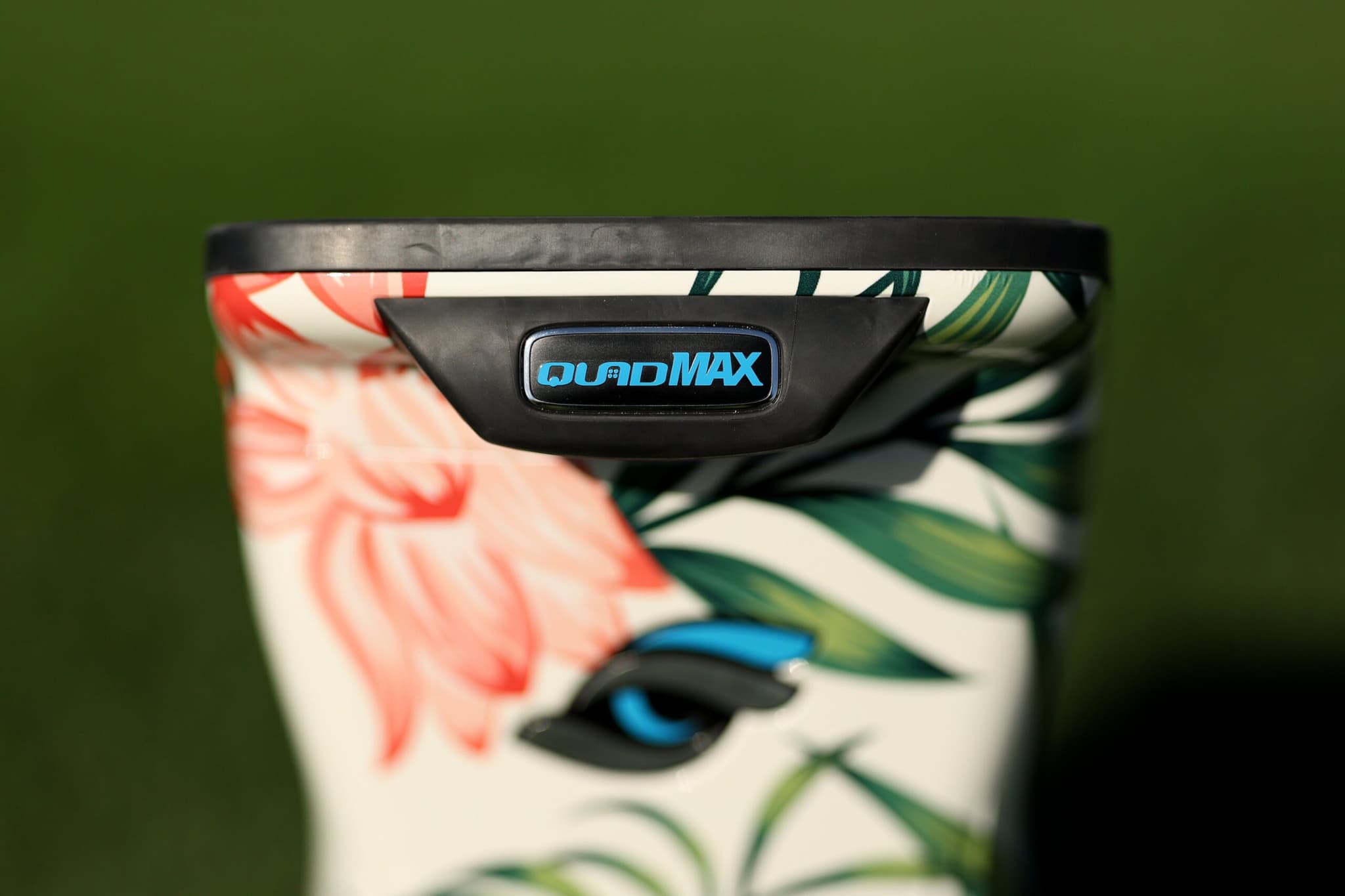
I never questioned whether I wanted the Foresight QuadMAX. The only hesitation was when I was willing to spend $19,999 on a launch monitor, knowing full well that this wasn’t an impulse buy or a casual upgrade. I already trusted Foresight’s data. I already knew what the GCQuad could do. The real question was whether QuadMAX actually earned its place above it.
| Technology | Next-gen Quadrascopic Camera |
|---|---|
| Price | Premium flagship |
| Use | Indoor + Outdoor |
| Ball Data | Full ball flight data |
| Club Data | Yes (add-on) |
| Software | FSX Play, GSPro, E6 Connect |
What We Like
- Updated camera technology
- Improved processing speed
- Comprehensive ball + club data
- Indoor/outdoor versatile
- Foresight ecosystem
What Could Be Better
- Flagship pricing
- Overkill for casual golfers
- Simulation software extra
- Club data add-on extra
- New product - limited reviews
Best For
The next generation of Foresight's flagship. For pros, club fitters, and serious golfers who want the absolute best accuracy available.
The GCQuad has been the standard for years. Fitters rely on it. Instructors build systems around it. Serious players base their practice on its numbers. Replacing something that established requires more than a refresh. It requires solving problems that show up only after hundreds of sessions, not during a demo.
QuadMAX isn’t here to change accuracy. The numbers are the same. What it changes is how you practice with those numbers, how sessions are captured, and how much friction exists between intention and execution. That difference matters more than most golfers realize until they live with it.
This review is written for golfers who practice with purpose. Players who train indoors and outdoors. Coaches who move between bays and ranges. Anyone who wants sessions saved automatically, data displayed cleanly, and zero distractions during practice.
I tested QuadMAX in a permanent indoor simulator bay, on a grass range in full sunlight, and during speed training sessions where no ball was struck. The goal wasn’t to see if it works. The goal was to see if it actually feels better to own than the GCQuad it’s meant to replace.
What The Foresight QuadMAX Actually Is
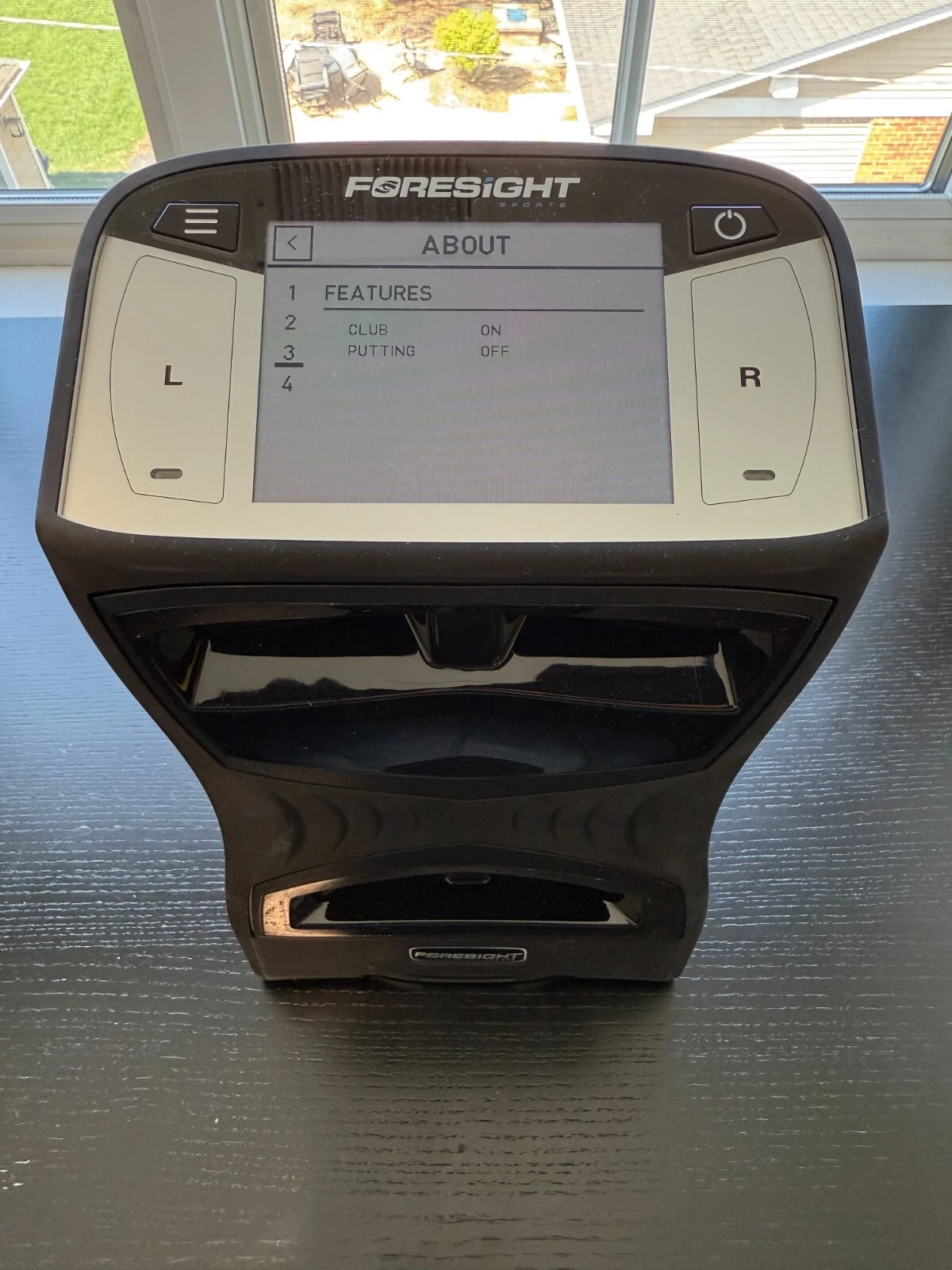
The Foresight QuadMAX is Foresight Sports’ flagship launch monitor, built on the same four-camera system that made the GCQuad the most trusted unit in serious practice. That accuracy foundation hasn’t changed, and that’s intentional. Ball speed, launch, spin, face angle, path, and impact location are captured the same way because the system already performs at the highest level.
Where QuadMAX separates itself is in how that data fits into real practice. This unit is built for players and instructors who practice often, move between locations, and don’t want sessions dictated by external devices. Everything about the QuadMAX pushes toward smoother workflow and less interruption.
The hitting zone plays a big role in that consistency. QuadMAX uses an impact-based zone measuring roughly 18 inches wide by 14 inches deep, with the center positioned about 22 inches from the face of the unit. That gives you flexibility with ball placement without feeling locked into one exact spot. When club tracking is enabled, the active area tightens slightly, but it remains comfortable and forgiving in both indoor and outdoor setups.
Placement is simple. The unit sits about a foot to the side of the ball, aligned perpendicular to the target line. Once set to left- or right-handed mode, it stays locked in. Indoors, that means reliable numbers even in tight simulator bays. Outdoors, sunlight and range conditions don’t interfere. The unit only needs a short window after impact to deliver complete ball and club data, which is why performance feels the same everywhere.
That consistency builds trust quickly. When you stop questioning whether room depth, lighting, or setup is affecting the numbers, your focus returns to the swing. QuadMAX delivers the same confidence as GCQuad, while removing friction around setup and session flow.
The flagship label shows up in daily use. QuadMAX is lighter, easier to carry, and less stressful to move between locations. The magnesium internal structure trims weight without making the unit feel fragile, and the deeper handle makes transport feel secure.
The interface is the most noticeable upgrade. Physical buttons are replaced by a Gorilla Glass touchscreen that responds instantly. Navigating screens feels natural, and MyTiles lets you control exactly which data appears on the device itself. Instead of adapting your practice to the launch monitor, the QuadMAX adapts to how you practice.
In real use, “flagship” doesn’t mean more numbers. It means fewer interruptions, less setup friction, and less device management. You spend more time swinging and less time managing the tech, and that’s the real upgrade.
Foresight QuadMax $19,999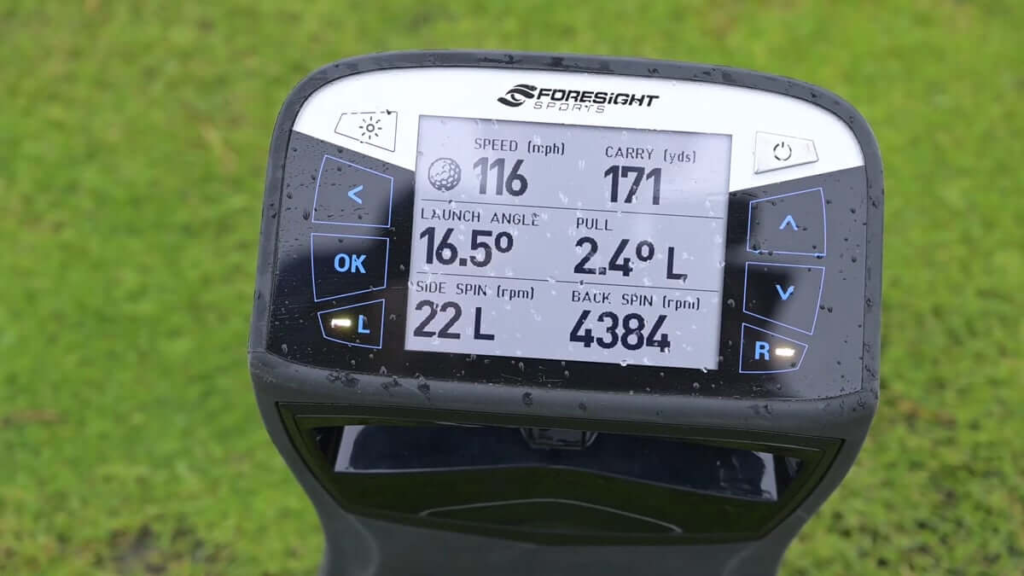
QuadMAX Vs GCQuad: What’s The Same, What’s Different, What Matters
The most important thing to understand right away is that QuadMAX and GCQuad deliver the same core accuracy. The four-camera engine is identical. Ball speed, launch angle, spin rate, face angle, and impact location do not improve simply because the device costs more. If you are expecting tighter numbers than a GCQuad, you are misunderstanding what QuadMAX is built to do.
The upgrades live around the accuracy, not inside it.
The interface is the first major difference. GCQuad uses physical buttons and a smaller display, which works but feels dated once you use QuadMAX. The touchscreen on QuadMAX is faster, clearer, and customizable. MyTiles allows you to remove clutter and focus only on the data that matters for a given session, which reduces how often you look away from the ball during practice.
Internal shot storage is the next real separation. GCQuad requires a connected device to save sessions, which means dropped connections or dead tablets can cost you an entire practice. QuadMAX stores every shot internally, automatically. You can practice freely, then sync everything later using a QR code or NFC. That single change makes range sessions feel far more relaxed and uninterrupted.
Portability is another quiet but meaningful improvement. QuadMAX is lighter and carries a larger battery, allowing longer sessions without worrying about power. For players and instructors who move between locations, that convenience adds up quickly.
Speed training mode is something GCQuad simply doesn’t offer. Measuring swing speed without hitting a ball turns QuadMAX into more than a launch monitor. It becomes a year-round training tool you can use indoors or outdoors without risk, expanding how and when you practice.
Who should not upgrade from GCQuad matters just as much as who should. If your GCQuad lives permanently in a simulator bay, stays connected to a PC, and never leaves the room, QuadMAX may not change your experience much. The accuracy will feel the same. The premium only makes sense if workflow, portability, and independence actually matter to how you practice.
Foresight GCQuad $15,999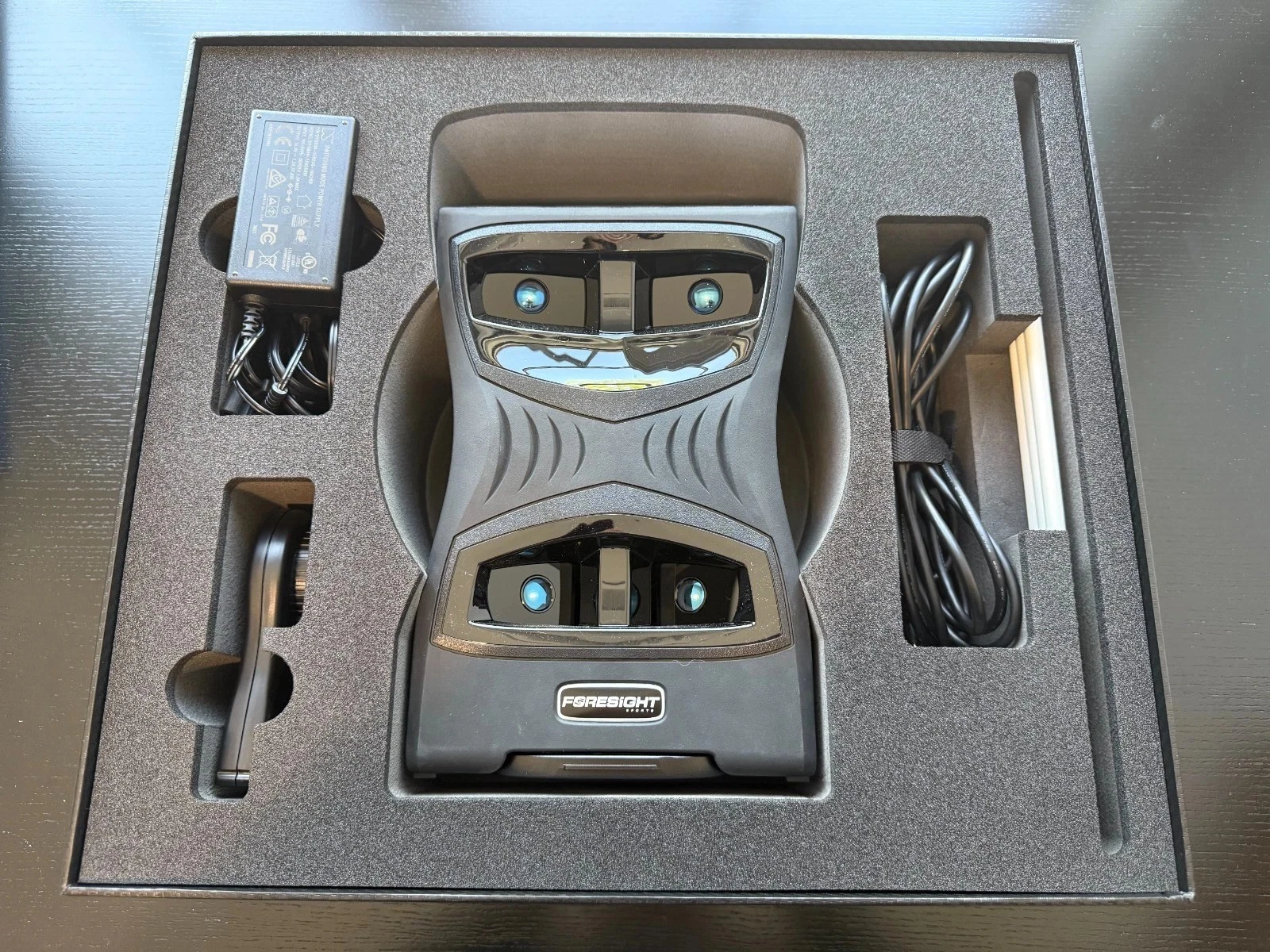
Setting Up The QuadMAX
Setting up the QuadMAX feels like using technology that finally understands how golfers actually practice. The first thing that stood out when I picked it up was the balance. The magnesium body feels solid without feeling bulky, and that deeper handle makes carrying it around feel natural instead of stressful. The only thing that slows you down is the initial battery charge, and honestly that’s just impatience kicking in because once it’s ready, the setup itself is fast.
I placed the unit on a flat surface about a foot to the side of the ball, lined up square to my target line, and that was basically it. There’s no measuring room depth, no recalculating angles, no second-guessing whether the unit is happy with the space. As soon as the cameras light up, it’s ready to work. That’s one of the biggest differences compared to radar systems. The QuadMAX doesn’t ask you to build your practice around it. It just needs to see the hitting zone and it does the rest.
Before swinging, I applied the reflective stickers to my 7-iron. I took my time with this the first time around, placing the four dots carefully so the cameras had a clean read on the clubface. It sounds tedious, but it becomes routine fast, and once they’re on, you don’t notice them at address. A quick tap on the power button brought the touchscreen to life, and the responsiveness was immediate. I didn’t even bother pulling out a laptop or iPad. I went straight into the MyTiles layout on the device, dragging the data points I actually care about onto the main screen.
Having everything right there on the QuadMAX display changes the rhythm of practice. I set the ball inside the hitting zone, waited for the green indicator to lock in, and started swinging. No bouncing between screens. No checking another device after every shot. Just hit, glance, and go again.
Once I wanted the full simulator experience, connecting everything was straightforward. I registered the unit through FSX Live to link the internal storage, and that’s where the system really shows its maturity. I hit shots completely untethered, then scanned the QR code on the QuadMAX screen with my phone. Every shot synced instantly, from descent angle to exact impact location. It didn’t feel like installing or configuring anything. It felt like unlocking access to data that was already there waiting for me.
Whether you’re running a hardwired USB-C connection in a simulator bay or relying on WiFi for range sessions, the setup stays out of your way. You spend less time managing the device and more time swinging, which is exactly how a launch monitor at this level should behave.
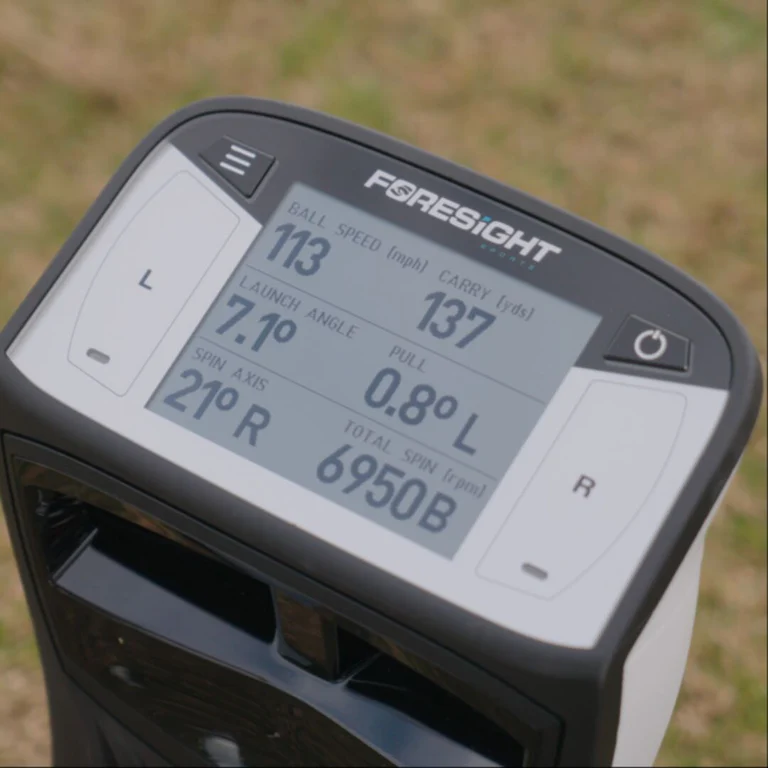
Internal Shot Storage: Why This Changes Range Sessions
Internal shot storage is the feature that quietly redefines how QuadMAX fits into real practice. The unit can store up to two billion shots internally, which means you can show up to a range, turn it on, and start swinging without connecting anything.
In practice, this removes mental noise. There’s no tablet to mount. No Bluetooth connection to worry about. No anxiety about whether shots are being saved. You simply hit balls and trust that everything is captured.
After the session, syncing the data is effortless. You scan a QR code or use NFC, and the entire session uploads to your account for review later. For instructors, this is a massive improvement. Lessons become cleaner. Players stay engaged. Data review happens after the fact instead of interrupting momentum mid-session.
For personal practice, it changes the feel completely. You stop practicing for the screen and start practicing for the swing again. That alone makes QuadMAX feel like a different experience from GCQuad on the range.
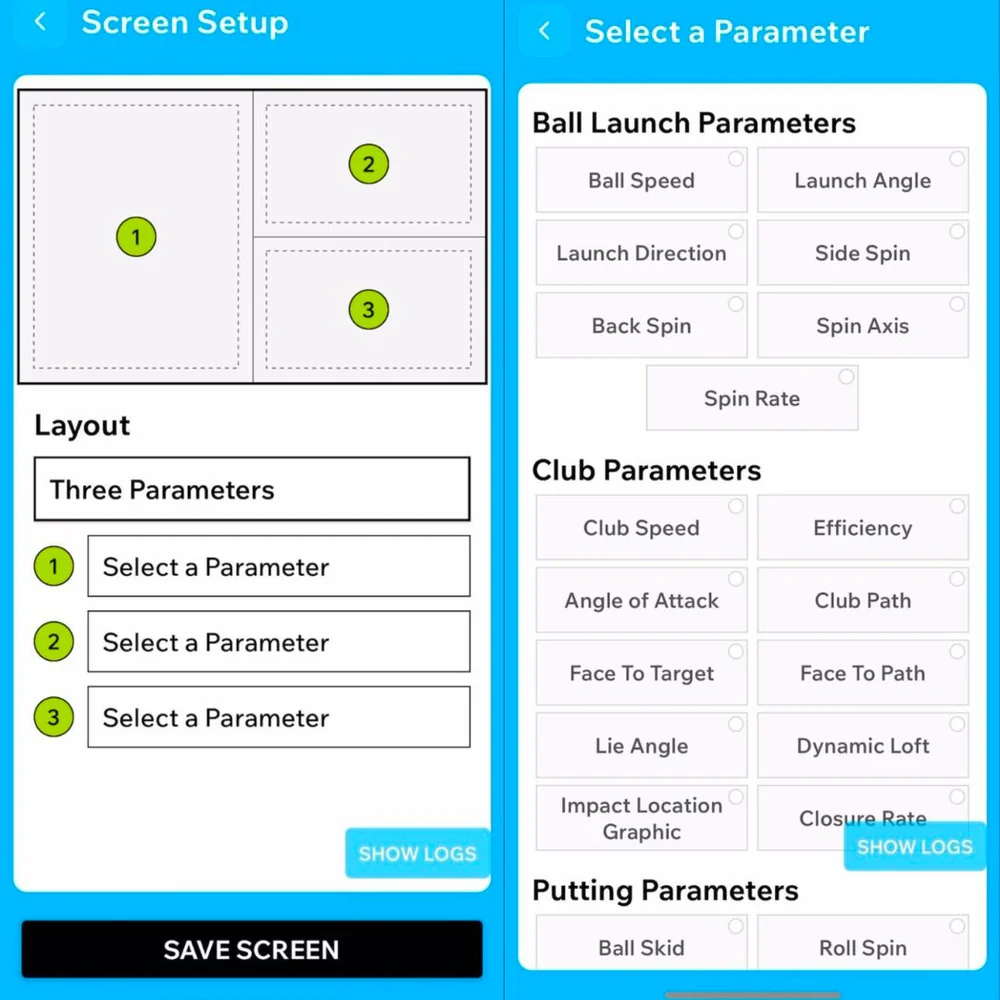
Touchscreen And MyTiles: How You Actually Use It
I use the QuadMAX touchscreen constantly, but the real value comes from MyTiles and how much control it gives me over what I see after every swing. The touchscreen itself feels instant, and the display stays readable even in harsh sunlight, which matters more than you’d think when you’re on an outdoor range. I set up my layouts through the Foresight Sports app on my phone, usually building a few different presets depending on the session. I keep a driver layout focused on ball speed and carry, an iron layout centered around descent angle and spin, and another stripped-down view for speed training.
Once those presets are dialed in, syncing them is effortless. I just hold my phone near the QuadMAX screen and the layout transfers over using NFC. There’s no pairing process and no lag. It feels more like unlocking the unit than configuring it.
During practice, those tiles become my primary feedback loop directly on the device. With Club Tracking enabled and the LED locked green, the display updates instantly with the club data I actually care about, like path and impact location. If I want more context, I can swipe through multiple pages inside the same preset without breaking rhythm or stepping away from the hitting area.
This setup is especially useful when coaching or working with another player. By hiding unnecessary metrics, the screen becomes a guide instead of a distraction. Players absorb feedback faster because they’re not overwhelmed by numbers. Over time, that leads to cleaner sessions, better habits, and more productive practice.
The biggest difference is how little I think about the technology. I’m not checking a laptop or juggling devices between swings. I hit, glance, and swing again. The information is there when I need it and disappears when I don’t, which keeps the focus exactly where it should be.
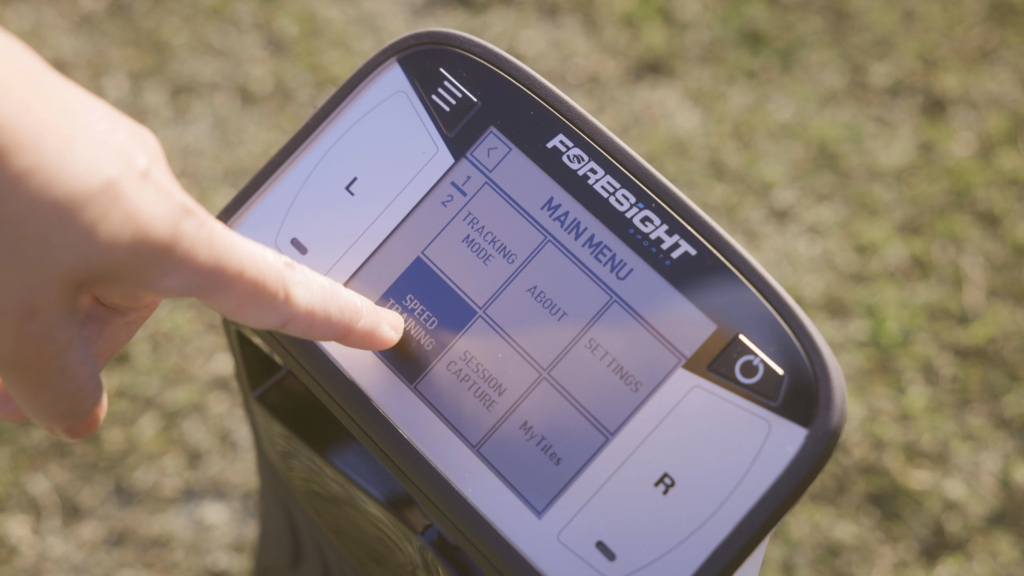
Speed Training Mode: Swing Speed Without Hitting A Ball
Speed training mode is one of those features that sounds gimmicky until you actually use it. Once you switch into it on the QuadMAX, the unit stops waiting for ball contact and starts tracking pure club movement instead. As long as there’s a reflective marker on the club or training stick, the cameras lock in immediately and track swing speed without needing a ball in the hitting zone.
What surprised me most is how immediate and honest the feedback feels. I’ll take a full-speed swing and the number flashes on the screen before I’ve even finished the follow-through. There’s no smoothing and no lag. If I swing harder, the number jumps. If my sequencing falls apart, it shows up instantly. Because it’s camera-based, the readings feel absolute rather than estimated, which is a big difference compared to standalone speed sensors.
I usually customize MyTiles so clubhead speed is front and center during these sessions. That way I can glance at the screen from a few feet away and know exactly what I’m producing without breaking rhythm. As long as the unit is positioned in its normal spot off the ball line, it tracks the full swing arc cleanly without any extra setup.
In real use, this mode becomes invaluable. You can warm up, train speed, or work on tempo indoors without worrying about space or safety. I’ve used it with speed sticks, weighted trainers, and even dry swings with a driver when I don’t want to hit balls. Seeing consistent gains over time, or spotting when speed drops due to fatigue, turns what would normally be mindless swinging into focused training.
It also opens the door to precision tempo work. I’ve used it for wedge swings and partial shots just to make sure I’m not decelerating or rushing transitions. Even short putting strokes benefit from seeing consistency instead of guessing. It effectively replaces the need for separate speed tracking devices and pulls everything into one system.
It’s not a mode you’ll use every single day, but when you need it, nothing else does this job as cleanly. It turns the QuadMAX into a year-round training tool, not just a launch monitor you use when you’re hitting shots.
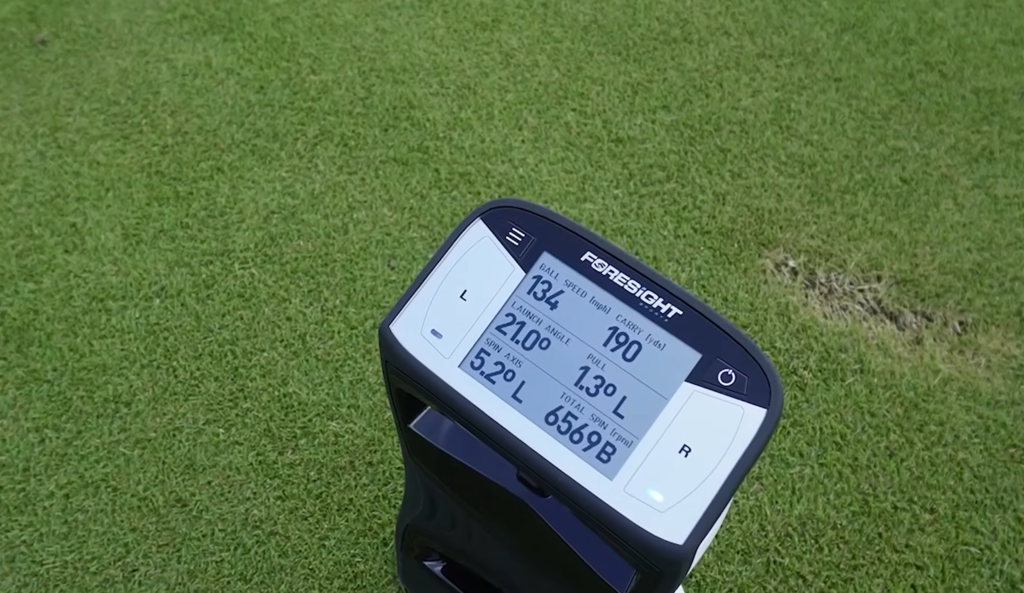
Foresight QuadMAX Accuracy And Data Reliability
Accuracy is the reason QuadMAX exists, and it’s also the reason expectations are already sky high before the first swing. What matters here isn’t whether the numbers look good on a screen. It’s whether they repeat, whether they react instantly to small changes, and whether they hold up across different environments without explanation or excuses.
Indoors, repeatability is where QuadMAX separates itself from most systems immediately. During testing in my simulator bay, my 7-iron ball speed sat consistently between 121.8 and 122.4 mph across clean strikes, with spin hovering in a tight 6,800 to 6,900 RPM window. That kind of consistency matters because it tells you the system isn’t smoothing results or filling in gaps. When I caught one slightly thin, ball speed jumped about 1.2 mph and spin dropped by just over 300 RPM instantly. There was no delay, no correction on the next shot, and no averaging behind the scenes.
Spin consistency was especially impressive. Across multiple sessions, the standard deviation stayed tight enough that identical swings produced nearly identical windows. That’s the difference between trusting your feels and second-guessing them. When something changes, you know it was you.
Outdoors, nothing changes. Bright sunlight, uneven turf, range noise, and other golfers swinging nearby didn’t affect capture at all. The QuadMAX stayed locked on the hitting zone and ignored everything else. I tested it late morning and again mid-afternoon with the sun directly overhead, and the screen remained readable while the data stayed stable. My driver ball speed stayed within a 0.5 mph window across similar swings, and launch and spin tracked exactly as expected based on what I see on the course.
The real win is confidence. When you stop wondering if the room, lighting, or environment is influencing the numbers, you stop chasing phantom swing thoughts. You work on real patterns. That’s where QuadMAX earns its reputation.
Ball Data And Club Data: What You Actually Use Most
QuadMAX gives you more data than most golfers will ever need, but the value comes from how selectively you can use it. Over time, certain metrics become staples, while others fade into the background unless you’re diagnosing something specific.
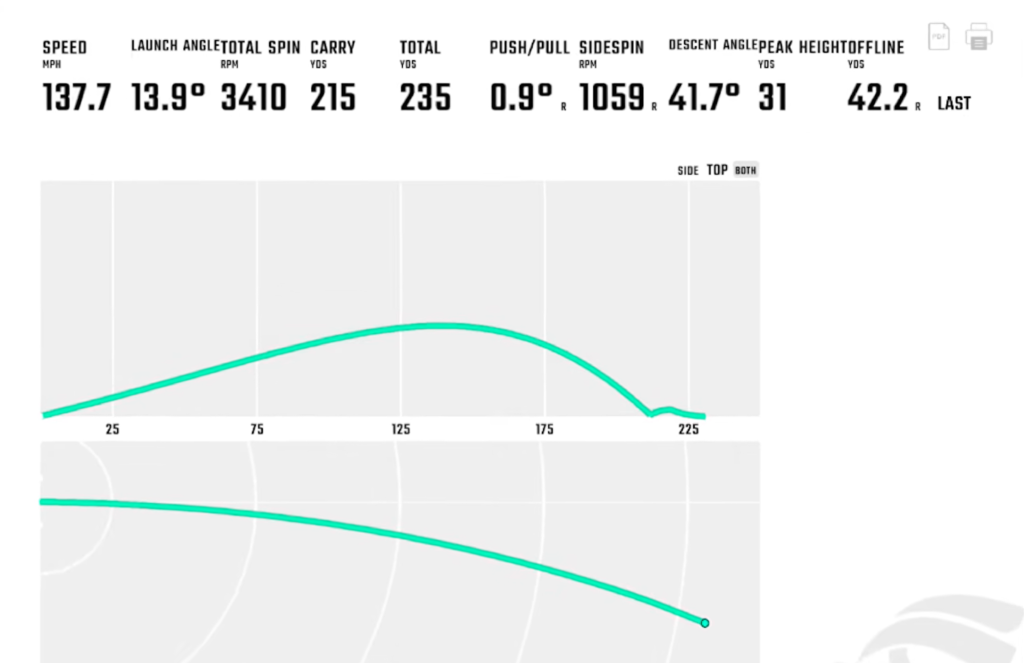
Ball data like apex height, descent angle, and offline distance ended up being some of the most useful for real improvement. Watching apex numbers during wedge sessions helped tighten gapping far more effectively than carry distance alone. Descent angle became a quick check on approach shots, especially with mid-irons, where holding greens matters more than raw distance. Offline distance told the truth about misses without exaggeration.
Club data is where the real changes happen. Face angle and club path explain start lines and curvature immediately. Impact location tells you why contact felt off even when the result looked acceptable. Closure rate became one of the most revealing metrics during driver sessions, especially when trying to manage face control under speed.
The key is that QuadMAX doesn’t force you to stare at everything at once. With MyTiles, you can focus on what matters for that session and ignore the rest. That keeps practice productive instead of overwhelming.
The Use Of Club Stickers With QuadMax
Club stickers are required to unlock full club data on the QuadMAX, and that’s something you need to be comfortable with. They aren’t optional if you want face delivery, impact location, and dynamic loft. Once you build a routine around them, they stop feeling like a hassle and start feeling like part of the process.
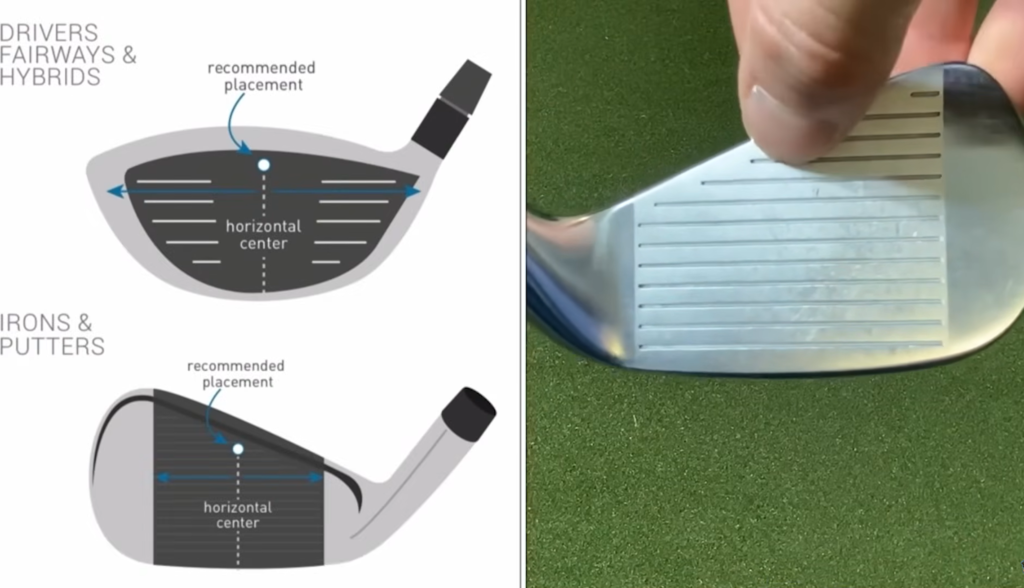
I always start by cleaning the clubface with an alcohol pad so the stickers adhere properly. Dirt or oil can cause them to peel mid-session, especially outdoors, so that step matters. Placement depends on how much data I want during that session. For quick work where I only care about basics like club head speed or angle of attack, I’ll use a single sticker placed at the top center of the clubface. When I want the full picture, I use the four-sticker setup.
On irons, I place two stickers at the toe and heel between the sixth and seventh score lines, counting up from the bottom of the face. The other two go on the toe side at the top and bottom of the strike zone. For drivers and fairway woods, I move them slightly higher on the face while keeping them centered horizontally so the cameras track everything cleanly.
Once the stickers are on, I toggle Club Tracking on in the menu and wait for the LED to turn green, which tells me the system has locked onto both the ball and the club. If I ever need a refresher, the QuadMAX user manual is helpful when switching between club types.
During practice, the stickers disappear at address and stay on through full sessions, even on grass. What you get in return is complete honesty. Seeing impact location and face delivery at the exact moment of contact removes guesswork entirely, and that trade-off is worth it if improvement is the goal.
Software And Ownership: FSX Play, FSX 2020, FSX Pro
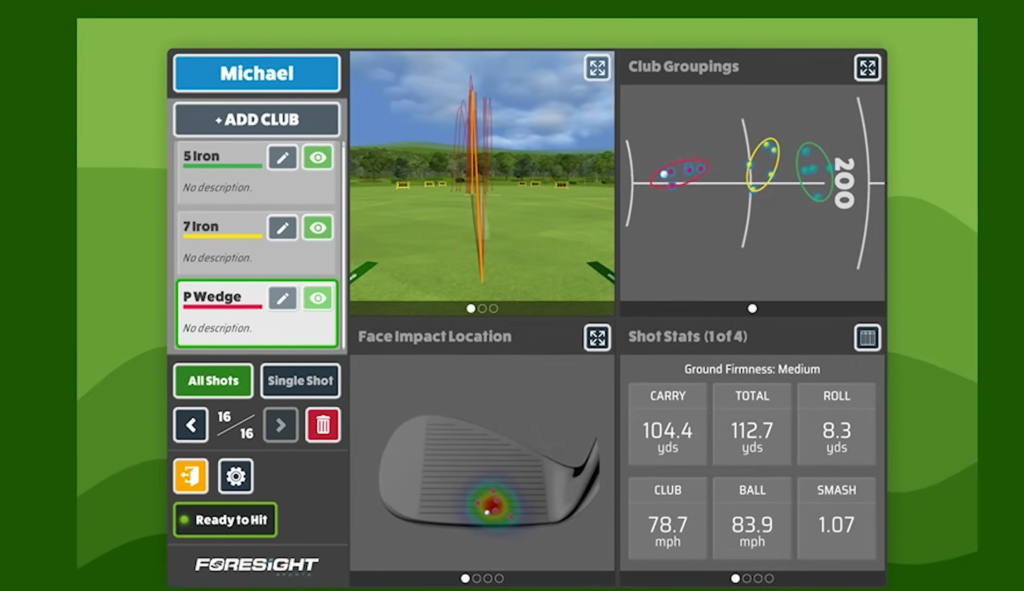
When I want to actually see my shots come to life, FSX Play is where I spend most of my time. This is the software that makes the QuadMAX feel like a full simulator instead of a training tool. The visuals are sharp, the ball flight feels believable, and the transition from strike to result is almost instant. When everything is connected, shots show up exactly how I expect them to, whether I’m playing Pebble Beach, St. Andrews, or just looping a few holes after a practice session.
What I appreciate most is how little friction there is once everything is linked. As long as my PC or iPad is on the same network as the QuadMAX, the connection just works. I’m not restarting apps or troubleshooting mid-round. It feels stable, which matters when you’re trying to stay immersed instead of managing software.
When the focus shifts from playing to actually improving, FSX Pro is where things get serious. This is the environment I use when I want to study patterns instead of chasing outcomes. Seeing heat maps for club delivery, face angle, and ball flight over a full session changes how you think about practice. It’s less about individual shots and more about tendencies. Over time, those visuals make it obvious what’s improving and what still needs attention.
FSX 2020 still has a place too, especially for structured practice and familiarity. It’s reliable and predictable, and sometimes that’s exactly what you want when the goal is repetition instead of stimulation.
What ties everything together is FSX Live. Every swing I take gets uploaded automatically, which means nothing disappears into a forgotten session. I can pull up my data on my phone, compare iron sessions to driver sessions, or check progress over time without needing to export anything manually. That cloud connection quietly becomes one of the most valuable parts of ownership.
For mobile range sessions, the Foresight Sports app fills the gap perfectly. Using the QuadMAX’s built-in Wi-Fi, I can see my numbers instantly without cables or extra devices. It keeps things simple when I don’t want to bring my entire setup with me.
The biggest ownership advantage is still the same. There’s no required subscription just to access your data. Once you own the unit, the software works for you instead of the other way around.
Third Party Software: GSPro, E6 Connect, Awesome Golf
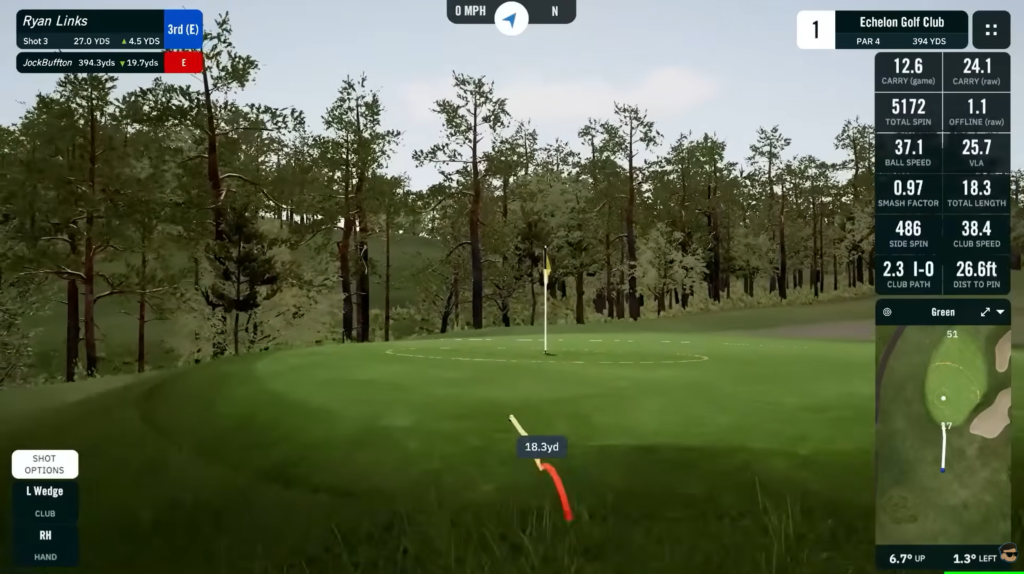
One of the reasons the QuadMAX feels future-proof is how well it plays with third-party software. When I want a more community-driven and immersive experience, GSPro is my go-to. The course library is massive, the physics feel right, and the overall vibe feels closer to playing a local course than running a simulation.
Once connected, the QuadMAX feeds its ball and club data straight into GSPro without degrading accuracy. Shot shape, descent angle, and green reactions all behave the way they should, which is critical when you’re trusting the data at this level. Being able to play user-created courses or jump into casual rounds without losing fidelity makes GSPro feel like a natural extension of the hardware.
For something lighter and more approachable, Awesome Golf fills a completely different role. It’s fast, colorful, and engaging, especially for family sessions or introducing new players to simulator golf. It doesn’t take itself too seriously, but it still respects the data coming from the QuadMAX, which keeps it from feeling like a toy.
E6 Connect sits somewhere in the middle. It’s polished, familiar, and works well for structured play or shared environments. The course library is deep, and the experience feels stable once everything is linked. I appreciate that the QuadMAX integrates cleanly with these platforms without needing constant troubleshooting or workaround software.
What stands out is how easy it is to move between environments. One day I’m breaking down swing patterns in FSX Pro. The next I’m playing a casual round in GSPro. Then I might jump into Awesome Golf for something relaxed. The QuadMAX doesn’t care which direction I go. It just keeps delivering the same reliable data.
That flexibility is what makes the QuadMAX more than a launch monitor. It becomes a long-term platform that adapts as your practice style changes, instead of locking you into one way of using it.

Putting Analysis Add On: Do You Need It Or Not
Without the putting analysis add-on, the QuadMAX still functions perfectly as a full swing and short game training tool. You can practice everything from wedges to driver without feeling like anything is missing. Putting is where the add-on changes the equation.
Once enabled, the QuadMAX turns into a true putting analysis system. Launch angle, skid distance, face angle at impact, and precise impact location on the putter face become visible immediately. That information removes guesswork fast. Instead of assuming a missed putt was a read issue, you can see whether the face was open, whether the ball launched slightly offline, or whether contact drifted toward the toe.
What stood out to me most was skid and roll consistency. Seeing exactly how long the ball skids before rolling true makes you rethink loft, strike, and setup. Impact location on the putter face also explains speed control issues better than feel ever could. A putt struck a few millimeters off-center behaves differently, and the QuadMAX shows you why.
If you care about scoring and treat putting practice seriously, the add-on is worth it. If your focus is mostly full swing work and casual rounds, you can skip it without feeling like the QuadMAX is incomplete.

QuadMAX Vs TrackMan 4
When comparing the Foresight Sports QuadMAX to the TrackMan 4, the biggest difference shows up in how each system handles space. QuadMAX is camera-based and sits beside the ball, which makes it extremely comfortable in indoor simulator environments where room depth is limited. It doesn’t rely on extended ball flight to deliver complete data, so the numbers stay consistent even when the ball only travels a short distance before hitting the screen.
The TrackMan 4 approaches the problem differently. As a radar-based system, it needs space behind the player and meaningful ball flight to fully capture trajectory and spin. Outdoors, that design works beautifully. On a wide-open range, TrackMan excels at following the ball through the air and validating full-flight performance. Indoors, that same reliance on ball flight can introduce more variability, especially with high-launch wedges or shorter shots where radar has less time to resolve spin and launch conditions.
From a usability standpoint, QuadMAX fits quick practice sessions better. The built-in touchscreen allows carry, spin, and impact data to be viewed immediately without pairing a laptop or tablet. With TrackMan 4, a connected device is always required just to view basic results, which adds friction during shorter sessions.
Mishits are another area where QuadMAX feels more transparent. Because it measures impact directly with cameras, toe and heel strikes show up exactly as they occurred. TrackMan has to infer more from the ball’s initial flight, which can smooth out certain strike nuances indoors. Combined with the absence of an annual software subscription, QuadMAX tends to be easier to live with long term when most practice happens inside.
TrackMan 4 $23,495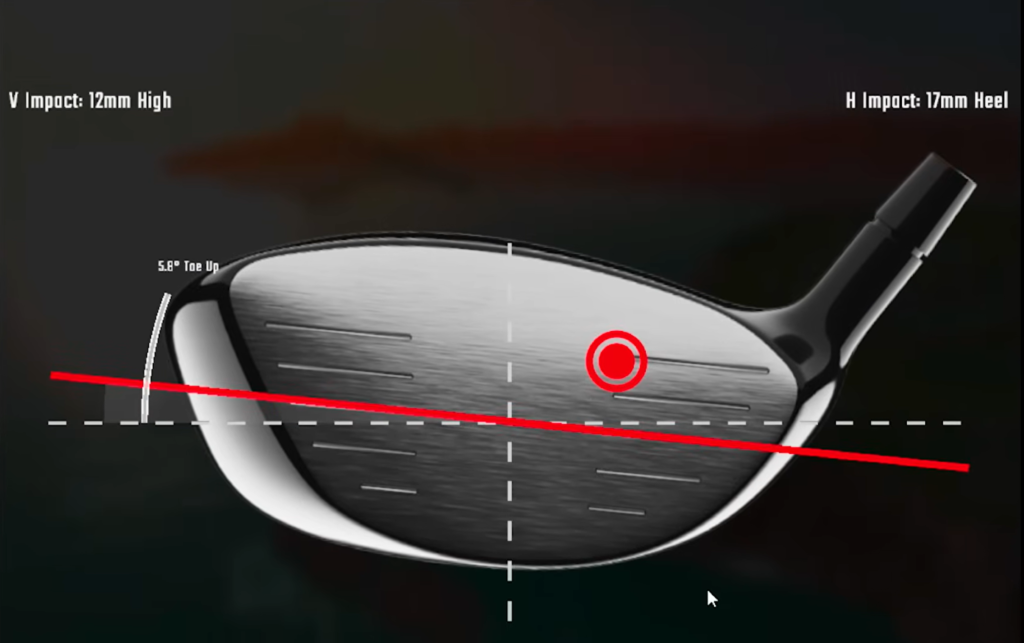
Reasons To Buy QuadMAX
You buy the QuadMAX because practice matters to you more than convenience or price tags. It removes friction everywhere it can. Sessions save automatically without you thinking about tablets, cables, Bluetooth drops, or whether something recorded properly. You show up, swing, and leave knowing the work is there waiting for you later.
The workflow adapts to how you train, not the other way around. Indoor or outdoor, range or simulator, speed work or full swings, the data stays consistent and trustworthy. Over time, the QuadMAX stops feeling like equipment and starts feeling like infrastructure. It doesn’t ask for attention. It just does its job and tells the truth every time.
If you practice often, care about patterns instead of one-off shots, and want a system you can build years of work around, QuadMAX earns its place without needing justification.
Reasons Not To Buy QuadMAX
You shouldn’t buy the QuadMAX if practice isn’t a real priority. The price is high, and if you’re only hitting balls occasionally, most of what makes this unit special will never get touched. Internal storage, deep club data, speed training, and workflow advantages don’t matter if you’re not putting in consistent reps.
A lot of golfers want elite tools because they look impressive, not because they’ll use them properly. If you’re mostly interested in basic numbers, casual simulator rounds, or checking distances a few times a month, the QuadMAX will feel excessive. In those cases, simpler and cheaper options will do the job just fine without tying up that much money.
Final Verdict: Is The Foresight QuadMAX Worth It
The QuadMAX doesn’t exist to impress you on day one. It proves itself over time. After enough sessions, you stop thinking about setup, saving data, or whether the environment is affecting the numbers. You just practice, and the system quietly keeps track of everything that matters.
This isn’t about better accuracy than the GCQuad, because that problem was already solved. What QuadMAX changes is ownership. It removes friction, reduces mental clutter, and lets you focus on patterns instead of babysitting technology. The internal storage, touchscreen workflow, speed training mode, and deeper club insight all stack together in a way that makes practice feel deliberate instead of fragmented.
If you train often, care about understanding why shots behave the way they do, and want a launch monitor that stays out of your way while telling the truth every time, the QuadMAX earns its place. It becomes part of your routine rather than something you have to manage.
If that doesn’t sound like you, that’s fine. The GCQuad and GC3 still do their jobs extremely well. But if you want a system you can build years of meaningful practice around without compromises, the QuadMAX isn’t an upgrade. It’s a commitment.
Foresight QuadMax $19,999Frequently Asked Questions
Is the QuadMAX better than the GCQuad?
The QuadMAX is Foresight's newest flagship and improves on the GCQuad with updated camera technology, faster processing, and improved software integration. It's positioned as the next generation of professional-grade launch monitors.
How much does the Foresight QuadMAX cost?
The QuadMAX is priced competitively with the GCQuad range. Check current pricing at authorized retailers as it may vary based on package options.
Does the QuadMAX work outdoors?
Yes. Like the GCQuad, the QuadMAX is designed for both indoor and outdoor use, making it versatile for range work, club fitting, and home simulators.
Related Articles
Check out these related guides and reviews from Par Percision: