
I knew the Foresight Falcon was a serious investment the moment it arrived because nothing about it felt temporary. From the weight of the unit to the way it’s designed to live on the ceiling instead of the floor, everything about it signals permanence. This is not a launch monitor you reposition, tweak, or babysit. It’s designed to become part of the room.
That feeling matters more than people realize. When something is built to stay put, the way you treat the space changes. You stop thinking about setup and teardown. You stop working around hardware. The room stops feeling like a project and starts feeling like a finished environment.
A lot of Falcon buying decisions come from a simple moment. You build a room you’re proud of. The floor stays clean. The bay feels ready every time you walk in. Overhead starts making sense there, not because it looks better, but because it removes friction you don’t notice until it’s gone.
This Foresight Falcon review is written for buyers thinking beyond feature lists. If you’re considering this system, you’re deciding how you want your golf simulator room to operate for years, not how impressive the numbers look on day one. At roughly $14,999 for the launch monitor alone, this becomes a decision about workflow, ownership, and committing to a permanent overhead setup.
What The Foresight Falcon Actually Is
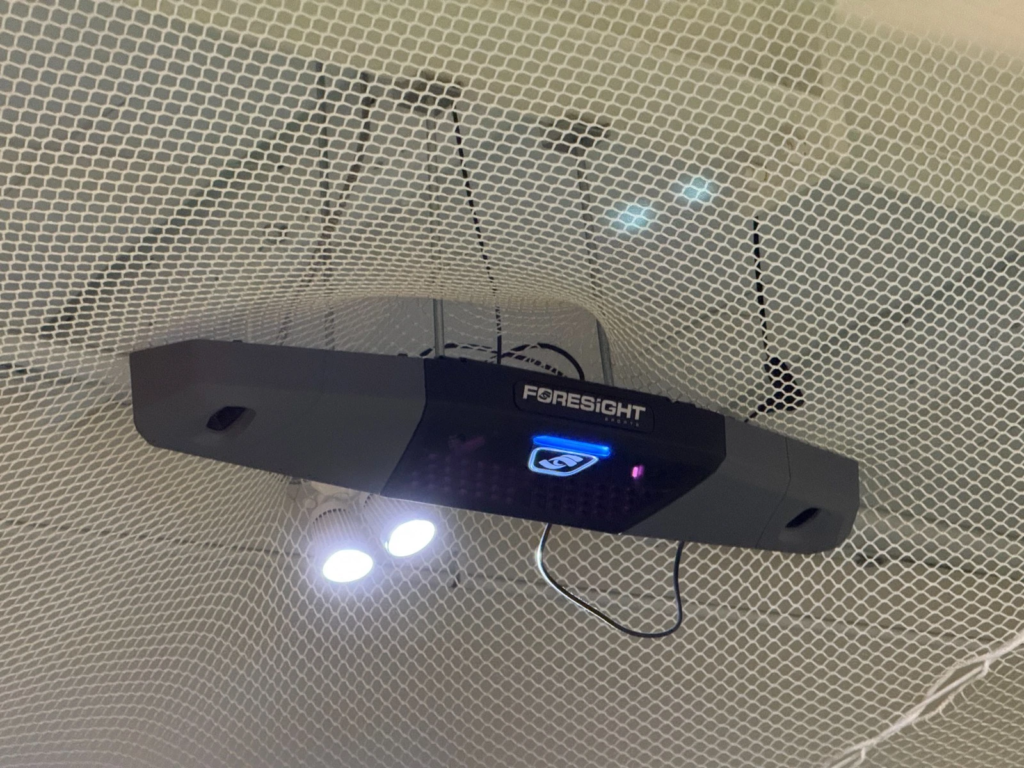
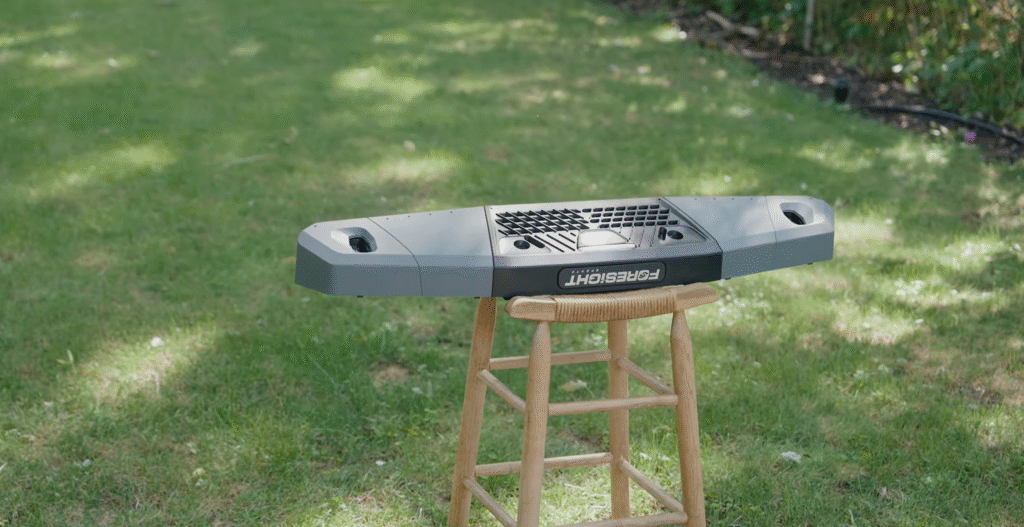
The Foresight Falcon is an overhead-mounted, indoor-focused golf launch monitor built by Foresight Sports. It uses quadrascopic high-speed camera technology, meaning 4 cameras capture the moment of impact from multiple angles to generate detailed ball and club data.
That matters because this isn’t a new measurement philosophy for Foresight. It’s the same impact-first approach used across the GCQuad and GCHawk ecosystem. The Falcon doesn’t reinterpret ball flight after the fact. It measures what actually happens at impact.
In practical terms, the Falcon is the “mini GCHawk” concept done correctly. It keeps the same golf intelligence but reduces the physical footprint into something that works for serious home builds and boutique commercial bays. The unit is smaller, lighter, and easier to mount than the GCHawk while still delivering the same category of accuracy camera-based Foresight systems are known for.
One thing needs to be said clearly because it filters buyers fast. The Falcon is not portable. It’s not built for range sessions or outdoor use. It’s designed to be installed once, calibrated correctly, and left alone. If you want an overhead launch monitor that behaves like infrastructure rather than equipment, this is exactly what the Falcon is.
Why Overhead Changes The Golf Simulator Experience
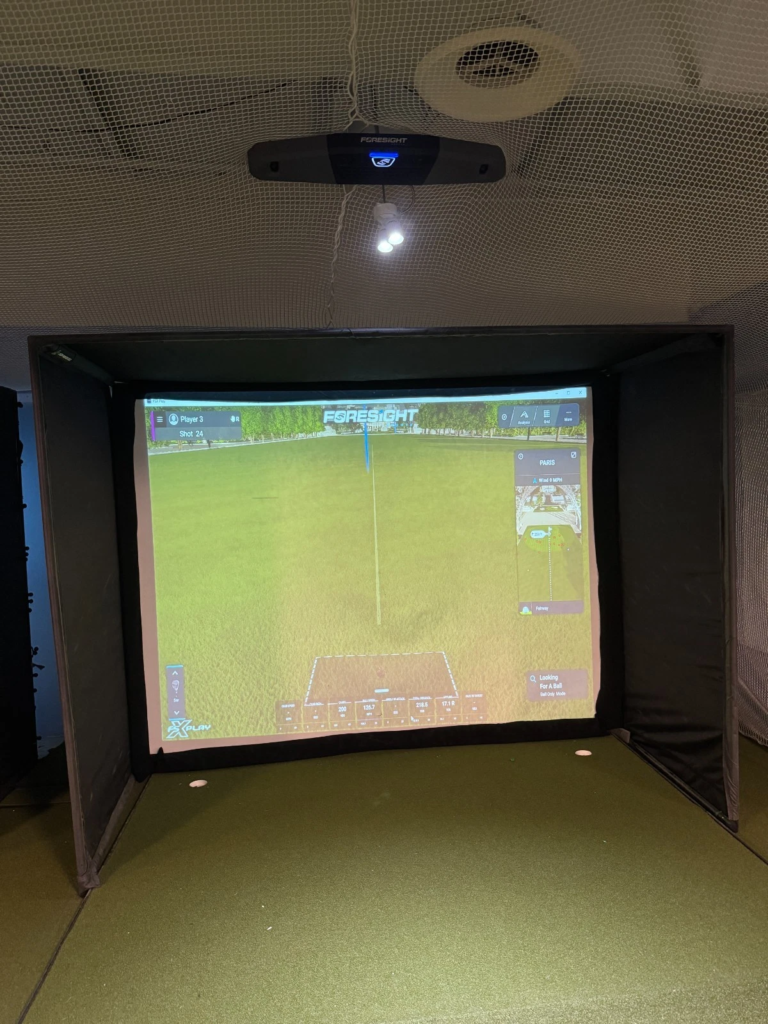
Overhead mounting changes the golf simulator experience by removing small points of friction that quietly reduce consistency. You don’t step around hardware. Sessions keep moving without stopping to realign gear.
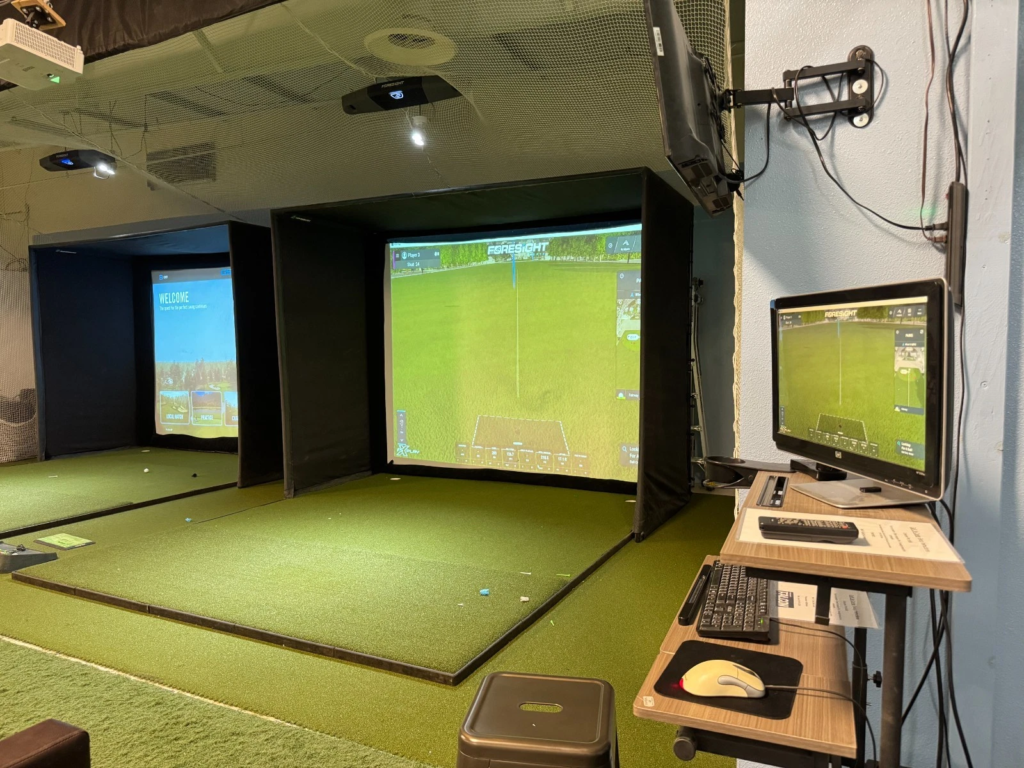
With the Falcon installed, the floor stays clean. That matters in real use, especially in rooms that double as garages, home gyms, hangout spaces, or commercial bays where traffic never stops. Shared use becomes easier too. Left-handed and right-handed players can rotate without moving the launch monitor, which changes how often the space actually gets used.
That’s why overhead systems earn a premium reputation. Not because they look impressive, but because the room feels ready every time.
Foresight Falcon Setup And Space Requirements
The Falcon rewards good planning and punishes shortcuts. Because it mounts to the ceiling and relies on fixed geometry, the room layout needs intention from the start.
Ceiling height is the first checkpoint. Most successful installs fall between 9.5 ft and 10.5 ft measured from the hitting surface to the ceiling. Comfort improves closer to 10 ft or higher, especially for confident driver swings.
Depth comes next. The Falcon typically mounts about 4 ft in front of the hitting area. Many builds target roughly 10 ft from ball position to impact screen. Once you add space behind the ball for a full swing and natural stance, total room depth often lands around 14 ft to 15 ft.
Width is where the Falcon helps certain rooms work when other overhead options struggle. The wide hitting zone supports right- and left-handed rotation without forcing a stance lane wider than the space can comfortably support.
One context point matters here. Camera-based overhead systems often fit tight rooms better than radar. Radar systems rely on ball flight. The Falcon measures impact directly, which allows it to feel more stable indoors when geometry is dialed in correctly.
Physical Installation And Calibration Process
Installing the Falcon is a one-time process, but precision matters.
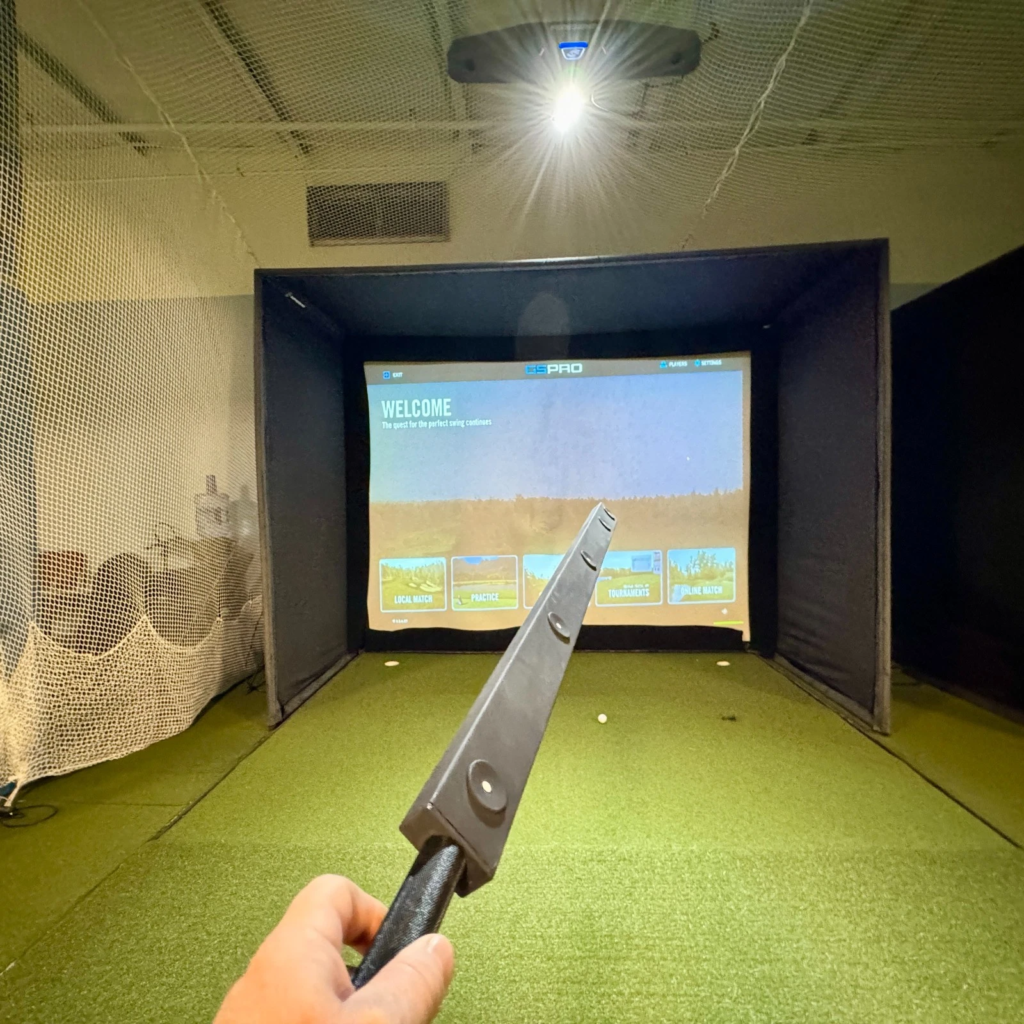
The unit mounts to the ceiling using the included latching mount. Mounting hardware is user-supplied, and strength matters. This is a permanent overhead install designed to live at roughly 9.5–10.5 feet above the hitting surface, not a lightweight accessory you adjust later.
Power is straightforward. Data connection is where smart choices pay off long term. The Falcon supports Ethernet, USB-C, and Wi-Fi. In my setup, Ethernet provided the most consistent experience, especially in a room with multiple devices competing for bandwidth.
Calibration runs through the Foresight Calibration App alongside FSX Play or FSX Pro. Wand calibration, ground plane alignment, and target line accuracy all matter. When calibration drifts, it shows up quickly through exaggerated curvature or incorrect start lines, even if the unit is only an inch or two off from its original geometry.
Room changes can also justify recalibration. Moving the mat, adjusting lighting, changing ceiling treatments, or altering hitting surface height by even ½–1 inch can affect mapping. The Falcon stays stable long term when calibration is treated as part of ownership rather than a one-and-done step.
Understanding The Falcon Hitting Zone And Club Data Zones
The Falcon’s hitting zone is one of its strongest advantages. The primary read area spans roughly 59 in wide by 28 in deep. In real use, that translates to forgiving ball placement and easy right-left rotation without moving hardware.
Ball data coverage remains broad across the zone. Club data requires more precision. Full club metrics depend on placing the ball within designated club data zones inside the larger hitting area. Those zones sit toward the front corners, which influences mat layout and stance planning.
That detail matters when designing the hitting surface, especially if you plan to use hitting strips or want a centered stance area while still capturing consistent club data.
Foresight Falcon Accuracy And Data Reliability
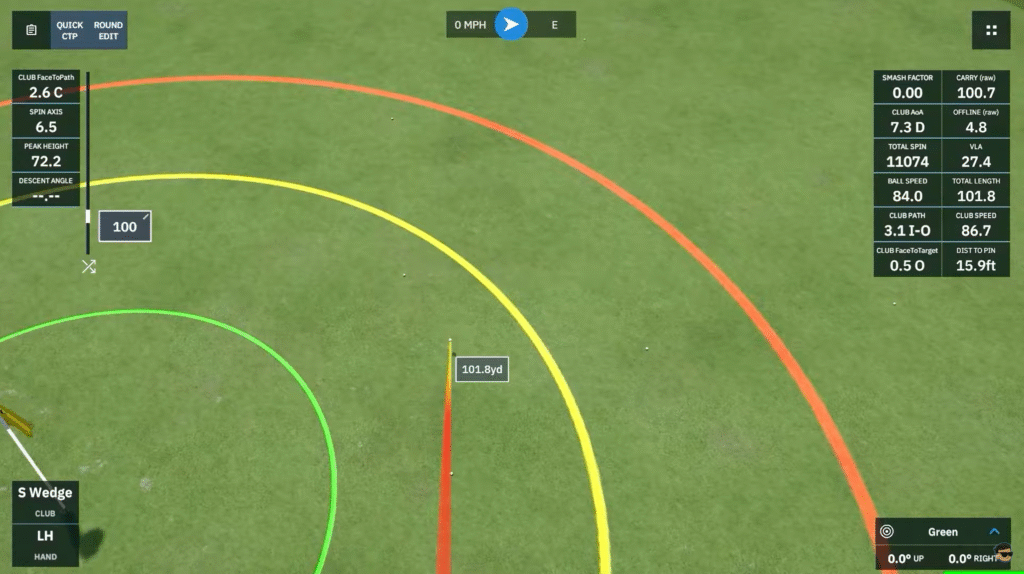
This is where the Falcon earns its reputation. It uses the same quadrascopic 4-camera technology found in the GCQuad, measuring impact directly instead of estimating data after ball flight. When the room is calibrated correctly and lighting stays consistent, the numbers stop feeling theoretical and start feeling dependable.
Consistency matters more than chasing perfect-looking metrics. Stable spin axis produces usable dispersion patterns. Repeatable carry distances make gapping sessions meaningful. During testing, the Falcon reduced indoor variance enough that practice felt intentional instead of speculative.
Camera-based systems also show their strength in the short game. Chips, pitches, and putts expose indoor simulators quickly. During my sessions, the Falcon handled these shots well. Feedback felt immediate and connected to the strike rather than delayed, which matters when you are working on touch rather than speed.
How Accurate The Foresight Falcon Was During Testing
Once everything was set correctly, the data stayed tight across repeated sessions. Driver swings commonly showed around 95 mph club speed, 140 mph ball speed, a 1.47 smash factor, 13.5° of launch, roughly 2,300 rpm of spin, and about 235 yards of carry. When contact stayed centered, start lines remained neutral and curvature stayed controlled even across long practice blocks.
With a 7-iron, I consistently saw around 80 mph club speed, 105 mph ball speed, a 1.31 smash factor, 18° of launch, close to 6,500 rpm of spin, and about 160 yards of carry with an angle of attack near -4°. This is where the Falcon became addictive. Face angle, path, and impact location feedback stayed consistent enough to trust small swing adjustments instead of second-guessing the system.
Two accuracy realities deserve honesty. First, club markers matter. Clean, correctly placed fiducial stickers are required for full club data. Worn stickers introduce noise, so replacing them keeps readings tight. Second, lighting matters. Camera systems want consistency. Harsh shadows or reflective surfaces can introduce issues, especially during calibration or high-spin wedge shots.
The Sticker Reality Check (Club Data Accuracy)
Full club data on the Foresight Falcon requires fiducial stickers. That’s the requirement for measured, impact-based club data rather than calculated estimates.
A single sticker on the center of the clubface unlocks core metrics like club path, angle of attack, clubhead speed, and smash factor. For full data including impact location and lie angle dynamics, additional reference points are needed, either multiple small stickers across the face or a horizontal strip sticker. Those extra markers allow the quadrascopic cameras to precisely map where the ball meets the face.
In solo sessions, applying stickers becomes routine. For guests, it adds a brief setup step, and during high-volume practice they get used faster than expected, so keeping extras on hand matters. When applied correctly, the payoff is consistent, trustworthy club data that holds up across long practice sessions and actually supports improvement rather than guesswork.
Foresight Falcon Software, FSX Play, And Ownership Experience
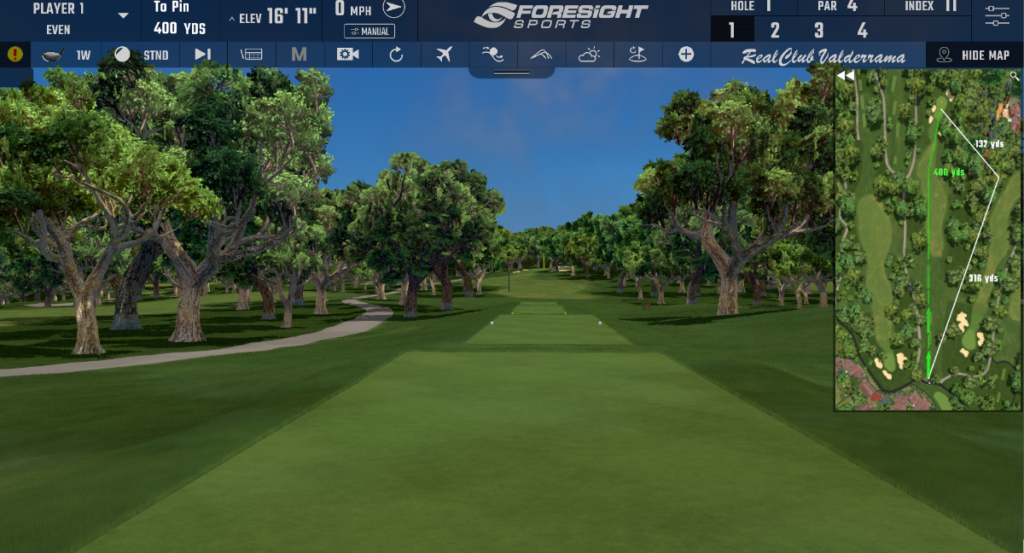
When playing on the Foresight Falcon, you primarily interact with FSX Play or FSX 2020 to simulate real-world golf scenarios. Because the Falcon is an overhead unit without a built-in display, the software becomes the primary feedback loop for both data and visuals.
In practice, sessions start smoothly. I launch FSX Play, connect the Falcon through the Devices tab in the player dashboard, and the system registers immediately. From there, everything flows through software rather than hardware adjustments.
During practice sessions, I typically enter Improve and then Practice, select a yardage window like 100–200 yards, and work in 10-yard increments. After each swing, ball and club data populate instantly, including angle of attack, spin, club path, face angle, and impact location. That immediacy keeps practice moving instead of feeling broken up by menus.
On-course practice adds flexibility. Instead of hitting on a generic range, I’ll load a specific hole from the course library and reposition the ball using the mini-map. That makes it easy to rehearse uncomfortable approach shots, forced carries, or awkward lies that normally only show up during real rounds.
Full rounds feel natural. Course selection is simple, multiplayer sessions support up to 8 players, and formats like Stroke Play, Scramble, and Match Play work smoothly. Environmental controls let you adjust wind, green firmness, and time of day, which helps keep sessions engaging over long stretches.
Putting can be handled traditionally or streamlined with fast-putting options depending on how you want the round to flow. When everything is dialed in, the Falcon feels less like a simulator and more like a digital extension of the room.
Third-Party Software Compatibility
Beyond Foresight’s ecosystem, the Falcon is compatible with GSPro, E6 Connect, and Awesome Golf depending on licensing. GSPro in particular pairs well with the Falcon for range sessions and variety, thanks to its large community-driven course library and smooth performance.
In practice, I found myself using FSX software for structured practice and analysis while leaning on GSPro for casual sessions and long range blocks. That flexibility adds to the Falcon’s long-term ownership appeal, especially for rooms used by multiple players with different priorities.
The key ownership advantage stays the same. Core FSX software is included with purchase, and there are no required annual subscription fees just to use the system normally.
Falcon Vs GCHawk: Same Golf Brain, Cleaner Decision
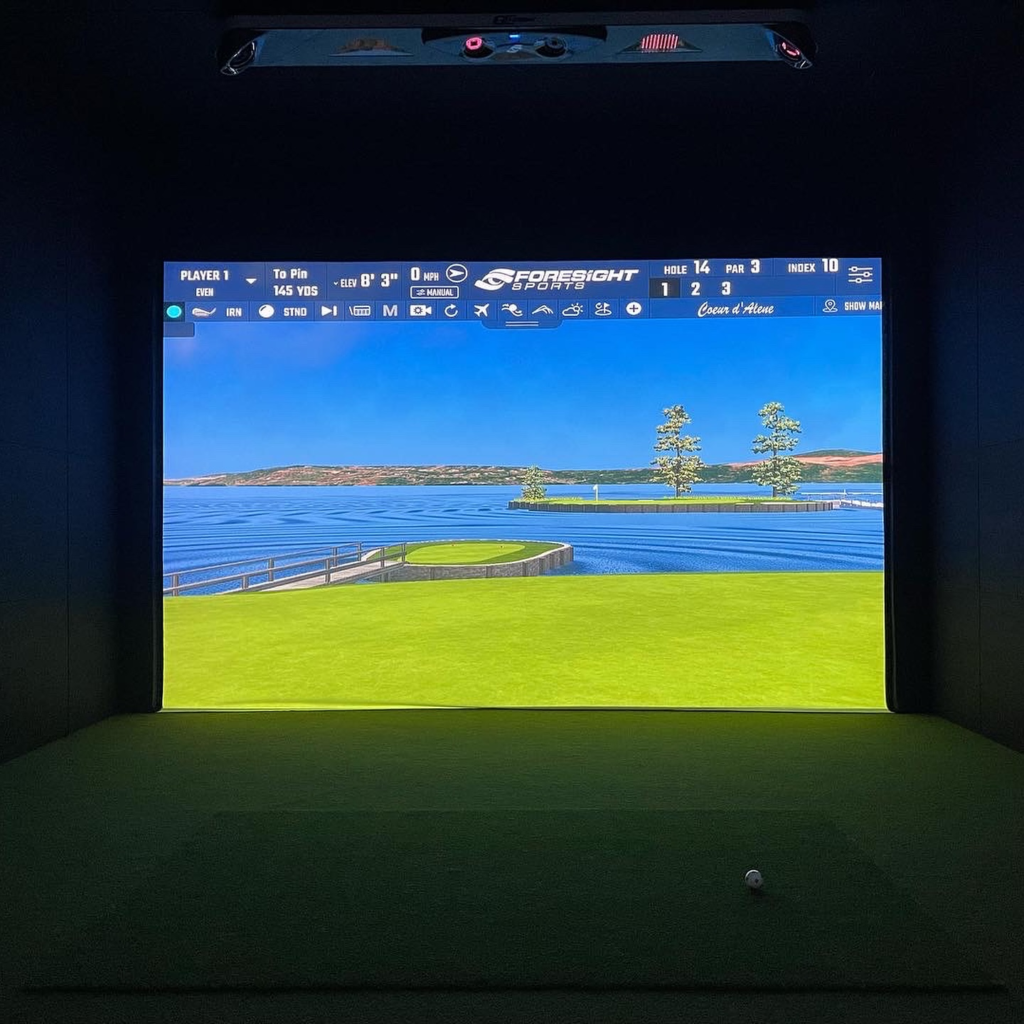
For golf-only use, this comparison is straightforward once you strip away marketing. The Falcon delivers the same category of golf data as the GCHawk using the same quadrascopic camera philosophy, but in a smaller, lighter, and more installation-friendly package.
The GCHawk’s advantage is multi-sport capability, including soccer and other ball-tracking activities. If that matters, the GCHawk earns its place. If golf is the only priority, the Falcon becomes the cleaner decision. It takes up less ceiling space, installs more easily, and provides the same level of golf data accuracy without extra bulk.
In real use, the Falcon feels like a purpose-built golf solution rather than a multi-sport platform adapted for golf.
Falcon Vs Uneekor EYE XO2: The Real Cross Shop Decision
This is the comparison where buyers pause the longest because the tradeoff is real.
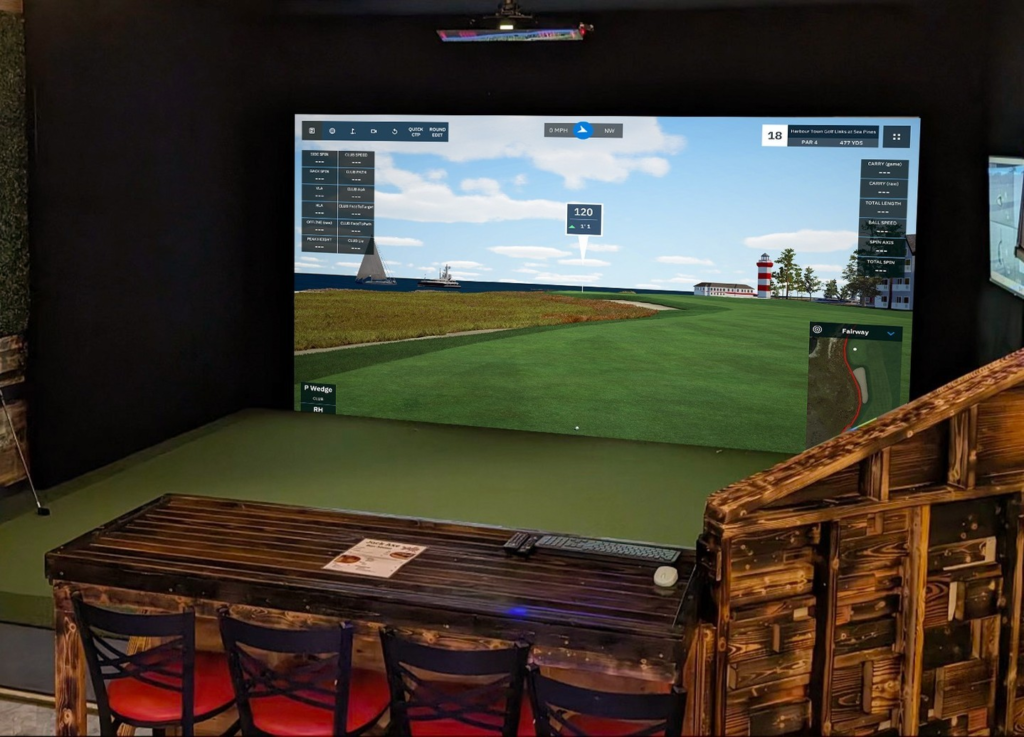
The Uneekor EYE XO2 appeals through lower upfront cost, a large hitting area, and overhead impact video replay that visually shows where the ball strikes the clubface. That video feedback can be useful for instruction and visual learners.
The Falcon counters with quadrascopic impact measurement, consistent off-center strike data, and long-term ownership simplicity. Sticker use becomes part of the decision here. The Falcon requires fiducial stickers for full club data, while the EYE XO2 also benefits from reflective markers for its most reliable readings.
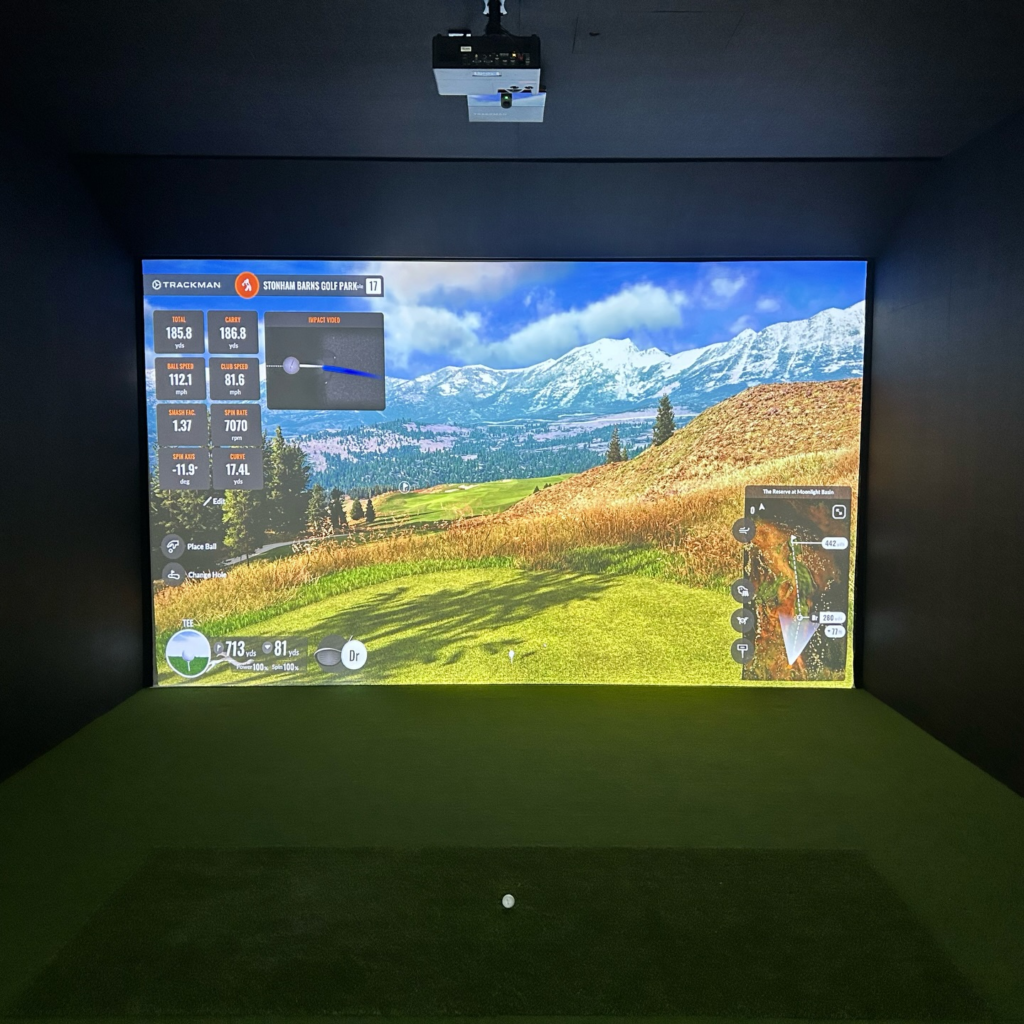
Where the Falcon tends to separate itself is consistency. Off-center strikes stay readable, and data patterns remain stable across long sessions. For players focused on building trust in numbers over time, that consistency becomes more valuable than visual replay alone.
Falcon Vs TrackMan iO: Two Premium Installs, Two Personalities
Both systems belong on the same shortlist for permanent indoor builds, but they reflect different ownership philosophies.
The Falcon relies purely on camera-based photometric technology, measuring impact directly and delivering highly consistent indoor spin and launch data. The TrackMan iO blends high-speed cameras and radar, offering a polished visual experience and strong putting performance.
The biggest difference shows up after purchase. The TrackMan iO requires ongoing subscriptions to unlock full feature sets and club data. The Falcon includes its core software outright, making long-term ownership simpler and more predictable.
In use, this decision often comes down to what keeps you engaged. Some players gravitate toward TrackMan’s visual polish and closed ecosystem. Others prefer the Falcon’s data-first approach and ownership clarity. Neither choice is wrong. They simply reward different priorities.
Reasons To Buy The Foresight Falcon
The Foresight Falcon makes sense for buyers who want a permanent overhead system that removes friction from every session. Once installed, nothing needs to be moved, reset, or realigned. The floor stays clear, and the room stays ready.
Overhead mounting allows left- and right-handed players to rotate without touching the hardware. That matters in shared spaces, lessons, leagues, or any setup where flow is more important than flexibility.
Data reliability is another core reason to buy. The quadrascopic camera system measures impact directly and produces repeatable indoor ball and club data when the room is set up correctly. That consistency makes gapping work, strike analysis, and dispersion patterns feel usable instead of speculative.
Software ownership strengthens long-term value. The Falcon includes full licenses for FSX Play, FSX 2020, and FSX Pro with no required annual subscription fees for core functionality. That lowers ongoing ownership cost and avoids feature lockouts tied to renewals.
The wide hitting zone also supports cleaner builds in rooms where width is limited. Confident ball placement and comfortable stance positioning are easier to maintain without compromising left-right play.
Reasons Not To Buy The Foresight Falcon
Ceiling height is the first limiting factor. Rooms under about 9.5 feet can feel constrained, especially with driver confidence and mounting geometry. A technically acceptable fit does not always translate to a comfortable one.
Portability is not part of the design. The Falcon is a permanent installation. If outdoor use, mobility, or room flexibility matters, this system will feel restrictive.
Full club data requires fiducial stickers. Ball data works without them, but face angle, path, impact location, and angle of attack depend on clean, correctly placed markers. For frequent practice, this becomes routine. For casual or guest-heavy use, it adds friction.
The total investment extends beyond the launch monitor. Mounting hardware, a capable PC, projector alignment, screen, mat quality, and room prep all contribute to the final cost. The Falcon works best when the surrounding build matches its level.
The system also rewards structured ownership. Calibration, lighting consistency, and room changes matter. If managing the environment feels like a burden instead of part of the process, a simpler setup may be a better fit.
Final Verdict: Is The Foresight Falcon Worth It
Buy it if you want a set-and-forget overhead system that keeps the floor clear, handles left- and right-handed play without moving hardware, and delivers professional-grade indoor data inside a dedicated space.
Pass if ceiling height is limited, portability matters, or committing to a fixed simulator room feels premature.
In the right build, the Falcon becomes infrastructure rather than equipment. Once installed, it fades into the ceiling and lets the room do exactly what it was built for. Practice. Play. Repeat.