
Permanent simulator builds force different decisions than casual setups. Once a bay is framed, the screen is fixed, and the ceiling height is locked in, priorities change. That is where the ProTee VX starts to make sense. It is a ceiling mounted launch monitor designed for dedicated spaces where nothing gets moved between sessions and performance stays consistent from the first swing to the last.
Floor based launch monitors tend to show their weaknesses over time. Units near the ball need constant repositioning. Left handed players slow the session down. Alignment checks become routine instead of occasional. The ProTee VX exists because those small frustrations stack up, especially in home simulators, teaching studios, or multi player environments where smooth flow matters more than flexibility.
This review looks at the ProTee VX through the lens of ownership rather than surface level overviews. The goal is to explain what it feels like to live with this overhead launch monitor once it is installed and part of your normal routine. Room requirements, ceiling height realities, install planning, indoor consistency, software compatibility, and long term usability matter far more than first impressions.
Anyone searching for a portable unit to take to the range should stop here. That is not what the ProTee VX is built for. For golfers setting up a permanent simulator and wanting a clean, professional experience that works naturally for both left and right handed players, the ProTee VX occupies a very specific lane in the current simulator market.
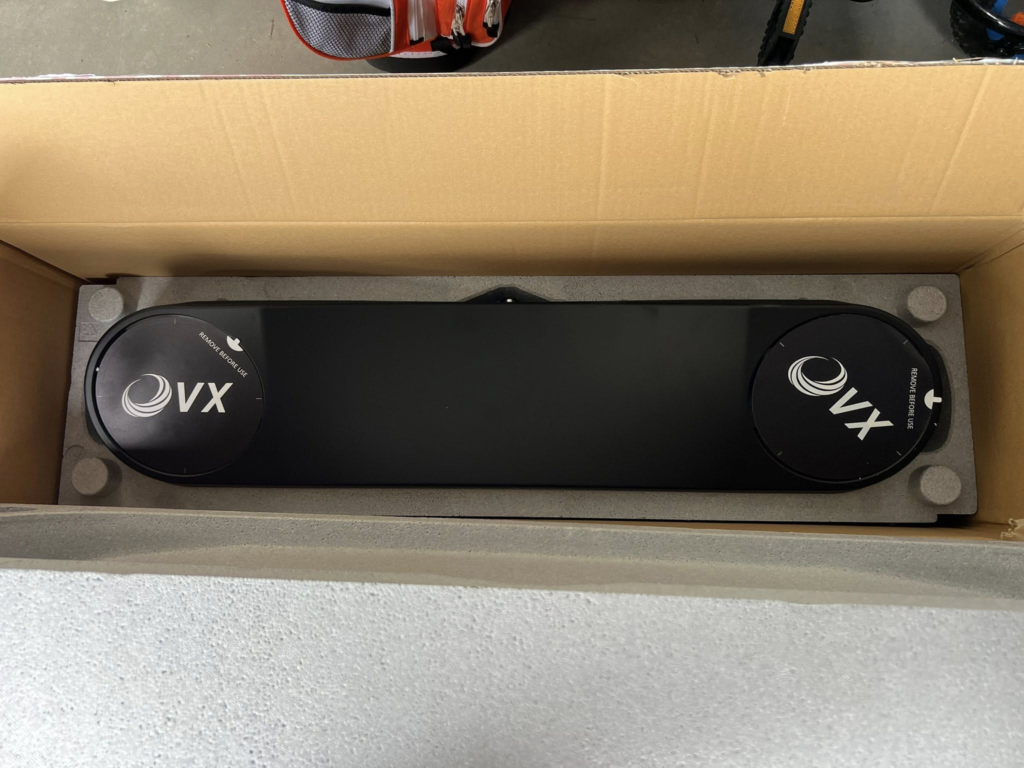
Who the ProTee VX Is Actually For
The ProTee VX is built for golfers who have committed to a permanent indoor simulator space, typically in a garage or basement where the bay layout is not changing. In that kind of environment, ease of use comes from removing clutter and eliminating setup steps. Once installed, the ProTee VX allows players to step in, place a ball, and swing without worrying about sensor placement or alignment before each session.
This system also appeals to golfers who are tired of floor based launch monitors living near the hitting area. Constant repositioning, alignment checks, and protecting hardware from mis-hits slowly become friction points. By moving the entire tracking system overhead, the ProTee VX removes those interruptions and keeps the hitting zone completely clear.
Left handed and right handed households are another strong fit. Because the ProTee VX tracks shots from above, there is no need to move or recalibrate hardware when players switch sides. That makes shared simulator spaces far more practical and keeps sessions flowing without delays or adjustments.
Coaches, instructors, and multi player environments benefit for the same reason. Lessons move faster when the system never needs to be touched between swings. Group sessions feel cleaner when players rotate through naturally. In these setups, the ProTee VX becomes part of the room rather than a piece of equipment that needs managing.
The ProTee VX is not designed for portability or casual use. It is designed for owners who want a clean, professional indoor golf experience, consistent tracking, and software flexibility without ongoing subscription costs. For the right type of simulator build, it solves problems that portable and floor based systems never fully eliminate.
What the ProTee VX Is and How It Works
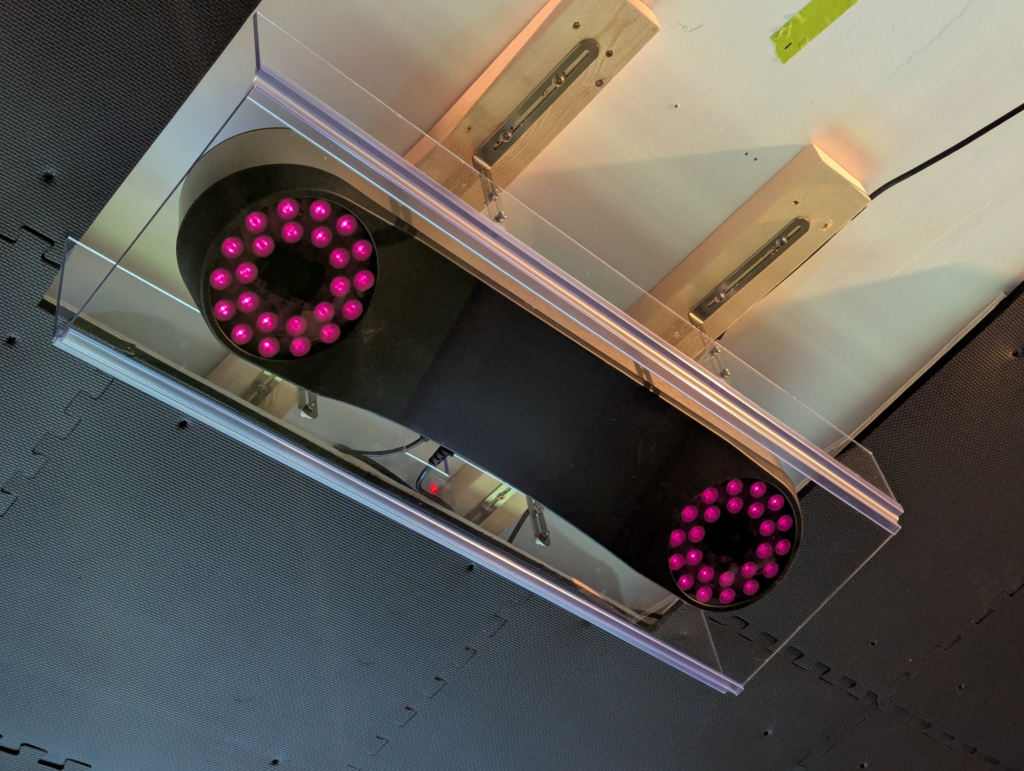
Ceiling mounted launch monitors solve a very specific problem, and the ProTee VX is built squarely for that role. By placing the entire tracking system overhead, it removes hardware from the hitting area and turns the simulator into a permanent, fixed installation rather than a setup that needs attention every session. The floor stays clear, nothing shifts between shots, and the experience remains the same day after day.
Designed by ProTee Group, the ProTee VX relies on a dual high speed camera system positioned above the hitting zone. These cameras focus on the instant of impact, capturing launch and spin behavior the moment the ball leaves the clubface. Because measurement happens immediately, the system does not depend on extended ball flight or excess room depth to deliver consistent results.
This camera based approach is especially important indoors. Radar based systems work best when they have room to track the ball through the air, which can be limiting in tighter spaces. With the ProTee VX, accuracy comes from what happens at the strike itself. Launch angle, spin axis, and initial ball behavior are measured before the ball ever reaches the screen.
Overhead systems exist because they remove friction from the simulator experience. With nothing to move or recalibrate, players can rotate in and out without touching the hardware. Left handed and right handed golfers share the same hitting zone naturally. Practice sessions stay focused on the swing instead of the setup. Once installed, the ProTee VX does its job quietly in the background, which is exactly what long term simulator ownership tends to demand.
ProTee VX Price and Ownership Costs
Pricing is where the ProTee VX starts to separate itself from many competing simulator systems. The current MSRP sits around $6,500, which places it in the mid range for overhead launch monitors and well below most commercial installs. That upfront number matters, but it does not tell the full ownership story.
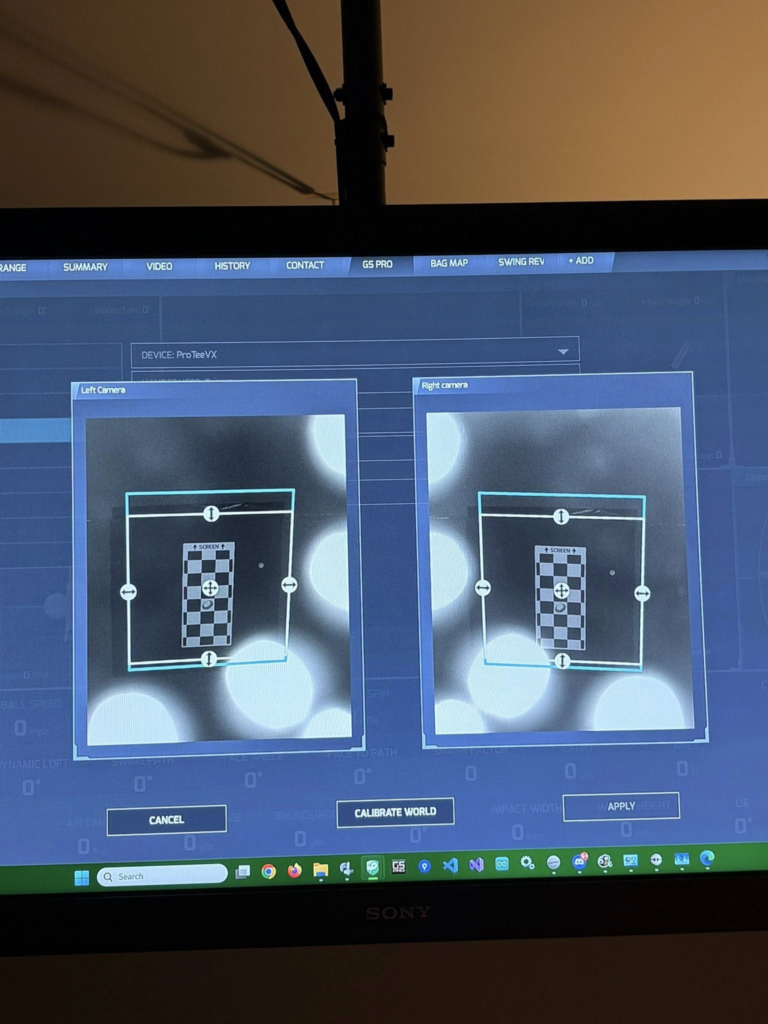
Your purchase includes the ProTee VX hardware, the ceiling mount, and full access to ProTee Labs for calibration, data display, and shot review. What it does not include are the surrounding pieces needed to complete a simulator build. You will need a capable Windows gaming PC to handle vision processing. A hitting mat, impact screen or net, projector, and simulator software are also required if you want to play courses instead of only practice.
Ownership costs change once you factor in subscriptions. The ProTee VX does not lock data behind yearly fees. After purchase, all measured data and core software access stay unlocked. There is no annual charge tied to ball data, club data, or basic functionality. That difference adds up quickly.
Long term cost comparisons make this clearer. A launch monitor with a lower entry price but yearly fees can pass the total cost of the ProTee VX in just a few years. With the ProTee VX, costs stop after the initial purchase. For owners planning to keep a simulator for several years, that predictability matters.
This is not about finding the cheapest path into a simulator. It is about understanding real ownership costs. For golfers who want an overhead system without ongoing software payments, the ProTee VX often makes sense the longer it stays in use.
Ceiling Height, Room Size, and Install Requirements
Getting the room dimensions right is the most important part of a successful ProTee VX install. Minimum ceiling height sits around 9 feet, but that number comes with caveats. At that height, driver swings can feel restrictive, especially for taller players or faster swingers. A ceiling height closer to 10 feet creates a far more comfortable experience and removes the constant concern of clipping the ceiling.
Mounting position matters just as much as height. The ProTee VX installs overhead, typically between 9 and 10 feet high, and slightly forward of the hitting position toward the screen rather than directly above the golfer. That placement allows the dual cameras to capture club and ball impact cleanly without the player’s body blocking the view. This is not a flexible setup where placement can be adjusted later. Accuracy depends on getting this right during installation.
Because the system bolts directly into ceiling joists, install planning needs to happen early. Power and data cables usually run through the ceiling or along structured cable channels. While this removes trip hazards and floor clutter, it reinforces the permanent nature of the system. Once installed, the ProTee VX becomes part of the room.
This is not a system designed for temporary setups. If the space cannot comfortably support full swings with a driver, no amount of tuning will fix that. The ProTee VX works best for owners who are ready to commit to a dedicated simulator room built for long term use.
The Overhead Advantage (Why It Changes the Simulator Experience)
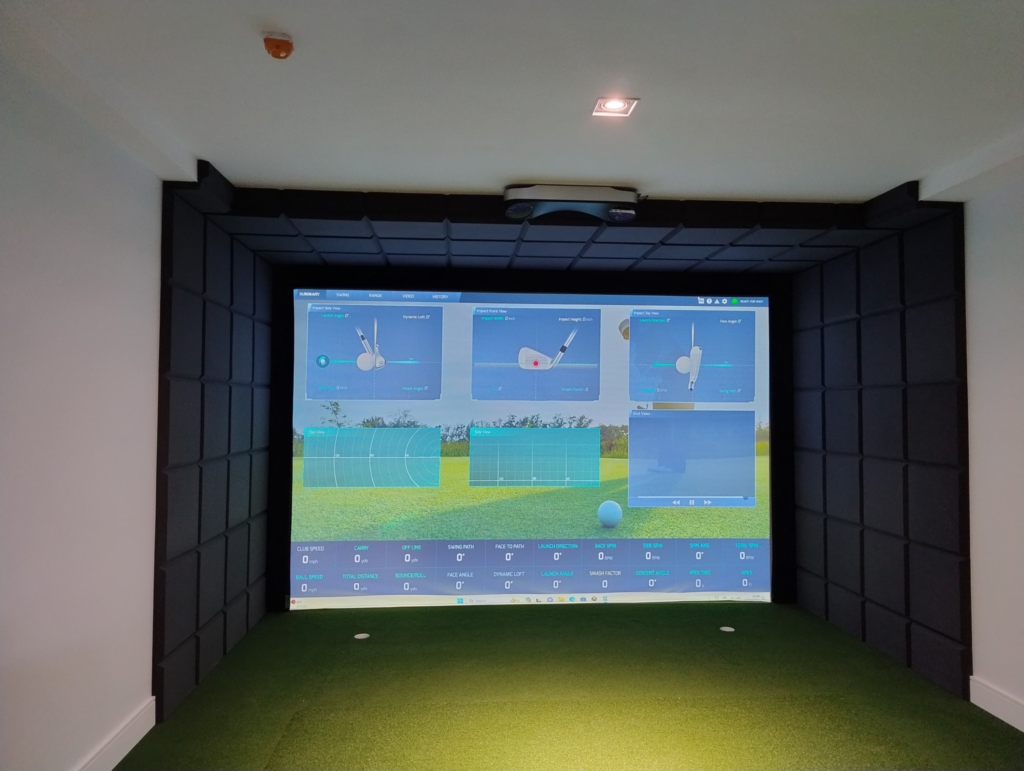
Switching from a floor based launch monitor to an overhead system changes how the simulator feels almost immediately. The most noticeable difference is simple. There is no device near the ball. Nothing sits in the hitting area. Nothing needs protection from mis-hits.
Re-alignment disappears from the routine. Floor units often require small adjustments between sessions or after accidental bumps. With the ProTee VX, calibration happens once during install and stays locked in. You walk in, place a ball, and swing without touching the system.
Left handed and right handed play becomes seamless. There is no stopping to move hardware or recalibrate when players switch sides. Everyone shares the same hitting area naturally, which speeds up sessions and keeps the experience smooth.
The bay itself stays cleaner. Fewer cables. Fewer accessories. Less equipment on the floor. That cleaner layout makes the simulator feel more like a professional space instead of a collection of parts.
Sessions move faster because nothing interrupts the flow. More shots happen in less time. Practice feels simpler. That quiet efficiency is the real advantage of overhead systems and the reason many long term simulator owners never return to floor based units once they make the change.
Hitting Zone Size and Left-Handed Support
Hitting zone size matters more in daily use than most people expect. With the ProTee VX, the active hitting area measures roughly 25 by 21 inches, which gives players room to swing naturally without obsessing over exact ball placement. Instead of searching for a precise spot every time, you can drop a ball into the zone and hit. That freedom keeps practice sessions moving and removes a lot of unnecessary friction.
This becomes especially noticeable in multi player settings. When several golfers are rotating through a session, small delays add up fast. A larger hitting zone keeps the pace up, whether it is a casual round with friends or a competitive game where momentum matters. Fewer resets lead to more swings and a smoother overall experience.
Coaching environments benefit in a different way. Instructors often need players to adjust position slightly to work on trajectory, low point control, or face delivery. With the ProTee VX, those adjustments happen without losing tracking or breaking the session. The system continues to read shots cleanly even when stance and ball position change within the hitting area.
Left handed support ties directly into this flexibility. Because the system tracks from overhead, it recognizes both left and right handed players automatically. There is no need to move hardware or change settings when switching sides. That makes shared spaces easier to manage and allows coaches to demonstrate and test movements without interruption.
Ball Data and Club Data Explained
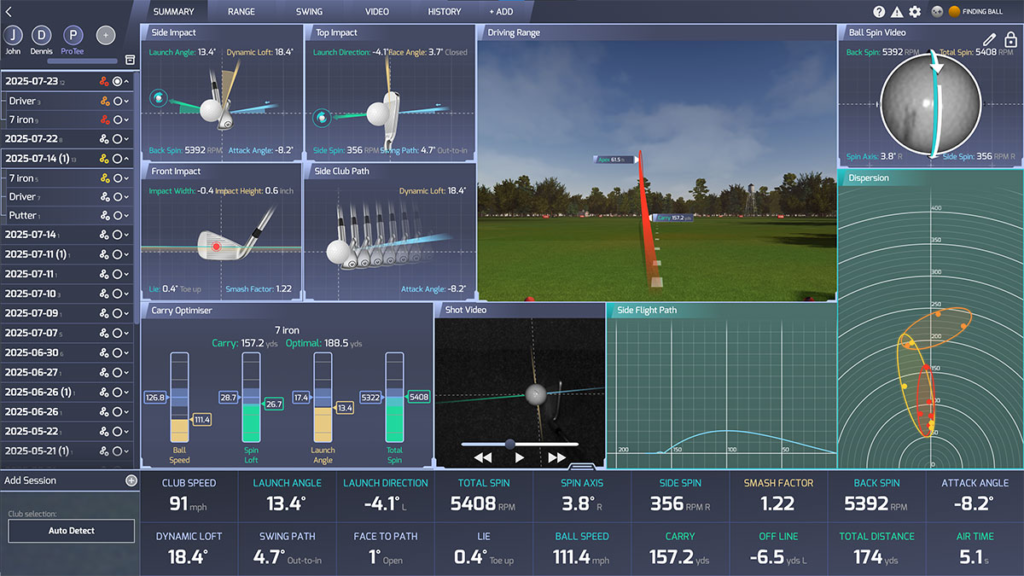
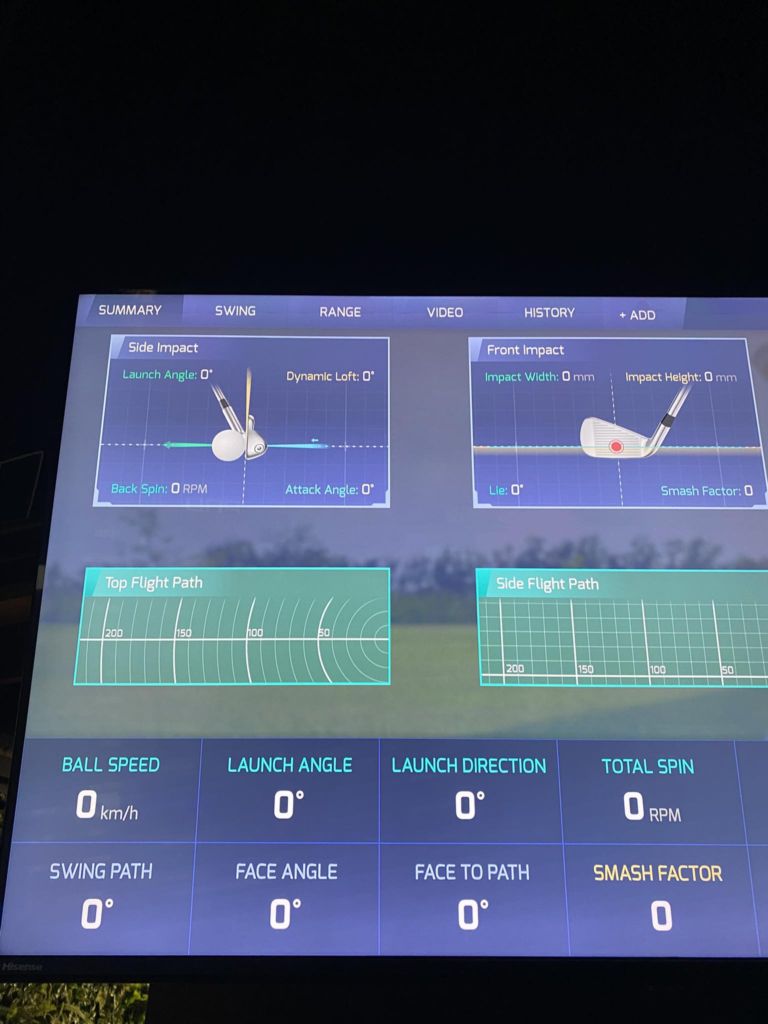
The ProTee VX focuses on what happens at impact rather than trying to infer results from ball flight alone. High speed cameras capture the moment the club meets the ball, which allows the system to build its data from what actually occurred instead of estimating from what happens afterward.
Ball Data Metrics Captured
The system captures ball data the instant contact is made. From there, ball speed reveals how cleanly energy moved from the club into the ball. Launch angle shows the initial vertical direction of the shot. Spin rate measures how much the ball rotates, while spin axis explains why it curves left or right. Carry distance is then calculated using those inputs, producing consistent results even when space is limited.
Because these measurements happen immediately at strike, indoor distance to the screen has very little influence on consistency. The system does not need to watch the ball fly for several yards to understand what happened.
Club Data Metrics Captured
Measurement happens at impact. Head speed shows how fast the club is moving through the strike, while path reveals the direction of travel relative to the target line. Face angle captures how the clubface is oriented when it meets the ball. Angle of attack explains whether the club is moving upward or downward through the strike.
These measurements come from visual recognition of the clubhead itself. Instead of relying on reflective markers or estimating motion from ball behavior, the ProTee VX observes the club directly as it moves through impact. That approach makes the feedback feel grounded and easier to trust, especially when reviewing swing changes or diagnosing missed shots.
This combination of impact focused ball data and visually confirmed club data is what separates the ProTee VX from systems that rely heavily on post impact estimation. It gives players clearer answers about why a shot behaved the way it did, not just what the final result looked like.
Impact Video and Shot Replay Breakdown
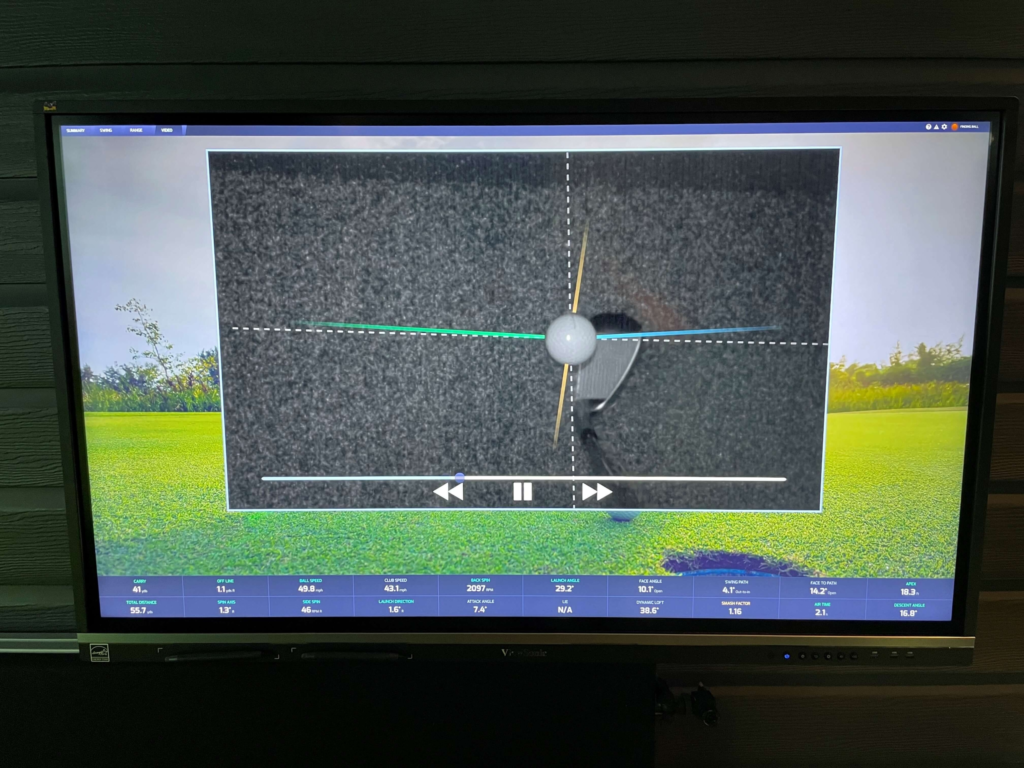
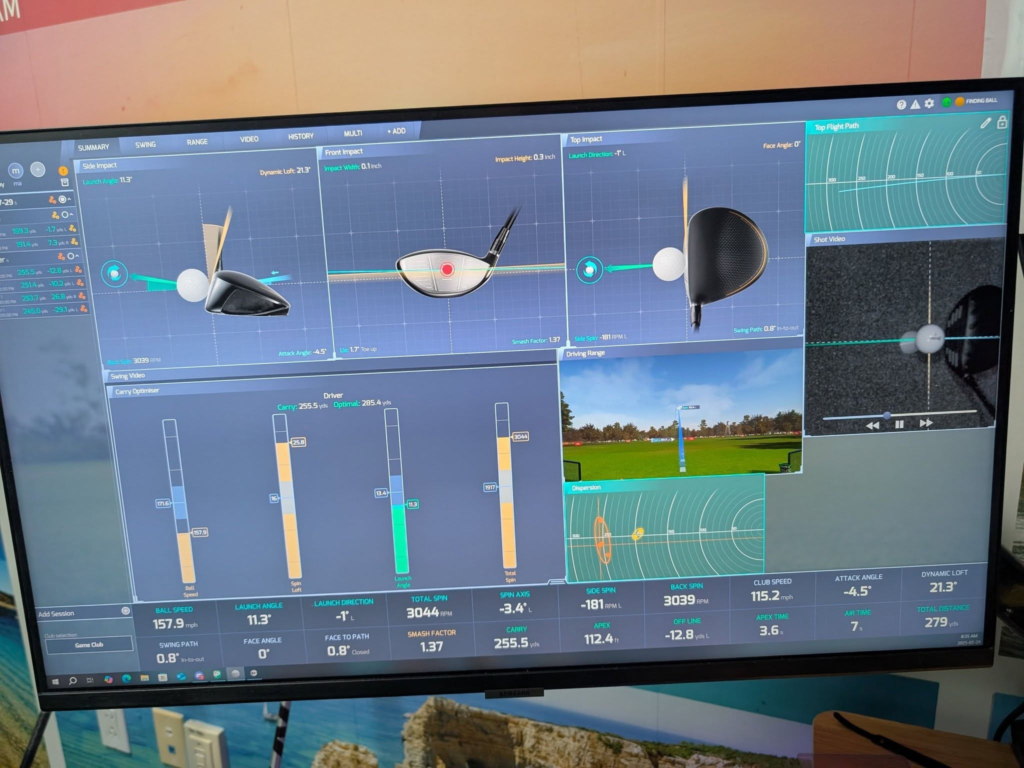
Confidence in the data builds fastest when you can see what actually happened. With the ProTee VX, every shot includes a slow motion impact replay that shows the club meeting the ball in real time. Instead of trusting numbers alone, you watch face contact, strike location, and initial launch unfold frame by frame.
That visual layer changes how feedback is processed. When a shot starts right and curves back, the replay often shows an open face or an off center strike that explains the result immediately. There is no guessing. The picture confirms the story the data is telling, which makes practice feel grounded instead of abstract.
This approach differs sharply from radar only systems indoors. Radar excels when it can follow the ball through long flight, but inside it often has to infer impact conditions from limited movement. The ProTee VX does not infer. It records the moment of contact itself. Seeing the strike removes doubt and shortens the feedback loop, which is why impact video tends to become one of the most trusted tools in the system.
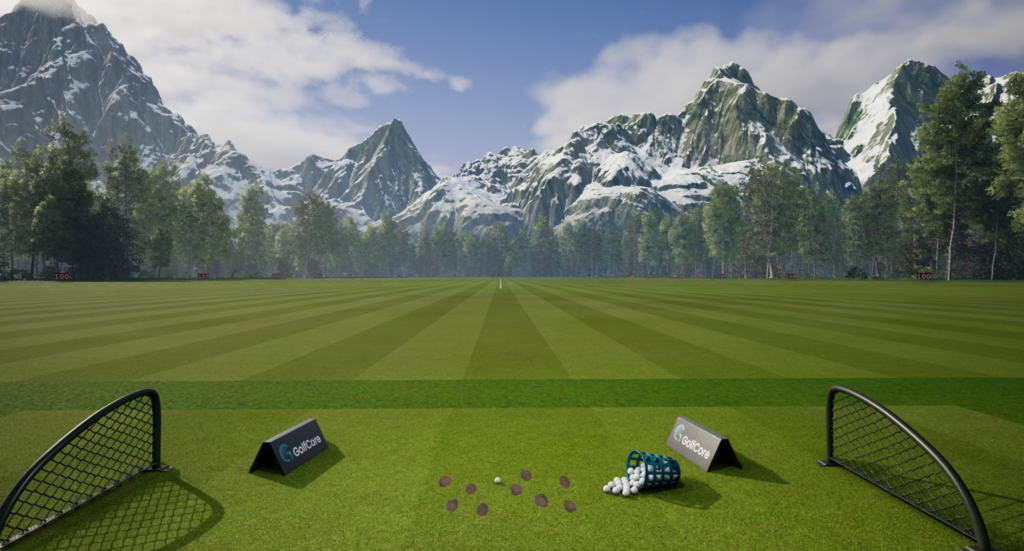
ProTee Labs Software Overview
Every ProTee VX ships with ProTee Labs as the core environment for practice and device control. The software keeps the focus on training rather than presentation, with a clean layout that prioritizes usable feedback over visual noise.
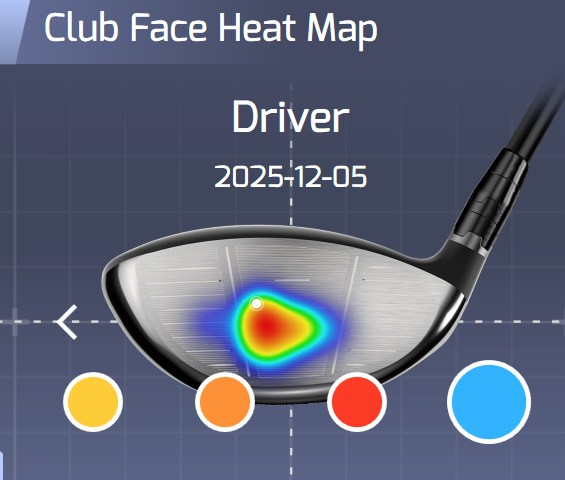
Practice sessions revolve around customizable data panels that let you decide what stays on screen. Yardages, spin behavior, face delivery, and strike patterns can all be emphasized depending on what you are working on. Nothing feels locked into a single layout, which helps long term use.
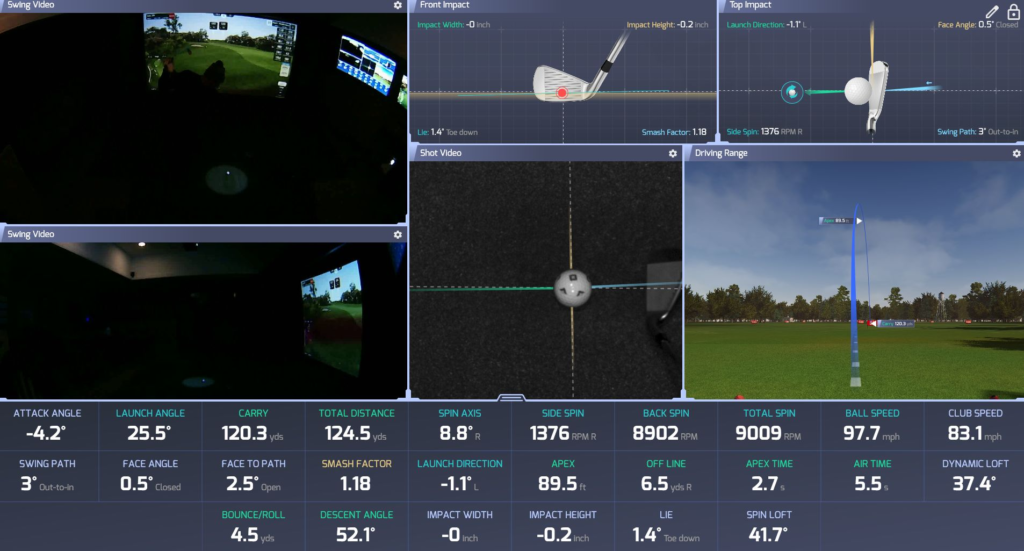
Replay tools sit at the center of the experience. Impact video pairs naturally with external swing camera feeds, allowing full body motion and strike footage to play side by side. That combination creates a clear cause and effect relationship between movement and result, which is especially helpful for self guided practice or lesson environments.
There is no subscription requirement tied to ProTee Labs. Once installed, it remains available without recurring fees, keeping ownership costs predictable and the system fully functional over time.
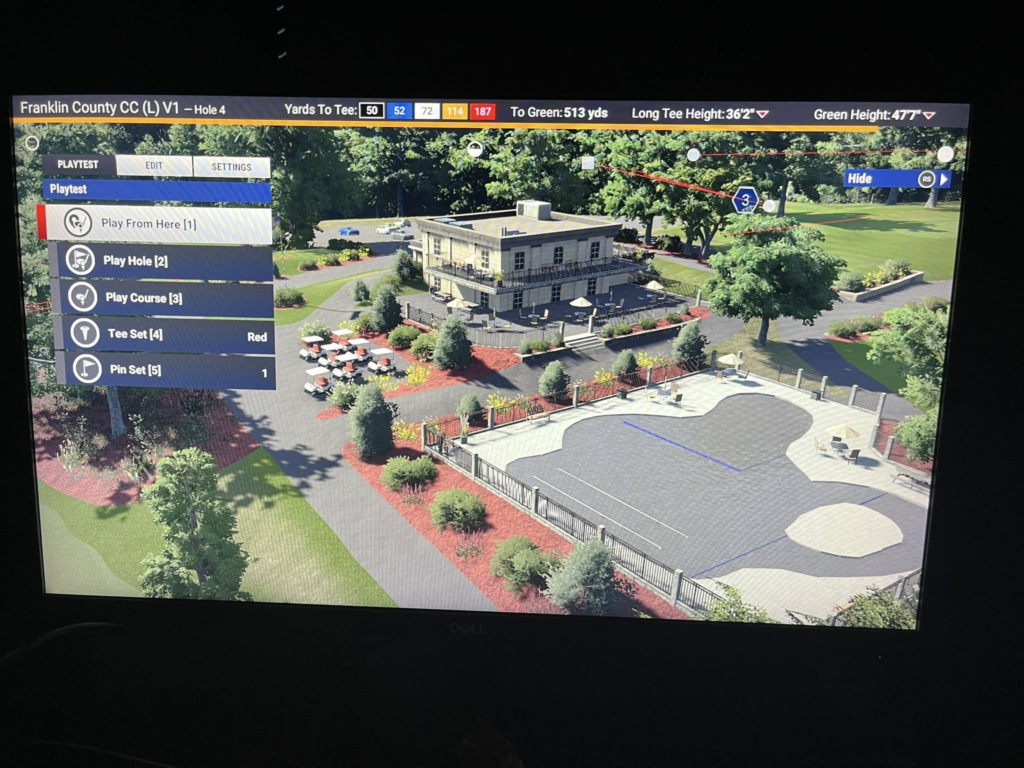
GSPro and Simulator Software Compatibility
Practice tools matter, but most owners want full course play as well. The ProTee VX integrates cleanly with GSPro, which has become the preferred choice for many serious simulator users due to its realistic physics and active course library. Shot response feels immediate, and ball behavior carries through naturally from practice to play.
Support also extends to E6 CONNECT and TGC 2019, giving access to a wide range of courses and game modes. This flexibility matters because it allows owners to choose software based on preference rather than hardware limitations.
Dual screen setups work particularly well with the ProTee VX. One display can handle the course view on the projector, while a second monitor shows data panels, overhead views, or replay footage. That separation keeps gameplay immersive without sacrificing access to information, which is a common goal in higher end simulator builds.
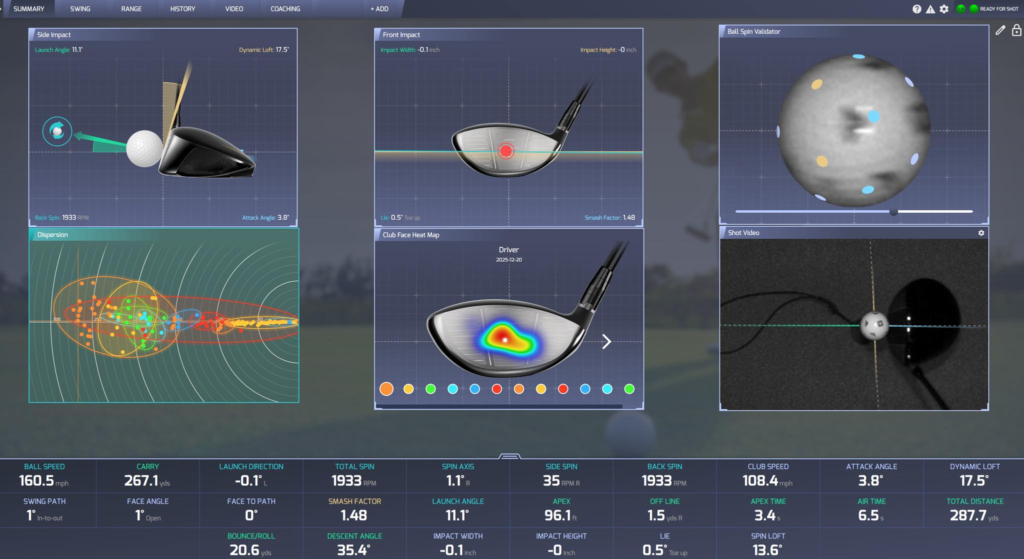
Accuracy Expectations Indoors
Accuracy indoors depends less on raw distance and more on repeatability. The ProTee VX performs well in this environment because it relies on camera based consistency rather than extended ball flight. Data is captured within the first moments of movement, so limited room depth does not compromise results.
Pattern validation plays a key role here. By recognizing ball and club behavior at impact, the system produces repeatable numbers shot after shot. Miss patterns show up clearly, which is often more valuable than chasing exact yardages.
Short ball flight is not a limitation with this design. Since launch, spin, and direction are read immediately, the system does not need the ball to travel far to understand what happened. That makes tight rooms far more usable than they would be with flight dependent tracking.
Judging accuracy properly means looking at consistency and alignment with real world performance. When carry distances, shot shapes, and miss tendencies mirror what happens on the course, the data is doing its job. No system can claim perfect accuracy under every condition, but the ProTee VX delivers the level of reliability needed for meaningful indoor practice and long term improvement.
Putting Performance and Setup Reality
Putting is one of the most common concerns buyers raise before choosing the ProTee VX, and the reality sits somewhere between expectation and setup. The system is capable of detecting putts reliably because the overhead cameras can see ball rotation immediately after contact. Short strokes register cleanly, and speed changes show up consistently when the surface is set up correctly.
Where putting starts to feel different is at the software level. Each simulator platform handles green speed, friction, and roll slightly differently, which is why putting varies by software. A ten foot putt can feel quicker in one program and slower in another, even with the same physical stroke. That difference is not a hardware limitation. It comes down to physics tuning inside the software.
This is why the auto putt discussion comes up so often. Many owners choose to auto putt inside a certain distance to keep rounds moving, especially during social play. Others prefer to putt everything for realism. Both approaches work. The key is consistency. A level putting surface that matches the height of the hitting mat does more for realism than any setting inside the software.
Putting works well with the ProTee VX when expectations are set correctly. It is accurate, but it still requires thoughtful setup and tuning to feel natural.
ProTee VX vs Other Launch Monitors
Once you step into ceiling mounted launch monitors, price, ownership model, and install commitment matter just as much as performance. These systems all deliver strong indoor results, but they serve different types of buyers once real world costs are considered.
ProTee VX vs Uneekor EYE XO2
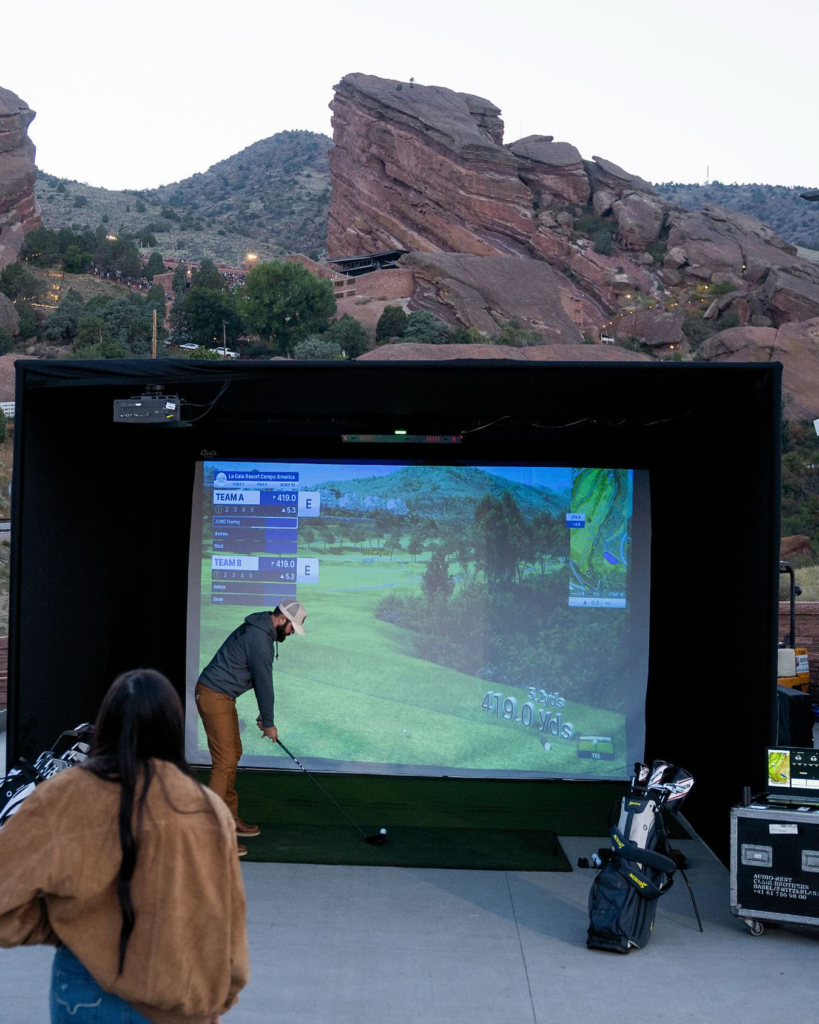
This is the comparison most buyers land on first. Both systems rely on high speed camera tracking, support large hitting zones, and handle left and right handed players without moving hardware. Indoor consistency is strong on both sides.
The difference shows up in cost structure. The Uneekor EYE XO2 carries an upfront price around $11,000, and its software ecosystem relies on optional subscription tiers to unlock advanced features and third party integrations. That approach offers a polished experience, but it introduces ongoing costs over time.
The ProTee VX enters at a significantly lower price point and keeps all core data unlocked without annual fees. For owners who want overhead performance with predictable long term costs, that gap matters. Uneekor appeals to buyers who value its software ecosystem and are comfortable with subscriptions. ProTee appeals to buyers who want full access from day one.
ProTee VX vs Foresight Falcon
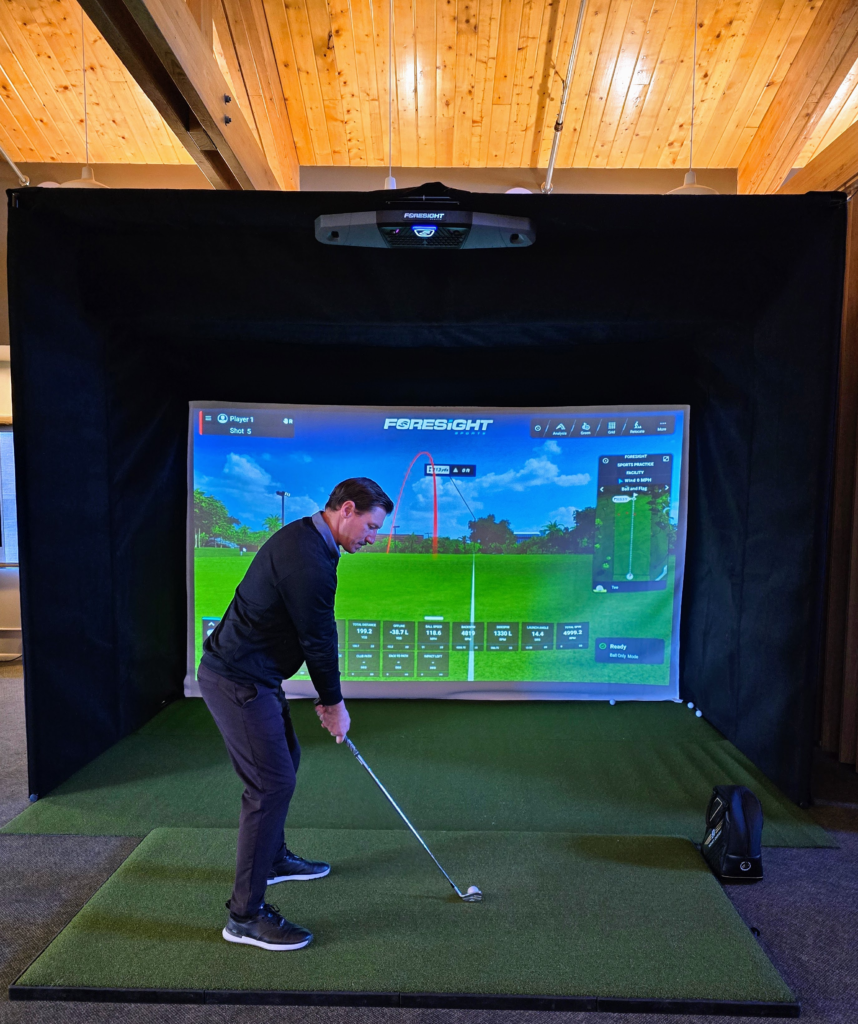
This matchup highlights brand positioning more than capability. Foresight has deep roots in professional fitting environments, and the Falcon brings that pedigree into an overhead format. Accuracy is not the question here. Both systems perform reliably indoors when installed correctly.
Pricing creates the separation. The Foresight Falcon typically retails around $14,999, with additional software costs tied to the Foresight platform. That places it firmly in the premium commercial category.
The ProTee VX delivers a similar overhead workflow at less than half the upfront cost. For commercial studios where brand recognition carries weight, the Falcon can justify its price. For home simulator owners focused on performance and ownership value rather than logo prestige, the ProTee VX often makes more sense.
ProTee VX vs TrackMan iO
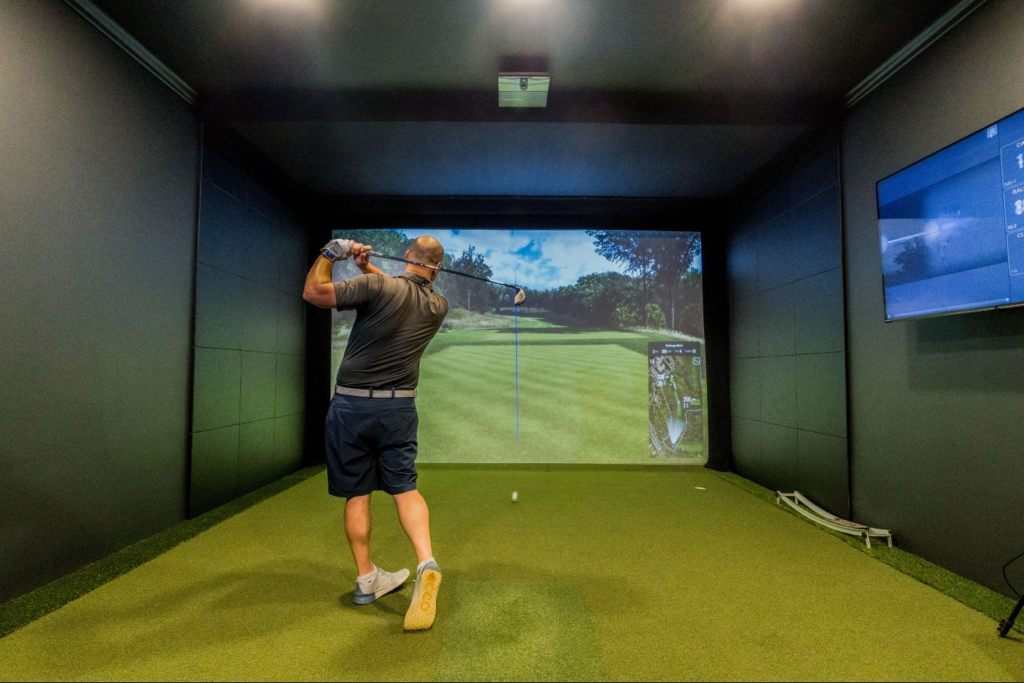
The TrackMan iO represents a different design philosophy. Built specifically for indoor use, it combines radar with optical tracking and integrates tightly into the TrackMan ecosystem. The experience is refined, but it stays closed and commands a premium price.
At roughly $13,995, TrackMan iO sits near the top of the indoor simulator market. Ongoing software costs and ecosystem lock in are part of that ownership model.
The ProTee VX takes a more flexible approach. Camera based impact measurement avoids reliance on long ball flight, and open software compatibility allows owners to choose how their simulator evolves. There are no required balls, no metallic markers, and no obligation to stay inside a single platform.
The TrackMan iO fits buyers who want a fully managed, premium ecosystem and are comfortable paying for it. ProTee VX fits buyers who want overhead performance, lower upfront cost, and long term control over their setup.
Pros and Cons After Living With the ProTee VX
Pros
- Overhead workflow that keeps the hitting area completely clear
- No subscriptions tied to core data or functionality
- Large hitting zone that allows natural ball placement
- Impact video that confirms what the data is showing
Cons
- Permanent install with no easy relocation
- Windows PC required for proper performance
- No courses included without third party software
Balanced tradeoffs matter here. The strengths align with long term ownership, not short term flexibility.
Common Mistakes Buyers Make Before Installing ProTee VX
Ceiling height misjudgment causes more issues than anything else. Many buyers measure the room but forget to account for mat thickness or swing arc. Testing full driver swings in the exact hitting position before installing is critical.
PC underpowering is another common problem. The ProTee VX processes high speed imagery in real time. Cutting corners on the computer often leads to delayed shot response, which breaks immersion quickly.
Some buyers expect portability. This is not that type of system. Moving it repeatedly leads to calibration headaches and defeats the purpose of an overhead install.
Install planning also gets underestimated. Cable routing, lighting placement, and projector alignment should be planned together. Treating install as an afterthought usually leads to visible wires and compromised performance.
Final Verdict – Is the ProTee VX Worth It in 2026
The ProTee VX continues to make sense for a specific type of golfer in 2026. Permanent simulator rooms benefit most, especially when consistency, clean workflow, and long term cost control matter more than portability.
Overhead tracking, reliable indoor performance, and full access without annual fees make it a strong fit for committed owners. Golfers who need outdoor use or have limited ceiling height should look elsewhere.
Viewed through the lens of ownership rather than initial cost, the ProTee VX holds up well over time. It stays out of the way, delivers repeatable data, and lets the simulator feel like a finished space instead of an ongoing setup project. That is ultimately what makes it worth considering for serious indoor builds.